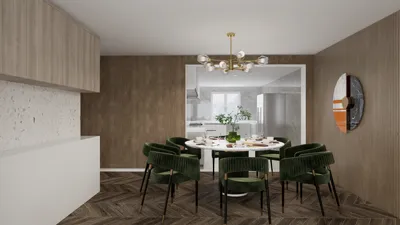
Enhancing your SketchUp designs through rendering can elevate them significantly, enabling you to generate impressive visual representations that captivate clients and stakeholders. If you’re using SketchUp Pro 2018 on a Mac, numerous exceptional rendering software options are available to boost your projects. Below are some of the top rendering software choices you should consider, including tools that integrate seamlessly with platforms like Homestyler.
1. V-Ray for SketchUp
V-Ray stands as one of the leading rendering engines favored by architects and designers. Known for its robust features and capability to produce photorealistic images, V-Ray offers seamless integration with SketchUp Pro 2018 on macOS. Its real-time rendering feature lets you visualize alterations as you implement them, ensuring a fluid workflow that can also complement design tools such as Homestyler.
2. Enscape
Enscape serves as a real-time rendering and virtual reality plugin that connects easily with SketchUp. It empowers you to generate high-quality renderings within seconds, eliminating the need to export your models. With its intuitive interface, Enscape is an excellent option for designers searching for a simple yet effective rendering solution, especially alongside platforms like Homestyler.
3. Lumion LiveSync
Lumion offers a powerful rendering solution perfect for crafting breathtaking landscapes and environments. With the LiveSync feature, you can synchronize your SketchUp model with Lumion in real-time, allowing for in-context visualization of your designs. This functionality extends not just to professional tools but can also be beneficial when used in conjunction with Homestyler.
4. Twilight Render
Twilight Render provides a user-friendly rendering solution, equipped with both basic and advanced features. It caters excellently to SketchUp users aiming to create stunning renderings without encountering a steep learning curve. With multiple rendering styles supported, Twilight Render ensures versatility in your projects, complementing designs inspired by Homestyler.
5. Thea Render
Thea Render is another formidable rendering engine that integrates effectively with SketchUp Pro 2018 on Mac. It presents a diverse range of rendering options from biased to unbiased and is celebrated for its high-quality outcomes. Ideal for professionals, Thea Render excels in producing detailed and realistic renderings that can seamlessly align with designs crafted in Homestyler.
Conclusion
Selecting the appropriate rendering software can greatly influence the quality of your SketchUp projects. Each of these rendering solutions presents distinctive features tailored to various needs, whether you require real-time rendering, photorealistic results, or ease of use. Delve into these options to discover the best fit for your design workflow, while considering how they can enhance your experience with tools like Homestyler.
FAQ
Q: What is the best rendering software for beginners using SketchUp Pro 2018 on Mac? A: Twilight Render is ideal for beginners due to its user-friendly interface and versatility across different rendering styles.
Q: Can I utilize V-Ray for real-time rendering? A: Absolutely, V-Ray provides real-time rendering capabilities, enabling you to instantly observe modifications in your model.
Q: Is Lumion compatible with Mac? A: Lumion is mainly designed for Windows, but it can be accessed on a Mac via virtualization software.
Welcome to the leading home design software available! Explore how tools like Homestyler can transform your design process.








































