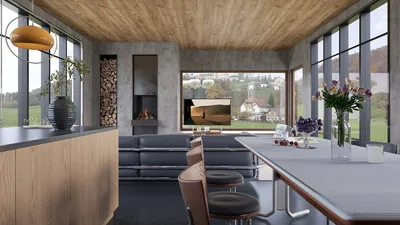


Enhancing 3D renders through painting is an excellent method to bring depth, texture, and a unique personal touch to your projects. Whether you're an interior designer or a digital artist, this technique can significantly elevate your visual presentations. By combining traditional painting methods with modern 3D rendering technologies like Homestyler, you can craft captivating visuals that truly engage your audience. In this guide, we'll delve into effective methods, useful tips, and best practices for painting over 3D renders for the best results.
Grasping the Fundamentals of 3D Renders
Before you start painting, it is vital to comprehend what a 3D render entails. A 3D render is a two-dimensional representation created from a three-dimensional model, commonly employed in design to visualize spaces and objects. These renders encapsulate lighting, shadows, and textures, allowing for a realistic depiction of the overall design.
However, raw renders might sometimes miss the artistic touch necessary for impactful presentations. This is where painting becomes essential.
Selecting the Appropriate Tools for Painting
To successfully paint over your 3D renders, certain key tools are required:
Strategies for Painting Over 3D Renders
Here are several strategies to effectively paint over your 3D renders:
Begin by working in layers. This technique provides you with the flexibility to modify elements without harming the original render. Utilize separate layers for shadows, highlights, and textures to achieve a balanced effect.
Experimenting with various blending modes can yield exceptional effects. For instance, overlay and multiply modes can enrich shadows and highlights, while soft light can impart a gentle glow.
Following the painting process, you may want to color grade the complete render. This step can help unify the various components and result in a more integrated final image.
Frequent Mistakes to Steer Clear Of
While painting over 3D renders is a fulfilling endeavor, there are pitfalls you should avoid:
Final Touches and Showcase
After finalizing your painting, consider making last-minute adjustments such as sharpening select areas or adding a vignette effect for a polished look. When presenting your work, ensure it is well-organized, showcasing both the unaltered render and the painted version to emphasize your techniques.
In Summary
Painting over 3D renders serves as a powerful tool to enhance your design projects. By familiarizing yourself with the basics, selecting the proper tools, and implementing effective techniques, you can produce exceptional visuals that capture attention. Experiment with your artistic style and practice consistently to cultivate your unique creative voice.
Frequently Asked Questions
Q: What software is most effective for painting over 3D renders? A: Adobe Photoshop is popular among artists, but Corel Painter and Procreate are also fantastic alternatives.
Q: Can I paint over 3D renders using just a mouse? A: While possible, using a drawing tablet enhances control and precision during painting.
Q: How can I make sure my painted elements appear realistic? A: Focus intently on the lighting and color grading to ensure the painted sections integrate fully with the render.
Welcome to the Leading Home Design Software
Concevez maintenant gratuitement
































