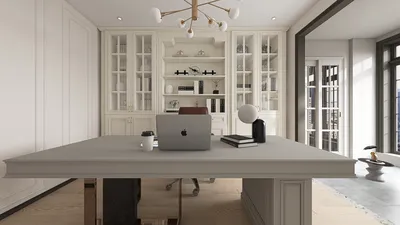


Designing a lively and efficient retail environment is crucial to drawing in customers and boosting sales. Learning to create a 3D floor plan can significantly aid in visualizing your retail arrangement, strategically positioning products, and improving the shopping experience as a whole. Here’s a guide to help you embark on the journey of crafting an appealing retail space.
1. Assess Your Spatial Requirements
Prior to beginning the design phase, evaluate your space's size, layout, and any architectural aspects present. Take into account the following:
2. Developing an Effective Layout
An effective layout is essential for facilitating customer movement and showcasing products effectively. Reflect on:
3. Implementing Versatile Furniture
In retail environments, furniture can fulfill various functions. Explore the use of:
4. Embracing Technology in Your Design
In the current retail landscape, technology is vital. Delve into options like:
5. Bringing Your 3D Floor Plan to Life
Utilizing 3D design software can truly enhance the visualization of your retail space. This enables you to:
FAQ
Q: Which software can assist in creating a 3D floor plan for my retail space? A: There are numerous intuitive tools available, like Homestyler, SketchUp, and Floorplanner, that allow you to design and visualize your retail layout seamlessly.
Q: How can I identify the optimal layout for my retail store? A: Observe customer flow patterns, account for the variety of products you offer, and design specific areas that cater to diverse shopping experiences.
Q: What strategies can I use to enhance product placement within a retail space? A: Position best-selling items at eye level, craft themed sections, and ensure that high-margin merchandise is readily accessible.
Welcome to Your Free 3D Floor Planner Experience
지금 무료로 디자인하세요
































