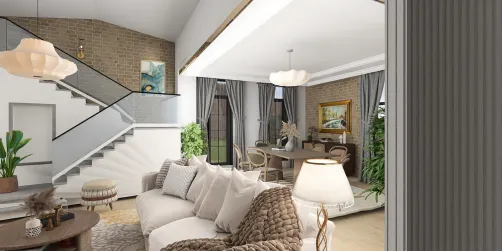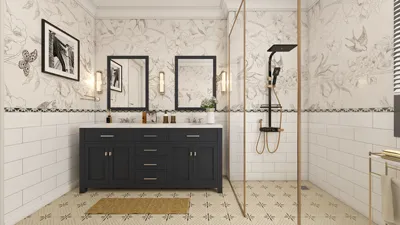
Are you eager to design your ideal home or reconfigure your existing area? A floor plan creator app for Android can significantly enhance your experience. These tools empower you to visualize your concepts and make educated choices regarding layouts and design components. In this article, we’ll explore some of the top floor plan creator applications available for Android, plus tips to maximize their use.
Leading Floor Plan Creator Apps for Android
1. **RoomSketcher**: RoomSketcher is a highly intuitive app that enables users to devise intricate floor plans and 3D representations. You can seamlessly drag and drop furniture pieces, modify dimensions, and observe how adjustments impact the overall arrangement, making it an excellent resource for your design projects.
2. **Home Design 3D**: This application features a straightforward interface that allows you to craft floor plans swiftly. With a variety of design templates at your disposal, it also provides the flexibility to toggle between 2D and 3D views, facilitating a clear visualization of your creative ideas.
3. **Planner 5D**: If you’re interested in generating both 2D and 3D designs, Planner 5D is an ideal choice. The app boasts an extensive collection of furniture and decor items, empowering users with the ability to personalize their designs extensively, ensuring a unique touch to their spaces.
Maximizing the Use of Floor Plan Creator Apps
To make the most of a floor plan creator app, keep these tips in mind:
Frequently Asked Questions (FAQ)
Q: What features should I prioritize in a floor plan creator app?
A: Seek functionalities such as drag-and-drop ease, 3D visualizations, an extensive library of furniture, and options for exporting your designs.
Q: Are there any free floor plan creator options?
A: Absolutely! Numerous apps provide free versions with some feature limitations. Typically, you can upgrade to access advanced capabilities.
Welcome to the top Floor Plan Creator with Homestyler!