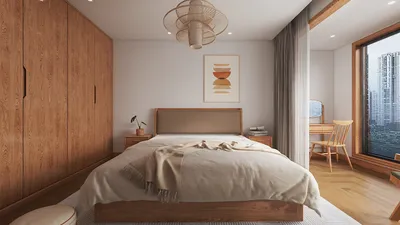
Transforming your architectural designs into vibrant day view renderings using Photoshop can truly bring them to life, allowing you to present them in their most appealing way. This guide provides you with crucial steps to develop stunning day view renderings that emphasize the distinctive features of your design as well as the surrounding environment.
Selecting an Appropriate Base Image
The initial step in crafting a captivating day view rendering is to choose a high-resolution base image of the building or site. A photograph taken in natural daylight is ideal to effectively capture the lighting conditions.
Refining Lighting and Shadows
After obtaining your base image, the next phase involves refining the lighting and shadows to achieve a more lifelike day view rendering.
1. Launch the image in Photoshop.
2. Navigate to Image > Adjustments > Brightness/Contrast.
3. Increase the brightness and modify the contrast to make the image stand out.
1. Utilize the Brush tool to add soft shadows beneath eaves and around the structure.
2. Control the opacity to achieve a more realistic appearance.
Incorporating Additional Elements
To create a polished scene, think about including elements like trees, individuals, or vehicles.
1. Source high-quality images of trees and plants.
2. Employ the Pen tool to extract them and position them near the building.
3. Adjust their dimensions and opacity to ensure consistency with the overall scene.
1. Introducing people can enliven your rendering.
2. Opt for images of people engaging in natural poses, and distribute them throughout the space.
Final Adjustments and Exporting
Once you have refined the lighting, added elements, and ensured that everything integrates smoothly, it’s time to make the final adjustments.
1. Apply a Color Lookup layer to maintain a cohesive color scheme.
2. Play around with various presets until you discover the desired ambiance.
1. Go to File > Export > Save for Web (Legacy).
2. Select the suitable format (JPEG or PNG) along with the desired quality settings.
Guidelines for a Successful Rendering
1. Ensure the color palette remains consistent throughout.
2. Utilize layers effectively to facilitate easy modifications.
3. Always work with high-resolution images to attain the best possible quality.
Common Questions
Q: What software is necessary for rendering?
A: Adobe Photoshop serves as the main software for crafting day view renderings; however, architectural design software can also be useful for obtaining base images.
Q: How can I enhance my rendering abilities?
A: Regular practice, analyzing professional examples, and following online tutorials can significantly improve your skills.
Welcome to the World of Homestyler, the No.1 Home Design Software.








































