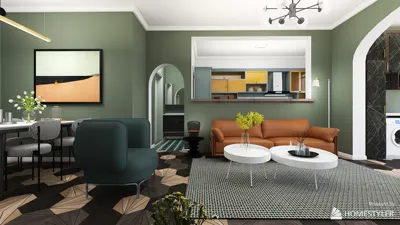
Designing a floor plan is crucial for anyone aiming to efficiently remodel or furnish their environment. With numerous floor plan designing tools available for Windows, you can easily bring your ideas to life and fine-tune your layout. Below are some leading options that will help you realize your vision seamlessly.
1. SketchUp
SketchUp stands out among designers due to its user-friendly interface and powerful functionalities. It enables users to effortlessly create both 2D and 3D floor plans. Additionally, its vast library of ready-made models can help you quickly enhance your designs.
2. AutoCAD
For industry professionals, AutoCAD continues to be the gold standard. This comprehensive software provides exact drawing tools and various features for crafting intricate architectural layouts. However, its complexity may present a challenge for beginners, along with a higher price point.
3. RoomSketcher
RoomSketcher is tailored for residential designs and offers a user-friendly experience. With its drag-and-drop functionality and the ability to visualize designs in 3D, it caters well to homeowners. The basic free version covers essential features, while the premium version opens up advanced capabilities.
4. Sweet Home 3D
Sweet Home 3D is an open-source software solution that allows for easy floor plan creation. Its intuitive interface is perfect for users looking to develop their spaces visually in 3D. It's an ideal choice for those who prefer a DIY approach to interior design.
5. Homestyler
Homestyler is an excellent platform for generating intricate floor plans while maximizing small areas. Its free version is helpful for users, especially interior designers seeking aesthetic renders and interactive layout capabilities.
6. Planner 5D
Planner 5D is a versatile tool facilitating the creation of both 2D and 3D floor plans. Its extensive inventory of furniture and decor options makes visualizing your completed space a breeze.
7. Home Designer Suite
This software merges powerful design features with an accessible interface. It's suitable for both homeowners and professionals, equipped with functionalities like terrain modeling and landscape design to enhance your projects.
8. Floorplanner
Floorplanner is a web-based application that allows users to create 2D and 3D floor plans effortlessly. It performs well on Windows, and its drag-and-drop mechanism simplifies the design and modification of layouts.
Conclusion
Selecting the ideal floor plan creator for Windows hinges on your unique requirements and skill level. Whether you're a seasoned designer or a home improvement novice, there's a suitable tool available to help you visualize your space effectively.
FAQ
Q: What features should I prioritize in a floor plan creator? A: A user-friendly interface, dual 2D and 3D options, and a variety of design tools tailored to your project objectives are critical.
Q: Are there any free software options for floor plan creation? A: Certainly! There are several programs, including Sweet Home 3D and RoomSketcher that provide free versions containing essential features.
welcome to Use No.1 Floor Plan Creator