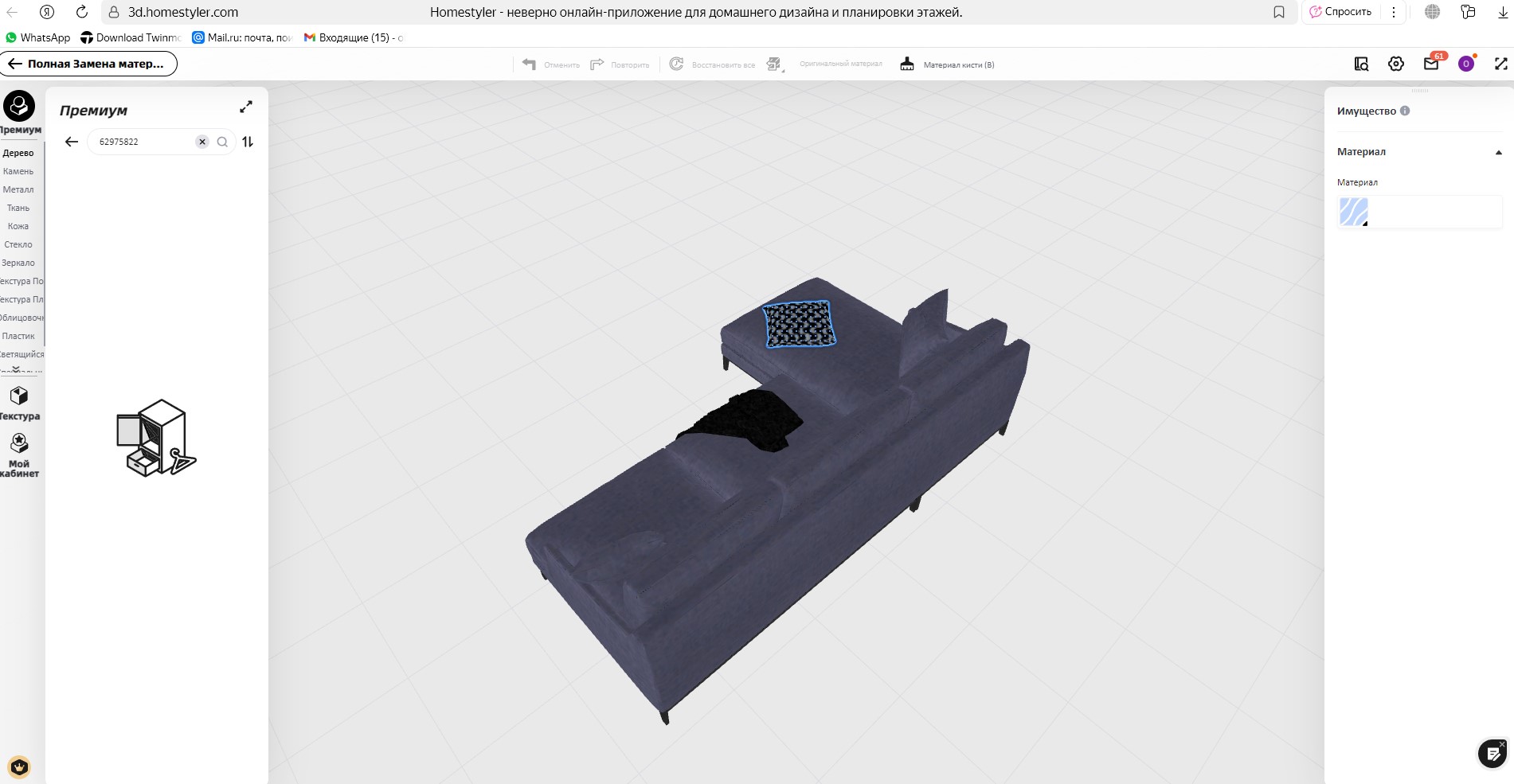
Have you ever encountered this issue? A model in the library contains multiple components, but you only want to keep part of it, like the unwanted cushions on the sofa, or unmatching accessories on table?
Today, we’ll show you a quick trick to easily hide the parts you don’t need.
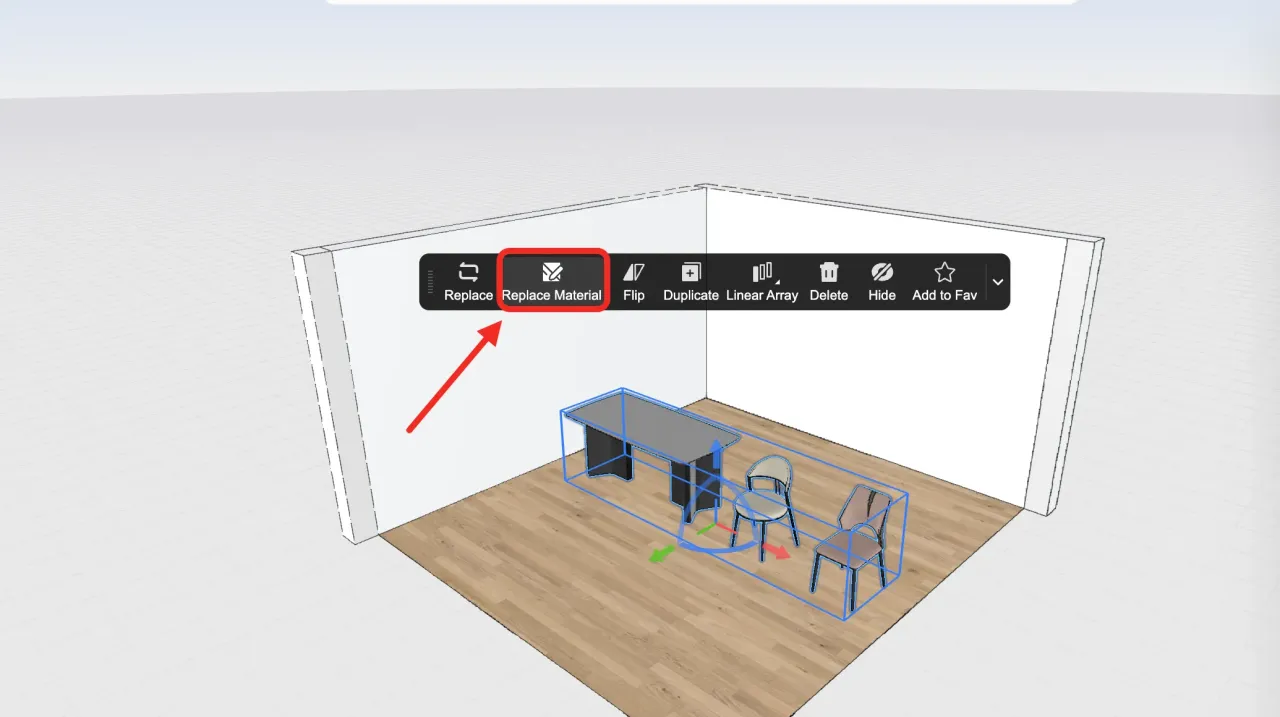
Left click to select the grouped model you want to edit on the canvas.
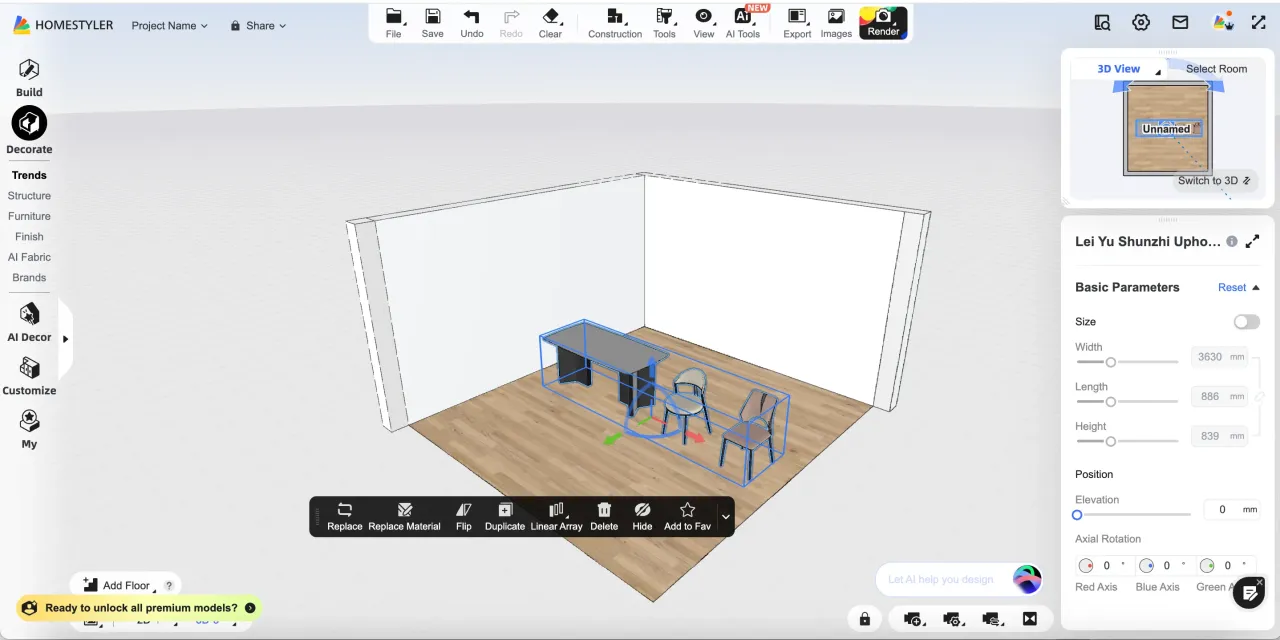
Click [Replace Material] in the left-click toolbar menu.
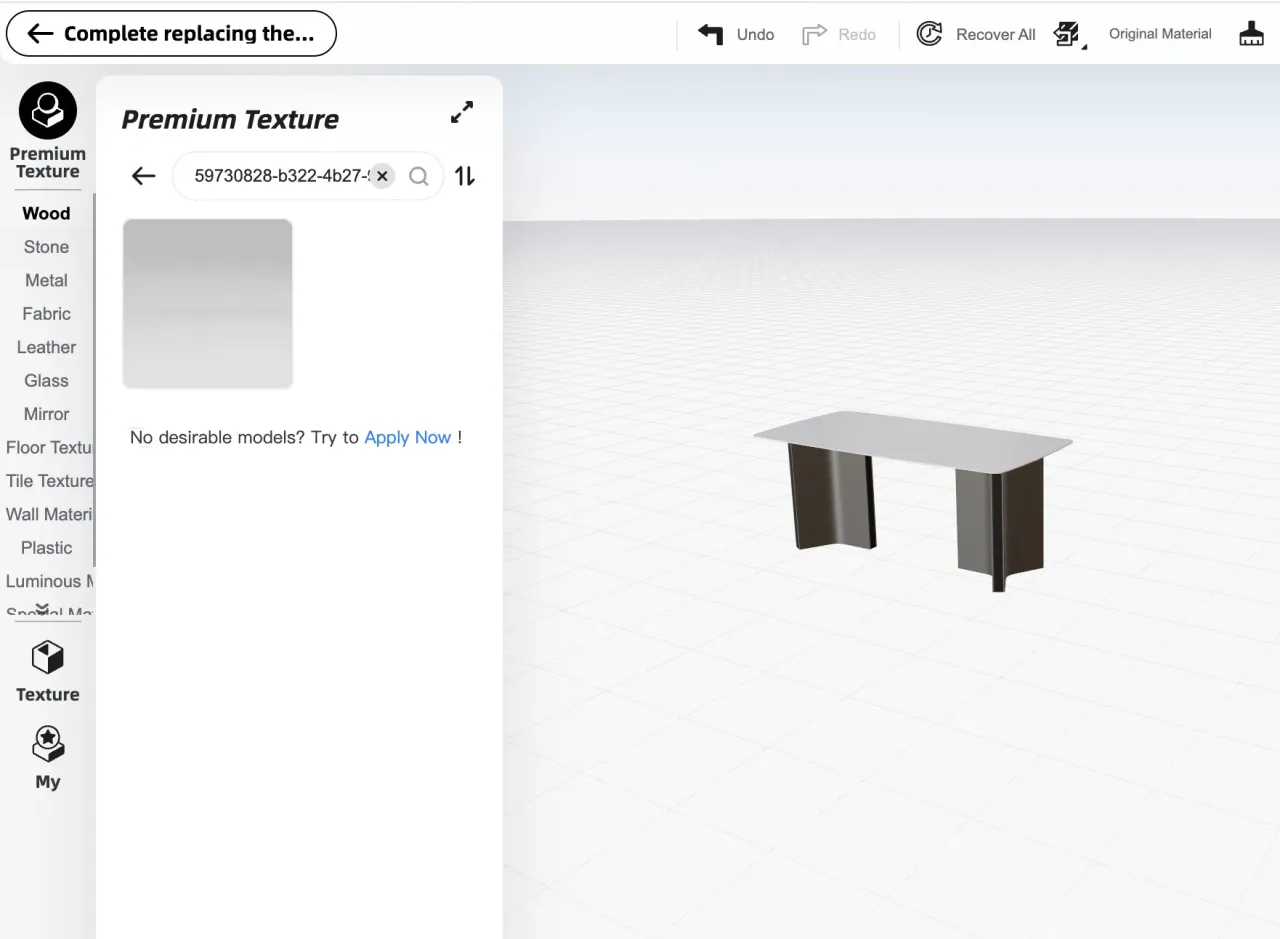
Search using this Material ID: 59730828-b322-4b27-9598-943aff1fd74e
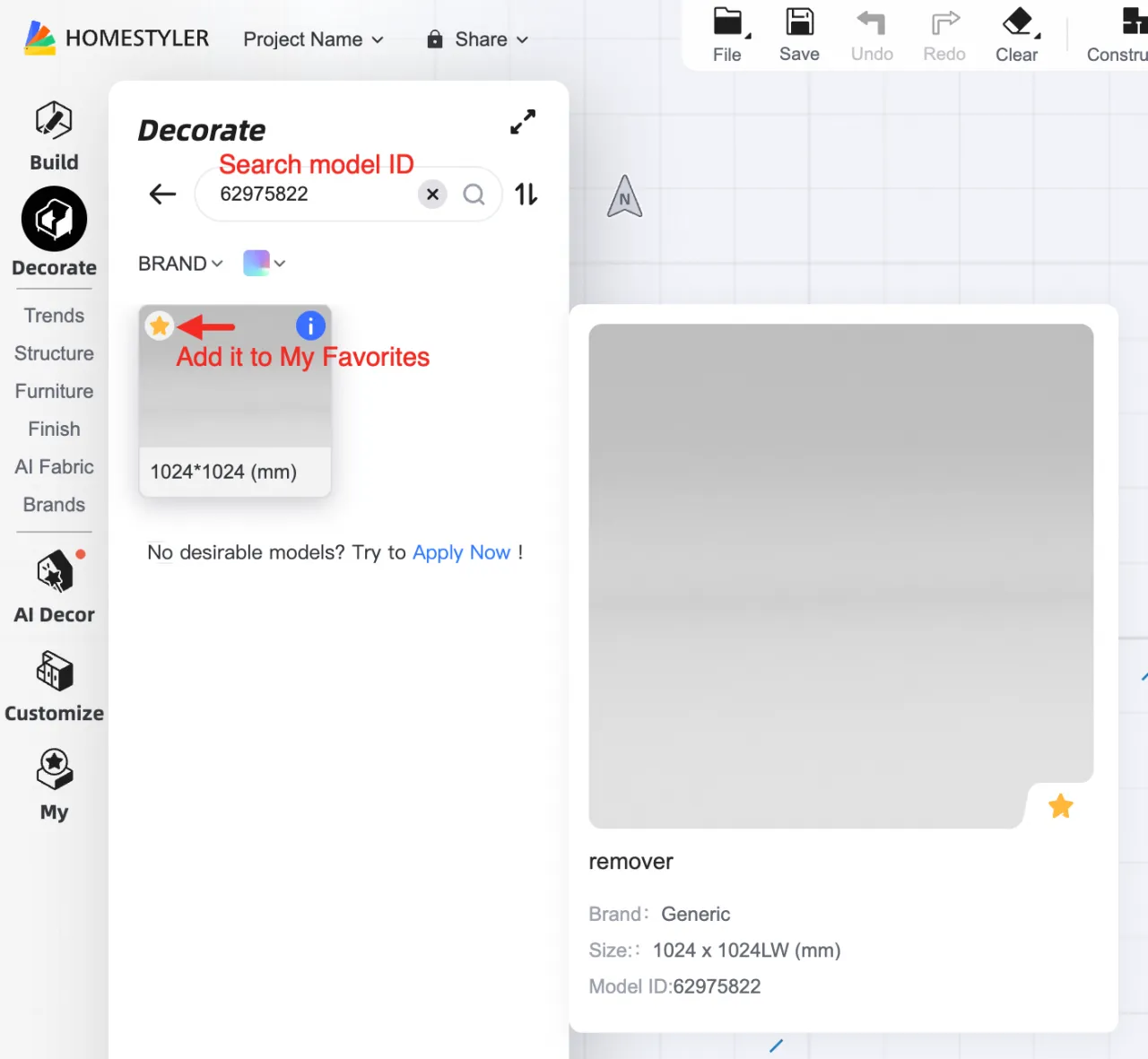
This is a transparent and invisible material called "remover" (in model library you could search using this ID: 62975822).
You can also save it to your collection for easy access next time — just find it under "My" without re-entering the ID.
Click on each part you want to remove, applying this transparent material one by one to replace the original.
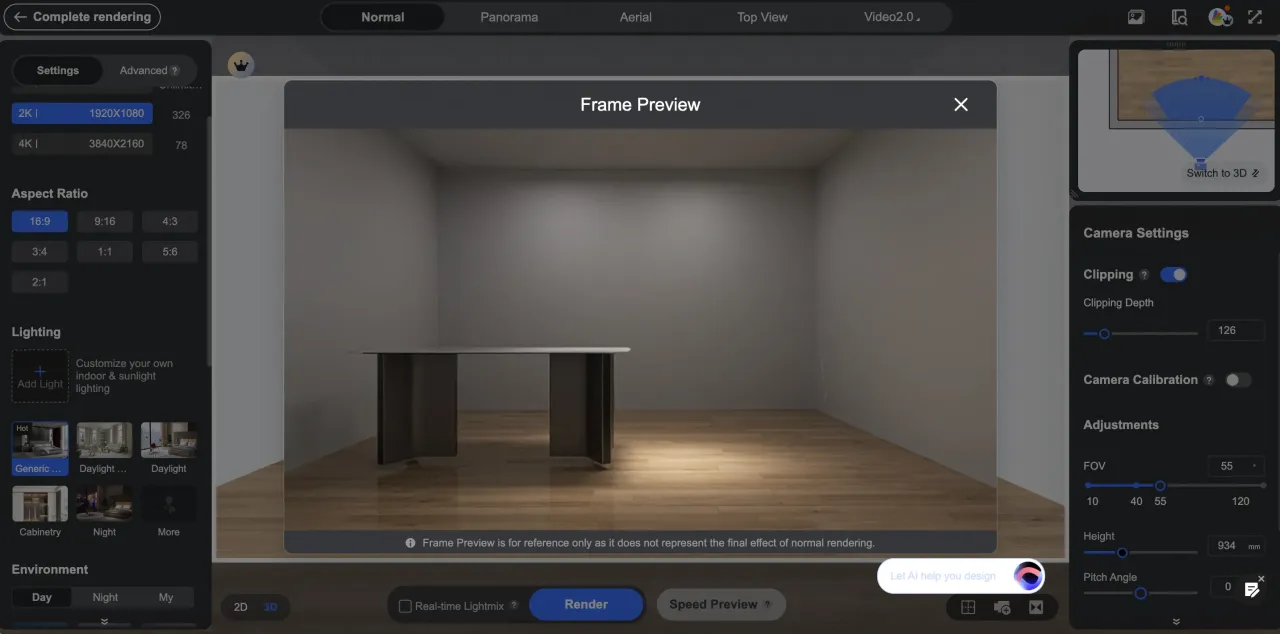
Exit editing mode and render — the unwanted parts will disappear, leaving only what you need!
Note: This method only works when the model’s components have different materials.
If the entire model uses the same material, this operation may hide all parts — including those you want to keep. Always check the material separation first.