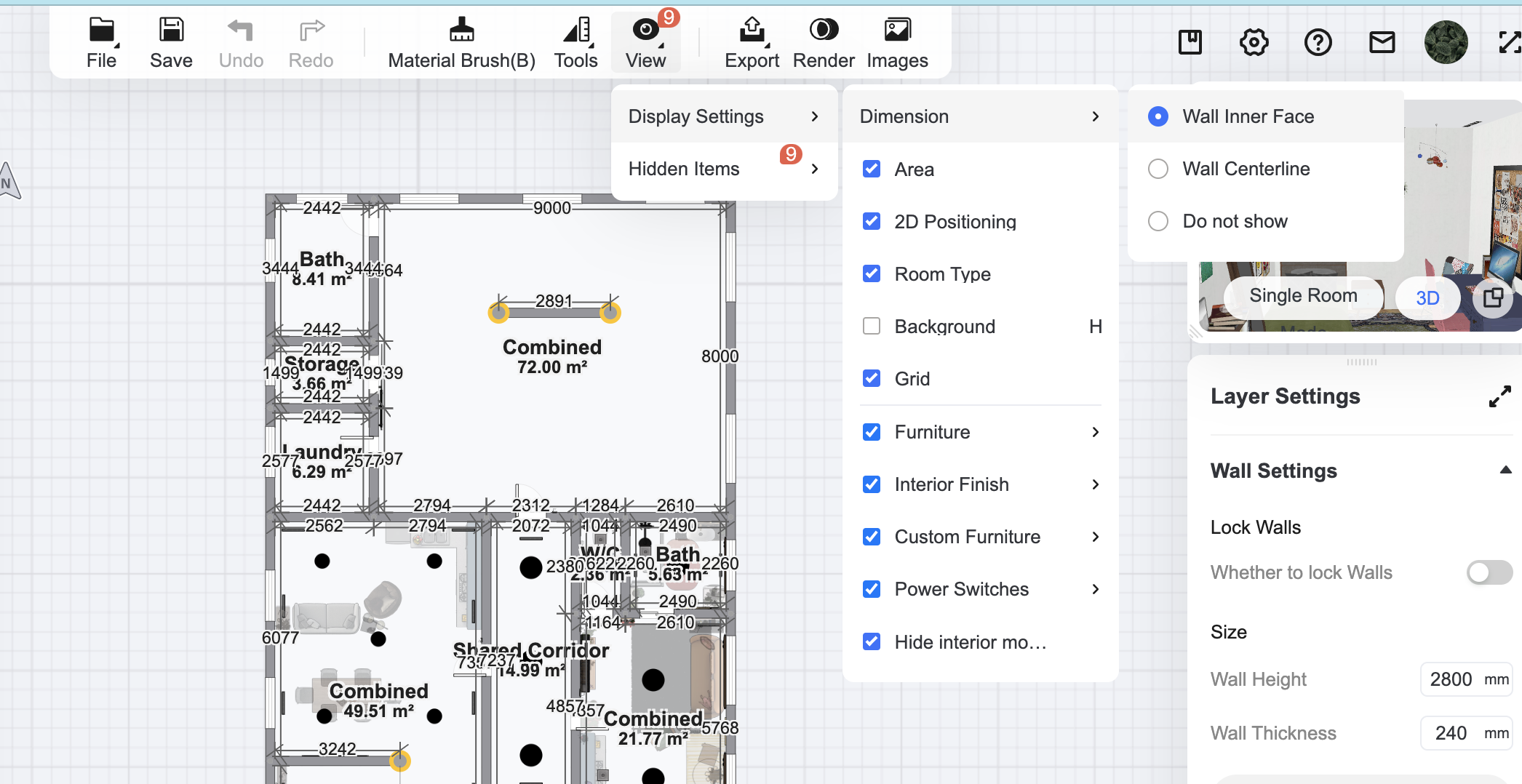
Hey, I hope this image helps. You can turn on dimensions of either the centreline or the inner face of the walls' dimensions. You can find it in the 'view' tab in the top bar. I hope this is what you meant. :)
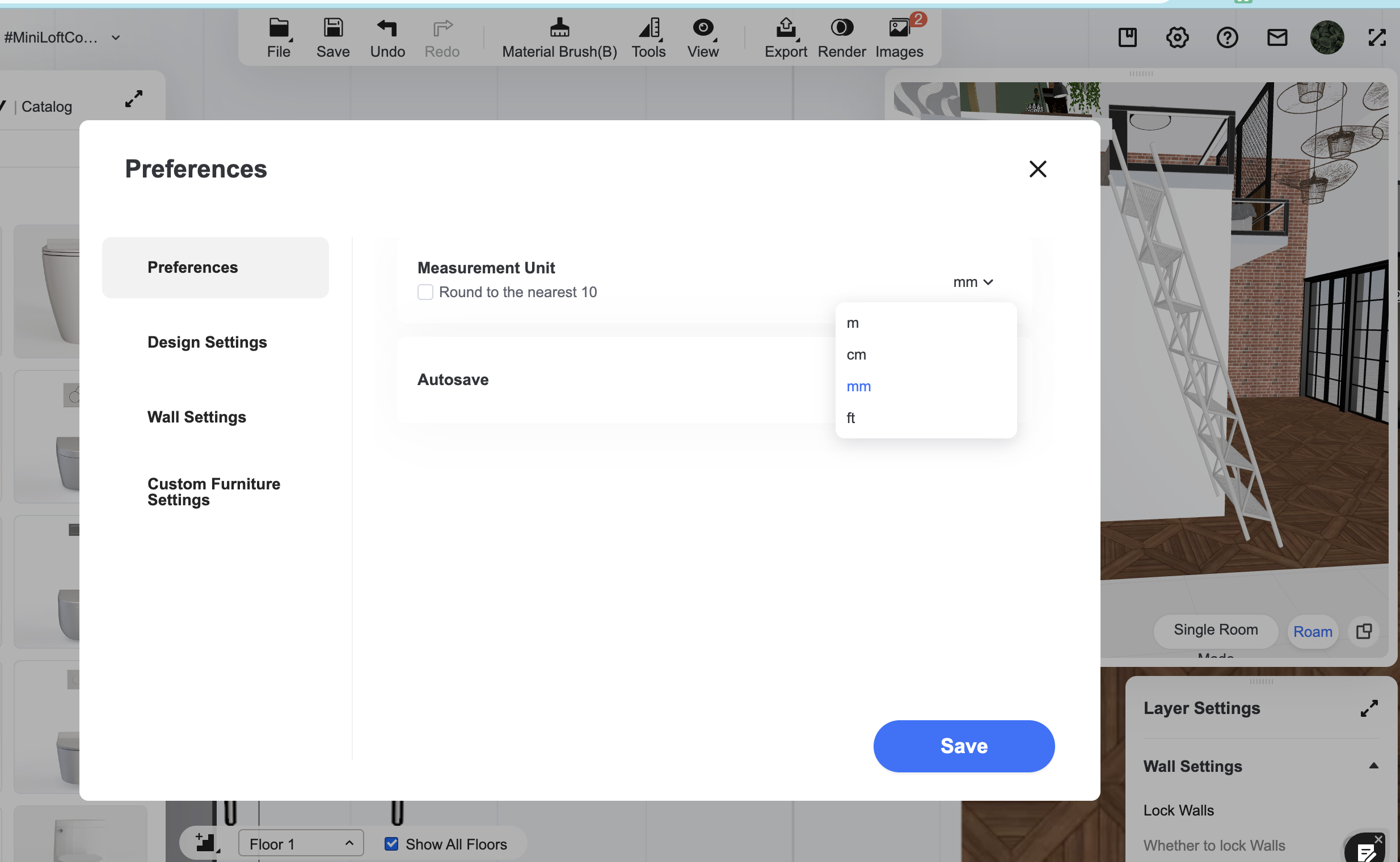
@Ali Ortiz, Hey, this is how you change the measurements. You go into settings (it's called preferences but it is the little cog next to the question mark button), and then it's in the first tab called preferences under measurement unit and you can tick the little box below to round it to the nearest ten of your chosen unit. I don't know why it isn't showing up in the view/hide tab. That's really odd. :( I'm sorry I don't have an answer for you.
@ Ali Ortiz
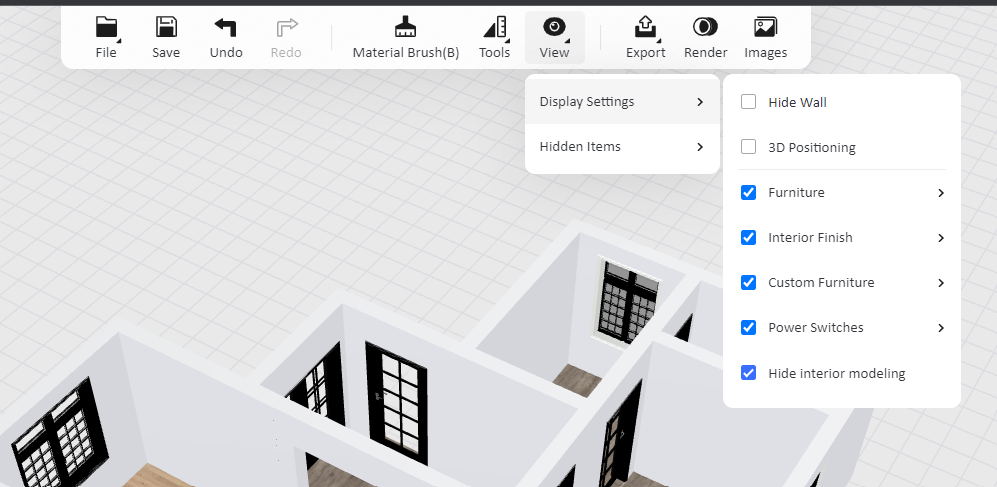
Wait is there something different about my view settings? I've always seen my measurements in feet, and when I click view > display settings there's no dimension feature.
Wait is there something different about my view settings? I've always seen my measurements in feet, and when I click view > display settings there's no dimension feature.
@ | BlueJay
Hey, I hope this image helps. You can turn on dimensions of either the centreline or the inner face of the walls' dimensions. You can find it in the 'view' tab in the top bar. I hope this is what you meant. :)
Antworten
Helfen Sie uns durch eine kurze Umfrage.
Erzähle uns von dir und besuche dann das Münz-Zentrum, um Claim 20 Coins!
Aufgabe erledigt! Du hast Münzen verdient!
Story posten
Teilen Sie Ihre Design-Dilemmata und Entdeckungen.