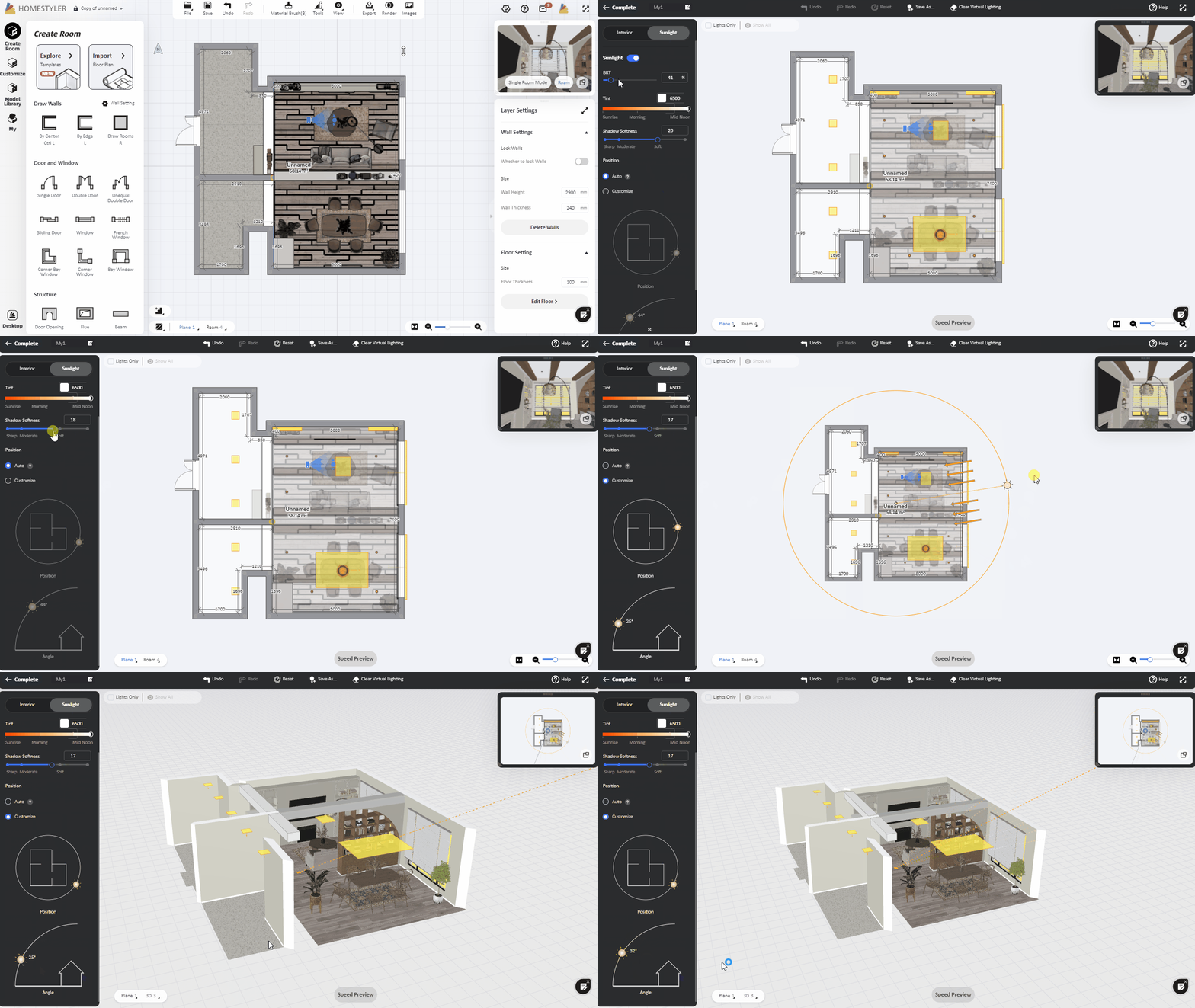
Click "Render" from the top toolbar to enter the rendering interface. Click "Lighting-Add light" and select a lighting template as a basis, and then you can enter the Customize Light interface. Click "Sunlight" tab, you can modify the color temperature, intensity and softness of the sunlight (the larger the value, the softer the sunlight). After clicking "Position-Customize", you can manually modify the height and angle of the sunlight.