
Click "Underlying Setting" below and modify the value of "Wall Transparency", then you can go to modify the transparency of the image. Click "Show" to show or hide the underlying image. Click "Delete" to delete the image.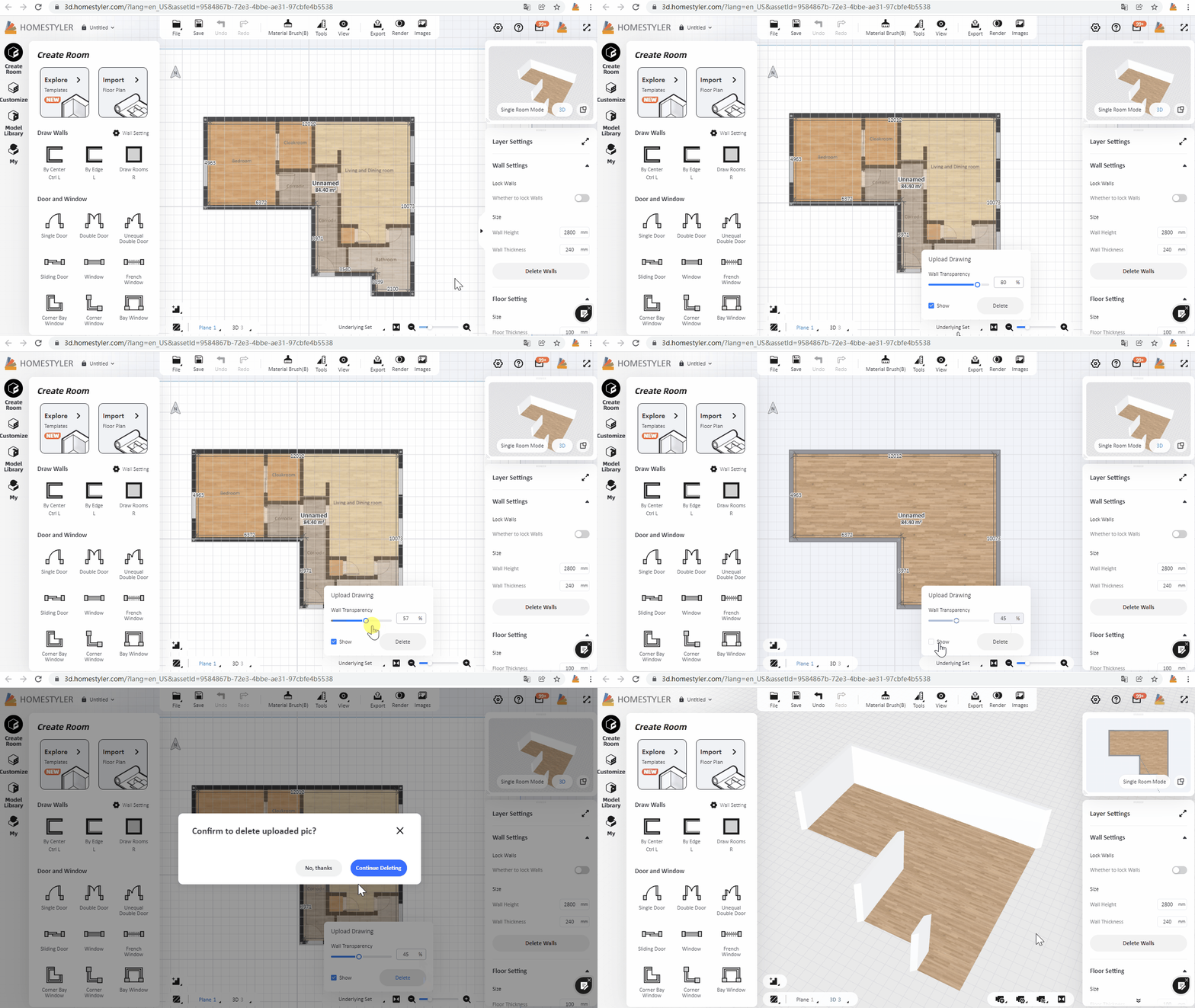


How do you scale the drawing?
For example after importing the JPEG image, the front door width shows up as 1'-6"W but is actually 3'W.


