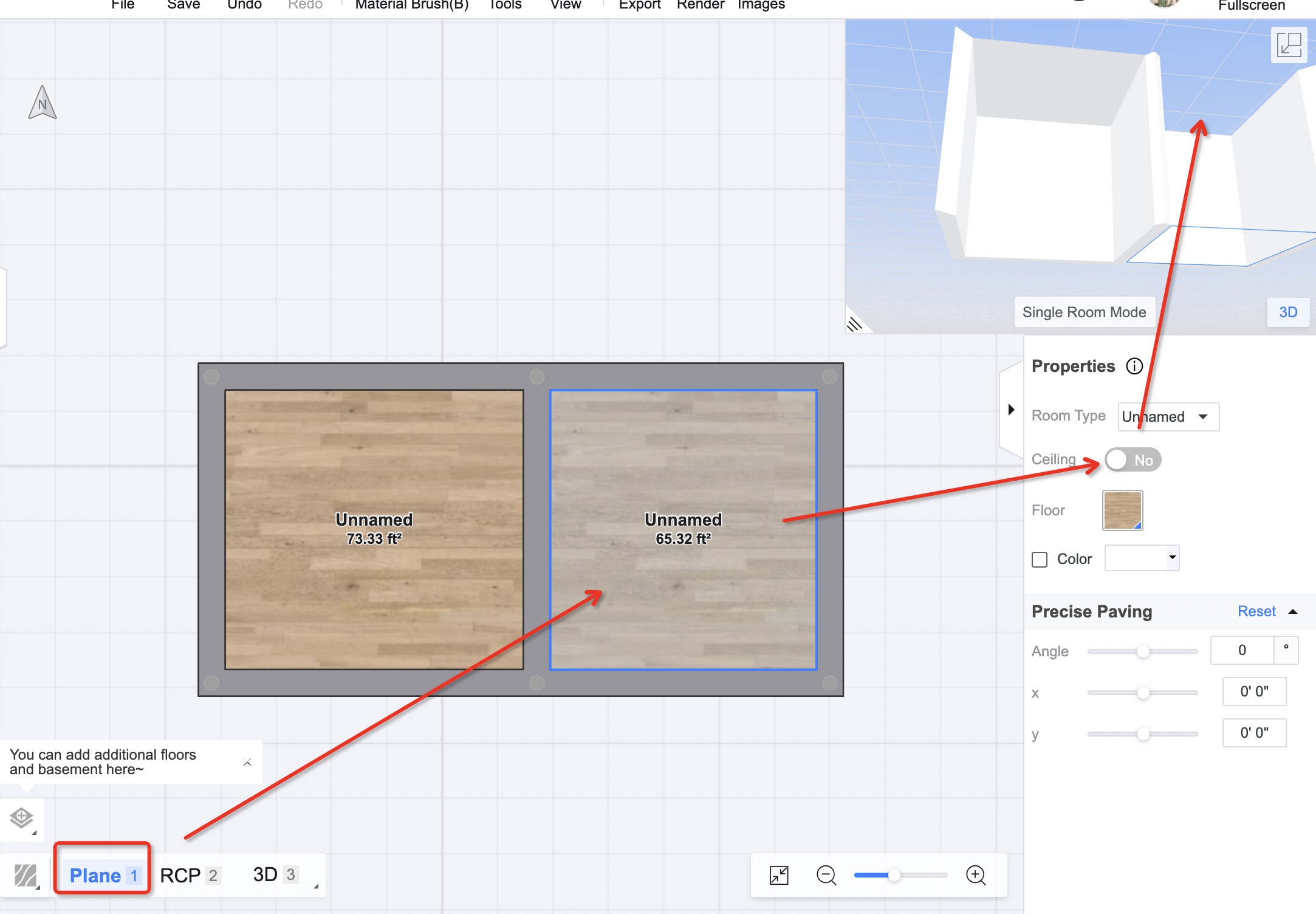
Check the screenshot~ But this only works if you have only one floor, or for the top floor if you have multiple. So if you have multiple floor and for example you want to delete the ceiling for the first floor, then you would need to "edit floor" of the second floor, and remove the corresponding part of the floor slab of the 2nd floor.
I can't remove the ceiling and it makes me so mad. Can't remove it when I am on the first floor, can't remove it on the second. Doesn't matter if it's in 3d or not.
But when you render the room, the ceiling appears again. How can i delete it on my render view?
@ Stephanie Murphy
Check the screenshot~ But this only works if you have only one floor, or for the top floor if you have multiple. So if you have multiple floor and for example you want to delete the ceiling for the first floor, then you would need to "edit floor" of the second floor, and remove the corresponding part of the floor slab of the 2nd floor.
Heyy! I'm trying to do high ceilings in my design. Is there a tutorial video for that? Or can someone tell me what I should do? The walls are 14'0" high. TY!
"I want to hide ceiling of first floor near the stairs. I have project with 2 floors. Is there video how to do that?"
Ok, I think i got it, I had to go to "2nd floor" and use "Edit Floor" option in "Wall Settings".
In that view i had to add Vertexes.
Check the screenshot~ But this only works if you have only one floor, or for the top floor if you have multiple. So if you have multiple floor and for example you want to delete the ceiling for the first floor, then you would need to "edit floor" of the second floor, and remove the corresponding part of the floor slab of the 2nd floor.
@ Merel