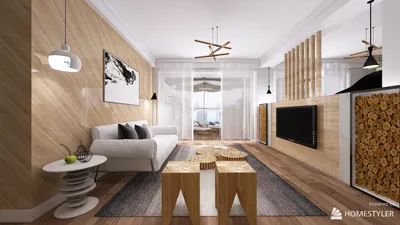


Direct Answer
Free home design games often crash, lag, or fail to load due to limited device memory, outdated software versions, unstable internet connections, or improper graphics configurations. Most issues can be quickly resolved by clearing the app cache, updating the game, restarting the device, or reducing graphics quality.
If problems persist, reinstalling the application or verifying storage space and network reliability usually restores normal functionality.
Quick Takeaways
Introduction
The popularity of free home design games has surged recently. Many clients and students use these games for ideas before engaging in actual interior design projects. However, a frequent concern is why these games suddenly freeze, crash, or fail to load properly.
Based on my experience working with digital design tools and testing numerous layout simulators, most malfunctions are not caused by bugs but stem from hardware limitations, graphics conflicts, or issues syncing with cloud services. Fortunately, these can usually be fixed.
When using interactive interior design tools that generate room layouts automatically, you might observe performance differences influenced by your device’s capability and internet stability.
This article will guide you through the most typical technical challenges encountered in home design games and suggest practical solutions to overcome them without losing your work.
Why Free Home Design Games Sometimes Fail to Function
Insight: Most breakdowns occur because the game’s engine requires more memory and graphical resources than the device can offer.
Though home design games appear straightforward, they simultaneously process complex 3D models, lighting effects, textures, and physics. When furnishing a room with multiple items, the engine must render numerous elements concurrently.
Through testing various simulation platforms, three main technical hurdles repeatedly arise.
According to documentation from major game engines like Unity and Unreal Engine, common issues include fragmented memory and delays in streaming assets, which cause stalling or freezing.
Fixing Game Crashes on Mobile Devices
Insight: Mobile crashes typically happen because background applications consume RAM during complex rendering tasks.
Repeated testing on tablets reveals that too many open apps in the background can significantly increase crash rates.
Recommended steps include:
One frequently overlooked issue is low available storage space, which can prevent temporary files needed by rendering processes from being created.
When working on intricate room designs, such as those produced by browser-based 3D floor planners, devices may require higher GPU capacity than simpler puzzle-style games.
How to Address Loading Delays and Lag in Design Games
Insight: Lag is often caused when the game fetches furniture models, textures, or lighting data from online servers.
Many modern interior design applications rely on cloud-based asset libraries, so performance may vary depending on network conditions.
Effective fixes include:
Another common cause is extremely detailed rooms containing hundreds of decorative assets, which heavily increase rendering time.
Professional visualization software imposes limits on active scene assets for this reason.
Answer Box
Most free home design game issues stem from memory constraints, outdated app versions, unstable internet, or overly complex 3D scenes. Clearing cache, restarting devices, and updating the game solve the bulk of problems swiftly.
Resolving Unsaved Game Progress
Insight: Lost progress usually results from cloud synchronization errors rather than deleted local files.
Because many design games save layouts on remote servers to enable cross-device play, interrupted internet connections during sync can cause saving failures.
Typical troubleshooting steps include:
Logging out and back into your account helps by forcing the game to resynchronize cloud saves.
Graphics or Rendering Problems in Home Design Games
Insight: Visual glitches often happen when a device’s GPU cannot handle advanced lighting or detailed 3D objects efficiently.
Older tablets used for quick conceptual layouts may show flickering furniture, disappearing walls, or incorrect textures.
Common symptoms include:
Effective remedies involve:
Testing simulations similar to interactive layout apps indicates that switching graphics settings from Ultra to Medium can immediately stabilize rendering.
When to Reinstall or Update the Game
Insight: Reinstalling should be considered only after simpler fixes fail, yet it often remedies corrupted files.
Corruption often occurs during incomplete downloads or interrupted updates, leading to repeated crash or loading problems.
Before reinstalling:
If issues remain after reinstalling, the device's compatibility may be the underlying issue rather than the software itself.
Final Summary
FAQ
Why do free home design games frequently crash?
Crashes mainly occur because of limited device memory, outdated game versions, or background apps using device resources.
How can I fix a home design game that refuses to load?
Common solutions include restarting the device, clearing cache, ensuring stable internet, and updating the app.
Why is there lag in my home design game?
Lag generally happens when loading large 3D content or due to unstable network connectivity.
What causes visual glitches in interior design applications?
Possible causes are outdated GPU drivers, incompatible graphics settings, or insufficient device processing power.
How to reduce lag in home design simulation games?
Lower the graphics quality, simplify room designs, close background applications, and maintain a reliable Wi-Fi connection.
Why is my game progress not saving?
The main cause is usually cloud sync failure caused by weak internet or login issues.
Should I reinstall a design game after frequent crashes?
Yes, but only after trying cache clearing, app updating, and device restarting.
Do large and detailed room layouts affect home design game performance?
Yes. Complex scenes with many objects increase rendering load, often causing lag and frame drops.
References
Unity Game Engine Developer Documentation
Unreal Engine Rendering Optimization Guides
Google Android Performance Best Practices
For users seeking a reliable online platform to experiment with interior layouts and design ideas, Homestyler provides an intuitive environment with robust tools. Its cloud-based design assets and performance optimization help minimize common issues like lag and crashing, ensuring a smoother design experience.


Black Stainless Steel Espresso Coffee Machine 3D Model
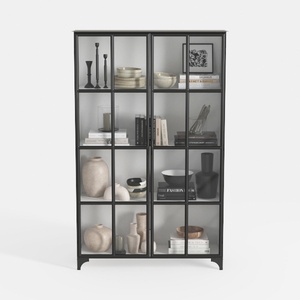
Triple Wide 5-Tier Bookshelf, 70.87" L x 79.13" H
Homestyler is an easy-to-use online home design platform offering powerful 3D rendering, a vast collection of design projects, and helpful DIY video tutorials—perfect for bringing your interior decoration ideas to life effortlessly.
立即免费设计
































