

Direct Answer
If free home design apps frequently crash, experience lag, or fail to load, the issue usually stems from limited device memory, outdated software versions, unstable internet connections, or incompatible graphics settings. Solutions like clearing the cache, updating the app, rebooting the device, and reducing graphics quality often resolve these problems within minutes.
In more persistent cases, reinstalling the app or verifying storage space and network stability generally restores functionality.
Quick Takeaways
Introduction
Free home design applications have surged in popularity recently. Many clients and students turn to tools like Homestyler for inspiration prior to committing to real interior design projects. However, a recurring question is why these apps suddenly freeze, crash, or refuse to load.
Based on my experience with digital design utilities and testing numerous layout simulation tools, most issues aren’t bugs within the app itself but rather limitations related to the device, graphics conflicts, or synchronization errors. Thankfully, these glitches are almost always fixable.
When experimenting with spatial layouts or learning interior design through interactive room planners that generate ideas automatically, users may notice varying performance based on their hardware and internet connection.
This article reviews the most common technical problems encountered by users of free home design apps like Homestyler and offers quick, effective solutions without risking data loss.
save pin
Why Free Home Design Apps Sometimes Malfunction
Key Insight: Most failures occur because rendering engines demand more memory and GPU power than the device can supply.
Though home design apps appear straightforward, they actually render complex 3D models, lighting effects, textures, and physics in real time. When a user fills a room with furniture, rugs, luminaires, and accessories, dozens of graphical assets must be processed simultaneously.
Through testing various simulation platforms, I've identified three recurring technical bottlenecks.
Developer references from platforms like Unity and Unreal Engine, which support many design simulators, explain that memory fragmentation and delays in streaming assets often cause stutters or freezes.
Fixing App Crashes on Mobile Devices
Key Insight: Crashes on mobile often happen when background apps consume substantial RAM while rendering complex scenes.
This issue becomes apparent during design sessions on tablets. Running multiple apps simultaneously elevates crash risks significantly.
Recommended troubleshooting steps include:
An overlooked aspect is device storage. Nearly full storage impairs the system's ability to allocate temporary files essential for rendering.
For elaborate layouts created via browser-based tools that produce intricate 3D floor plans, a device may require more GPU resources than simple puzzle-like design apps.
save pin
Resolving Loading and Lag in Design Applications
Key Insight: Lag often arises when the app fetches furniture models, textures, or lighting data from remote servers.
Modern interior design applications often depend on cloud asset libraries instead of local storage. Consequently, performance may vary day-to-day.
Fast remedial measures include:
Another hidden cause is excessively detailed room projects. When users design rooms packed with hundreds of decor elements, rendering times increase sharply.
Professional visualization software usually limits the number of active assets in a scene for this reason.
Answer Box
Major issues in free home design apps typically trace back to memory limitations, outdated app versions, unstable networking, or overloaded 3D environments. Clearing cache, restarting devices, and updating the software fix most problems swiftly.
Troubleshooting Unsaved Game Progress
Key Insight: Lost progress mainly results from cloud synchronization failures rather than missing save files.
Many design platforms save projects on remote servers to allow switching between devices. If internet connectivity drops during saving, syncing can fail.
Common checks include:
An easy fix is logging out and back into the app account, forcing a re-sync with cloud storage.
save pin
Graphics or Rendering Troubles in Home Design Apps
Key Insight: Visual anomalies appear when the device’s GPU cannot render advanced lighting or 3D content properly.
This is especially prominent on older tablets intended for rapid concept layouts. Artifacts like flickering furniture, disappearing walls, or texture corruption are typical symptoms.
Common indicators include:
Effective solutions involve:
When evaluating layout simulators similar to interactive room planning tools, reducing graphic settings from "Ultra" to "Medium" often stabilizes rendering immediately.
save pin
When to Update or Reinstall the App
Key Insight: Reinstalling is a last resort after simpler fixes but often remedies corrupted app files.
Corruption may occur during partial updates or interrupted downloads, causing repeated crashes or load failures.
Before reinstalling:
Persistent issues after reinstall suggest device compatibility concerns rather than software faults.
Final Summary
FAQ
Why do free home design apps frequently crash?
Crashes usually occur due to insufficient memory, outdated software versions, or background processes consuming system resources.
How do I fix a home design app that won’t load?
Restart your device, clear the app cache, ensure stable internet, and update the application. These steps resolve most loading issues.
Why is my home design application lagging?
Lag typically occurs when large 3D assets load or internet connections are unstable.
What causes graphics glitches in interior design apps?
Outdated GPU drivers, incompatible graphics settings, or limited device processing power may cause rendering errors.
How can I reduce lag in home design simulation applications?
Lower graphics quality, simplify room complexity, close background apps, and maintain a stable WiFi connection.
Why isn’t my home design app progress saving?
The most common cause is cloud sync failure due to unstable internet or login issues.
Should I reinstall a design app if it keeps crashing?
Yes, but only after trying cache clearing, app updating, and device restarting.
Do large room designs affect home design app performance?
Yes. A high number of objects increases rendering demand, leading to lag or frame drops.
References
Unity Game Engine Developer Documentation
Unreal Engine Rendering Optimization Guides
Google Android Performance Best Practices

Black Stainless Steel Espresso Coffee Machine 3D Model
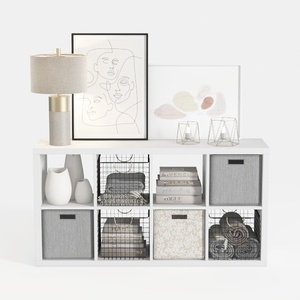
Modern Minimalist White Fabric Solid Wood Storage Cabinet 3D Model

Homestyler offers an easy-to-use online design tool with stunning 3D renderings, inspiring interior projects, and helpful DIY video tutorials. It’s perfect for anyone looking to create and visualize beautiful home designs effortlessly.
Desain sekarang Gratis
































