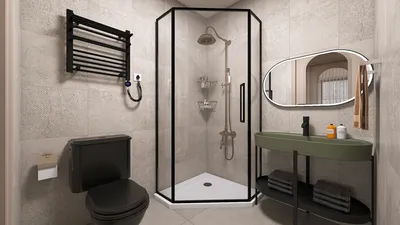


Embarking on the journey of creating 3D models with Onshape can ignite your creative potential in design. Are you ready to dive into the realm of online modeling? Let’s explore the ways to maximize Onshape's capabilities for your 3D modeling projects!
Getting Started with Onshape
The first step is to register for an account on Onshape, a cloud-based platform that perfectly suits both beginners and seasoned designers looking for flexible design options. Its user-friendly interface makes navigating through your projects effortless. Have you set up your account yet?
Once you log in, take a moment to get acquainted with the dashboard, where you can start a new document. Are you eager to create a blank canvas for your upcoming 3D creation? Let’s get started!
Creating Your First 3D Model
With your document open, it’s time to start modeling. Begin with basic shapes, such as rectangles or circles. Use the Sketch tool for 2D designs, which will lay the groundwork for your 3D masterpiece. What first shape do you imagine for your project?
Once your sketch is finished, use the Extrude tool to give depth to your structure, converting it into a tangible 3D object. Adjust the thickness as per your design needs. Have you considered how this initial creation could fit into a larger plan?
Utilizing Advanced Features
As you gain confidence with the basics, explore additional features like Loft, Sweep, and Fillet to refine your model. These advanced options enable you to craft detailed designs. What new creation do you aspire to build? Maybe a sleek chair or a sophisticated mechanical part?
Don't forget to leverage Onshape’s collaboration features, allowing you to share your designs and receive feedback from peers—an excellent way to enhance your skills. Who will you partner with on your first model?
Exporting Your Model for Production
When your design is complete, Onshape makes it easy to export your 3D model into various formats suitable for 3D printing or manufacturing. Just head to the File menu and select your desired format. Are you planning to print this model or use it in a digital space?
FAQ
Q: What is the quickest way to get started with 3D modeling in Onshape?
A: The ideal approach is to begin with simple shapes and employ the Sketch tool to define your basic features before advancing to more complex modeling techniques.
Q: Is it possible to collaborate with others on my designs in Onshape?
A: Absolutely! Onshape offers real-time collaboration features, making it easy to work alongside your teammates.
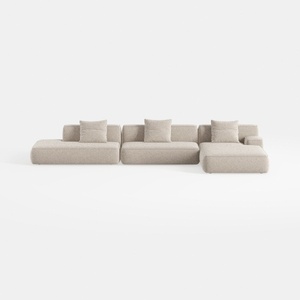
Minimalist Boucle Fabric L Shaped Sectional Sofa 3D Model

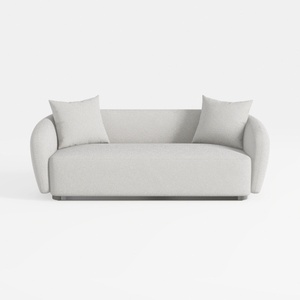
Minimalist Boucle Fabric Living Room Sofa 3D Model
Homestyler is an outstanding online home design platform for everyone, from novices to experienced decorators. With its user-friendly design tool, stunning 3D renderings, and a wealth of inspiring DIY video tutorials, you can easily create and visualize your dream spaces. Transform your home today!
지금 무료로 디자인하세요
































