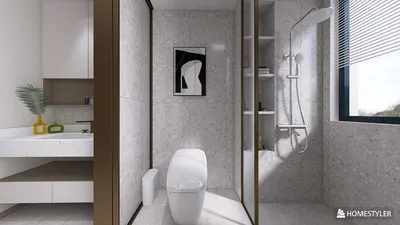


Crafting breathtaking 3D models using Rhino opens up a world of opportunities for designers, architects, and creative professionals. Known as Rhinoceros 3D, Rhino is celebrated for its exceptional modeling precision, user-friendly interface, and compatibility with various file formats. Whether you're designing intricate jewelry, prototyping new furniture pieces, or visualizing complex architectural environments, its robust toolset simplifies the creation of detailed forms and sophisticated surfaces. Start by importing reference images or sketches, utilize curve and surface commands to develop your designs, and take advantage of plugins for enhanced rendering and parametric modeling. The integration of Homestyler can further elevate your design process, allowing for seamless transitions into interior design visualization.
Suggestions to Enhance Your Workflow:
One crucial piece of advice is to utilize layers and grouping effectively. This organization technique will streamline your workflow, making it easier to manage components and materials. I also strongly recommend exploring interoperability: you can effortlessly export your Rhino models to other design software, thereby amplifying your creative impact. By incorporating Homestyler into your workflow, you can visualize interior layouts in a realistic manner, experiment with different materials, and evaluate lighting scenarios—all vital for client presentations and refining your design ideas.
Common Questions
Q: What distinguishes Rhino in the realm of 3D modeling?
A: Rhino is recognized for its focus on accuracy, utilizing NURBS geometry, and maintaining flexibility in workflows, making it ideal for crafting complex surfaces and architectural details.
Q: Are Rhino models easily exportable for interior design applications?
A: Yes, Rhino provides support for various formats such as OBJ, FBX, and STL, facilitating the export of models for use in different interior design software applications.
Q: Is Rhino approachable for beginners interested in 3D modeling?
A: Certainly! Rhino's intuitive interface and a wealth of online resources make it user-friendly, catering to newcomers while also offering advanced features for seasoned professionals.
Q: How can I improve my Rhino models for presentations?
A: Consider using rendering plugins and integrating with specialized 3D rendering tools, which can introduce realistic lighting, textures, and shadows to enhance your presentation quality.
Q: Which industries depend on Rhino for 3D modeling?
A: Rhino is the go-to choice for professionals in architecture, product design, jewelry making, industrial engineering, and interior design across the globe.

Minimalist Fabric Oversized Sofa 3D Model


Modern Pink Velvet Curved 3 Seater Sofa with Decorative Throw Pillows 3D Model
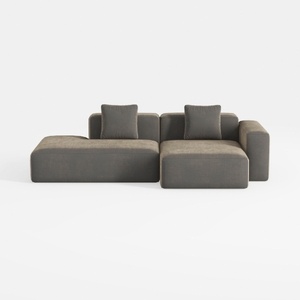
Minimalist Fabric L Shape Sectional Sofa with Throw Pillows 3D Model
Unlock your creativity with Homestyler! This user-friendly platform offers a powerful online design tool, stunning 3D renderings, and a treasure trove of design projects and DIY video tutorials. Whether you're a beginner or a pro, you can effortlessly transform your home design ideas into reality!
立即免费设计
































