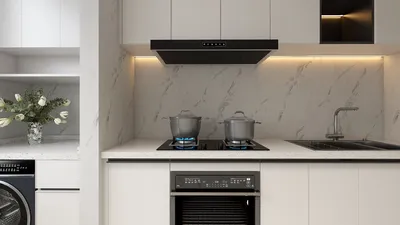


Generating high-definition office renderings using Homestyler can significantly elevate your design presentations and client pitches. High-quality visual outputs not only demonstrate your design expertise but also offer clients a tangible preview of their future workspace. In this article, we will delve into different strategies for leveraging Homestyler to create impactful office render images.
Exploring Homestyler for Office Designs
Homestyler serves as a robust platform for 3D modeling in interior design. By integrating advanced rendering technology, it enhances the visualization process, delivering photorealistic quality. This combination is exceptional for crafting stunning office interiors that can impress both clients and stakeholders.
Effective Techniques for Creating Office Renders
One of the key elements in achieving high-quality renders is lighting. Utilize natural light by strategically positioning windows and employing Homestyler’s sunlight settings for realistic shadows and illumination effects.
Incorporating high-resolution textures can enrich your images with realism and depth. Choose materials that resonate with the specific office environment you're aiming to craft, be it contemporary, classic, or environmentally conscious.
Fine-tune your camera settings to highlight the optimal angles of your design. Experiment with depth of field techniques to emphasize certain aspects of the render, thus improving the overall aesthetic.
Presenting Your Office Renderings
After finalizing your renders, it's crucial to display them attractively. Develop a portfolio or a digital presentation featuring your stunning office render images, complete with design concept descriptions and how they cater to client requirements.
Final Thoughts
Harnessing Homestyler for producing high-definition office renderings enables designers to manifest their creative ideas with astonishing realism. By concentrating on aspects such as lighting, textures, and camera configurations, you can create renders that captivate and impress.
Common Questions
A: Homestyler enhances the rendering process by offering sophisticated lighting and texture functionalities, resulting in photorealistic outcomes that effectively exhibit designs.
A: Prioritize lighting, select high-quality textures, and play with camera angles to produce engaging and visually appealing renders.
Explore the best home design software available
Progetta ora GRATIS
































