


As augmented reality (AR) technology and mobile graphics continue to evolve, accessing 3D models on your iPhone has never been easier. Whether you have an interest in furniture, home decoration, architectural designs, or product prototypes, there are numerous ways to animate these digital objects right from your device. The most prevalent methods include utilizing specialized apps, leveraging built-in AR capabilities on iOS, and engaging with interactive web platforms. With Apple’s built-in ARKit, you can view compatible 3D files, such as .usdz formats, directly through Safari, Mail, or the Files app—simply tap on the model and select "AR Quick Look" to see it in your environment. For those with advanced requirements, there are several apps available on the App Store such as Sketchfab, Shapr3D, or uMake, which allow users to browse, manipulate, and engage with intricate 3D models. These applications are extremely beneficial in interior design, enabling users to preview layouts, arrange furniture, or visualize room makeovers. I often advise utilizing interactive platforms that not only allow you to view, but also to customize 3D spaces—this method enhances spatial awareness and assists clients in visualizing possible modifications. If your intention is to explore virtual room designs and layouts, using a professional-grade 3D Floor Planner, such as Homestyler, offers a comprehensive experience where you can easily drag, drop, and render realistic interiors directly from your iPhone.
Tips 1:
To provide the most immersive experience, choose apps that support AR viewing, especially if your goal is to see how objects will appear in your actual environment. Many applications will ask you to scan your floor or walls to anchor the model—ensuring good lighting and a clear surface will optimize the AR features. For presenting to clients, capturing screenshots or recordings of your AR sessions can significantly enhance communication.
FAQ
Q: Which file formats are supported for viewing 3D models on an iPhone?
A: The predominant format is USDZ, which is compatible with AR Quick Look. Additionally, many apps support formats like OBJ, STL, and FBX.
Q: Is it possible to view 3D models without downloading additional apps?
A: Yes, by using an iPhone with iOS 12 or later, you can tap on USDZ files directly in Safari, Mail, or Files for immediate access to 3D viewing.
Q: What is the best app for interactive interior design modeling?
A: Consider dedicated platforms such as Homestyler’s 3D Floor Planner, which provides great options for realistic visualizations and customization.
Q: How can I share a 3D model with others on my iPhone?
A: Numerous apps offer features that allow you to share 3D files or AR experiences through links, messaging apps, or social media platforms.
Q: Will I need internet access to view 3D models?
A: While certain apps may require an internet connection to download or load models, once files are saved locally, many can be accessed offline.

Minimalist Solid Wood Round Stool Set 3D Model
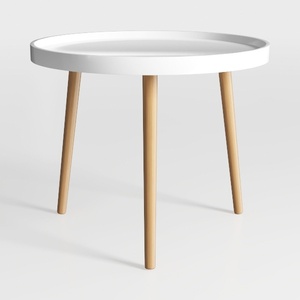
danpinera Round Side Table, Metal Legged Accent
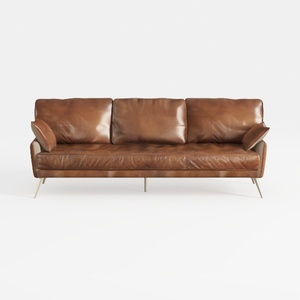
Modern Vintage Leather 3 Seater Sofa With Metal Legs 3D Model
Looking to redesign your space? Homestyler is the ideal online platform for you! With its user-friendly design tool, stunning 3D renderings, and a wealth of inspirational design projects and DIY video tutorials, transforming your home has never been easier. Unleash your creativity today!
立即免费设计
































