


Extracting 3D models from PSP (PlayStation Portable) games can open up a vast array of creative possibilities. Whether you're a hobbyist eager to remix classic game elements or a designer searching for innovative ideas for your own work, this process is indispensable. It generally entails unpacking game data, pinpointing the models, converting them, and sometimes modifying the associated textures. To succeed, you'll need a collection of effective software, technical skills, and a conscientious approach to the legalities regarding asset usage.
Here’s a straightforward guide:
It's important to note that the quality and functionality of the extracted models can vary depending on the original game's file structure and your proficiency with the tools required. Moreover, respecting intellectual property rights is essential; extracted assets should only be used for personal educational purposes or non-commercial endeavors unless you obtain explicit permission.
As a designer, I often reflect on how these classic assets can spark new ideas. For those constructing scenes or needing quick design visualizations, utilizing extracted models can provide distinct textures and spatial configurations. If you aim to elevate your designs, consider platforms that facilitate intuitive engagement with 3D models. Many professionals and enthusiasts prefer using a 3D floor planner like Homestyler to refine layout concepts and experiment with spatial arrangements before solidifying their final visions.
Tips 1:
Keep a detailed record of your extraction process—document the tools and methods that were effective for the specific game you are working with. The naming conventions and structures of PSP game files can differ significantly, meaning a technique that works for one title may not be applicable to another.
FAQ
Q: Is extracting 3D models from PSP games legal?
A: The extraction of models for personal, non-commercial purposes (like educational use or fan art) is generally acceptable in certain jurisdictions and may be considered fair use. However, reselling or redistributing these assets is usually illegal. Always check your country’s copyright laws and the user agreement of the game.
Q: What tools are recommended for extracting 3D models from PSP games?
A: Commonly used tools include Noesis, QuickBMS, and UMDGen. Depending on the file formats you encounter, you may also need specific plugins or scripts tailored for particular games.
Q: Can I directly import extracted models into software like Blender or Maya?
A: Typically, after converting the models to a standardized format such as .OBJ or .FBX, you can import them into Blender, Maya, or other 3D modeling applications. Be prepared for some cleanup to ensure everything looks right.
Q: How do I locate the files that contain the 3D models?
A: Search for files that have extensions such as .GMO, .MDL, .BIN, or .DAT, and try opening them in Noesis or utilizing specialized extraction tools. Frequently, modding communities or fan forums can provide game-specific insights.
Q: Is it possible to extract textures and animations as well?
A: Yes, most workflows allow the retrieval of accompanying textures and sometimes animation data, but the success rates and compatibility may vary depending on the game and tools you are using.

Minimalist Walnut Round Coffee Table 3D Model
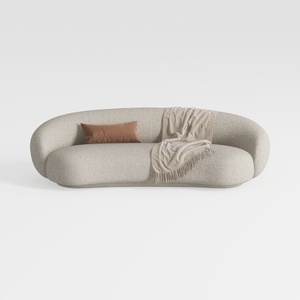

Minimalist Boucle Fabric Curved Sofa With Throw Pillow And Blanket 3D Model

Minimalist Linen Fabric Extra Large Sofa With Throw Pillows And Blanket 3D Model
Homestyler is an outstanding online platform for home design that combines user-friendly tools with stunning 3D renderings. Explore various design projects and follow DIY video tutorials to transform your space effortlessly. Perfect for anyone looking to unleash their creativity in home decorating!
Progetta ora GRATIS
































