


Extracting 3D model data from Google Maps may seem overwhelming, but with the right approach, you can simplify the process. Whether your aim is interior design, urban planning, or educational purposes, mastering the right techniques is vital.
To begin, let’s identify the best tools for working with online 3D models. Although Google doesn’t offer direct downloads for 3D models available in Google Maps, there are alternatives like Google Earth and various APIs to help you acquire the data you need. Always remember to adhere to copyright and usage policies.
Using Google Earth Pro for 3D Model Extraction
1. Download Google Earth Pro: Start by downloading Google Earth Pro for free, which enhances your capabilities in 3D modeling.
2. Locate Your Site: Use Google Earth Pro to navigate to your chosen location. A search bar can assist in finding precise spots.
3. Save as KML/KMZ: Once your location is in sight, right-click the marker in the left panel to save the place as a KML or KMZ file.
Using SketchUp to Import 3D Models
Utilizing Google Maps 3D models in SketchUp is a common choice for many designers:
1. Start SketchUp: Launch your project within SketchUp.
2. Implement the Geo-Location Tool: Go to the ‘File’ menu, choose ‘Geo-location’, and then select ‘Add Location’ to capture a Google Earth snapshot.
3. Modify and Personalize: After import, feel free to adjust the 3D model to suit your design requirements.
Using Google Maps API
For developers and technology enthusiasts, utilizing the Google Maps API can be advantageous:
1. Obtain an API Key: Create a Google Account and secure an API key via Google Cloud Console.
2. Access 3D Maps: Employ the Maps JavaScript API to showcase 3D buildings on your webpage.
3. Tailored Requests: Design custom requests to fetch specific data necessary for your projects.
Common Challenges in Extracting 3D Data
Though the extraction appears straightforward, you may face challenges such as performance issues with large datasets or restrictions based on Google’s policies. It’s crucial to ensure compliance with legal standards to avoid potential violations.
FAQ
Q: Are 3D models from Google Maps usable for commercial purposes? A: It’s important to check Google’s usage policies, as many models might be subject to copyright.
Q: Are there alternative platforms for 3D modeling? A: Absolutely, tools like SketchUp and Blender also offer fantastic modeling capabilities, including features similar to Homestyler.
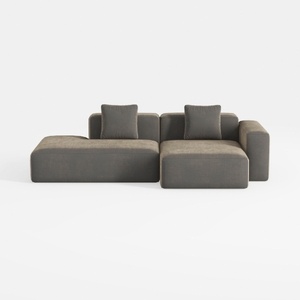
Minimalist Fabric L Shape Sectional Sofa with Throw Pillows 3D Model

Minimalist Walnut Round Coffee Table 3D Model

Minimalist Solid Oak Round Coffee Table 3D Model
Homestyler is your go-to online home design platform, perfect for anyone looking to transform their space. With an intuitive design tool, stunning 3D renderings, diverse design projects, and helpful video tutorials, you can easily create and visualize your dream home—no prior experience needed!
立即免费设计
































