

Are you interested in obtaining 3D models of video game items? Whether you're looking to recreate a beloved sword from an RPG or need props for your cosplay endeavors, knowing the best methods to find, extract, or create these models is essential. Below are the top options available to you:
1. **Game Asset Extraction**: Many PC games store 3D assets in specific file formats that can be accessed using specialized tools like NinjaRipper, AssetStudio, or UModel. Always remember to review the game's terms of service—typically, extraction is allowed solely for personal and non-commercial use.
2. **Online 3D Model Marketplaces**: Websites such as Sketchfab, TurboSquid, and CGTrader host user-generated models inspired by video game items. You can conveniently search for models by game title or item name. While some models are available for free, others may require a purchase or licensing agreement.
3. **Community Forums & Fan Resources**: Modding communities, like Nexus Mods, DeviantArt, or Reddit, actively share extracted or recreated 3D models of various game props and items. Since these resources are often fan-made, the quality and accuracy can differ significantly.
4. **Creating 3D Models**: If you seek entirely custom designs, software like Blender, Maya, or 3ds Max can be utilized to craft your items from the ground up—use game art or screenshots as references during the modeling process.
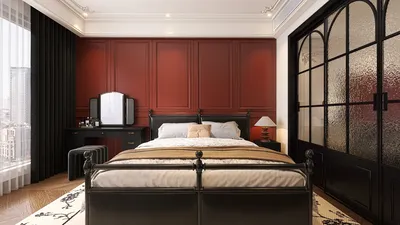
As a designer, I frequently recommend considering how these models will fit into your desired environment. For example, when designing a themed room or display to honor a favorite game, think about how the 3D game asset will interact with furniture, lighting, or other spatial elements. For a fully immersive setup, using advanced tools like a 3D Floor Planner can be incredibly beneficial in arranging these imported assets into realistic room layouts, ensuring a polished outcome. With Homestyler, you can further enhance your design by visualizing how these assets integrate into various interior styles.
**Tips 1:**
Check file formats prior to downloading or importing 3D models—ensuring compatibility with your preferred modeling or rendering software is crucial for a smooth workflow.
**FAQ**
**Q: Am I allowed to extract 3D models from any game?**
**A:** No, not every game permits or technically supports extraction, and many impose legal restrictions. Always consult the terms of service before proceeding with asset extraction.
**Q: How can I use a 3D model from a game in my personal project?**
**A:** Once you have acquired the model, you can import it into compatible software like Blender. Adjust the textures and scale as necessary. Remember to use it solely for personal, non-commercial purposes unless you have obtained the proper licensing for other uses.
**Q: Are there any free resources for 3D models inspired by video games?**
**A:** Yes, community platforms like Sketchfab and various forums provide free downloads, but be sure to verify each model's licensing and attribution requirements.
**Q: Is it possible to 3D print video game items?**
**A:** Absolutely! Once your model is in a printable format (like .STL or .OBJ), you can have it 3D printed for personal use—just refrain from commercially distributing copyrighted items.
**Q: Which software is best for tweaking video game 3D models?**
**A:** Some top choices include Blender (which is free), Autodesk Maya, and 3ds Max. Select the one that best fits your skills and feature preferences.
Looking to redesign your space? Homestyler makes it easy! With its intuitive online design tool, stunning 3D renderings, and a wealth of DIY video tutorials, you can explore endless design possibilities and transform your ideas into reality—all without needing prior experience!
Design jetzt kostenlos
































