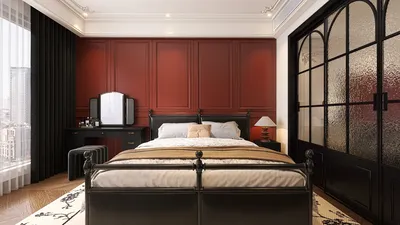


When delving into interior rendering within SketchUp utilizing V-Ray 2.0, achieving breathtaking visuals is heavily dependent on optimizing the appropriate settings. Whether your goal is to achieve lifelike lighting, rich texture depth, or an inviting ambiance, fine-tuning your V-Ray configurations is imperative. This guide will assist you in navigating the most effective settings for your interior render, particularly when leveraging tools like Homestyler for enhanced design clarity.
Grasping the Essential Settings
Initially, let's dissect the essential settings that influence your interior renders:
Illumination Settings for Interiors
Effective illumination is vital in the realm of interior rendering. Below are the ideal settings to consider:
Material Configuration
Realistic materials are pivotal for achieving authenticity. For interior projects, adhere to these guidelines:
Rendering Configurations
Lastly, configure your render settings to achieve optimal output quality:
Final Touches and Suggestions
Prior to commencing the render, keep in mind these final tweaks:
Common Questions
Q: What is the most effective method to minimize noise in V-Ray renders?
A: Increase the sample count within the image sampler settings and utilize the denoiser feature available in V-Ray for better clarity.
Q: How can I enhance the realism of my interior renders?
A: Concentrate on achieving precise lighting, selecting suitable materials, and applying post-processing techniques to elevate your final outcome.
Welcome to the premier home design software for your needs, like Homestyler, which simplifies the design process for everyone.
立即免费设计
































