


When utilizing Rhino 3D, understanding the compatible 3D model file formats is vital for improving your design experience and ensuring an efficient workflow. Rhino 3D is designed to support a multitude of file types, catering to the varied needs of the design sector and enhancing usability with tools like Homestyler.
This article provides an overview of the most widely used file formats that are compatible with Rhino 3D and discusses how they can benefit your design projects and workflows.
1. Native Formats for Rhino
The main file types you’ll commonly encounter when working within Rhino include the following native formats, which are essential for your design tasks.
2. CAD File Formats
Rhino 3D excels in handling various CAD formats, making it an invaluable tool for architects and engineers alike. The commonly utilized formats include:
3. Additional 3D Model Formats
Beyond CAD files, Rhino is capable of importing and exporting an extensive selection of other 3D model formats that augment its versatility, especially when combined with design applications like Homestyler.
4. File Formats for 3D Printing
For those interested in exploring 3D printing, Rhino 3D supports several critical file formats essential for the process, providing an easy gateway into additive manufacturing.
Conclusion
Being aware of the various 3D model files that are compatible with Rhino 3D is essential for streamlining your design process. With numerous formats at your disposal, it is paramount to choose the right one tailored to your project's specific needs to achieve optimal results, whether you’re using Homestyler or other tools.
FAQ
Q: Can Rhino 3D open AutoCAD files? A: Yes, both .dwg and .dxf files can be opened in Rhino 3D, facilitating effective collaboration with AutoCAD users.
Q: What is the optimal file format for 3D printing in Rhino 3D? A: The .stl file format is widely recognized as the most suitable choice for 3D printing, as it enjoys universal support across the majority of 3D printers.
Q: How can I enhance compatibility with other software while using Rhino 3D? A: Selecting standard file formats like .obj, .fbx, .step, and .iges will significantly improve compatibility with a range of design and CAD programs, particularly when working alongside solutions like Homestyler.
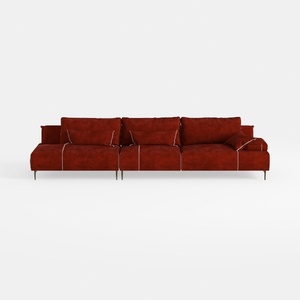

Modern Burgundy Velvet L Shaped Sectional Sofa 3D Model
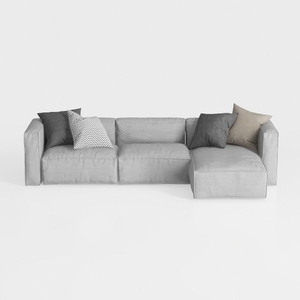
Minimalist Light Gray Fabric L Shaped Sectional Sofa 3D Model
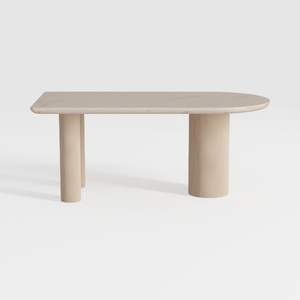
Minimalist Solid Wood Fluted Legs Asymmetrical Coffee Table 3D Model
Homestyler is your go-to online platform for exceptional home design. Featuring an intuitive design tool, stunning 3D renderings, and an array of inspiring design projects, plus helpful video tutorials, it brings your creative ideas to life effortlessly. Start designing today!
Diseño ahora GRATIS
































