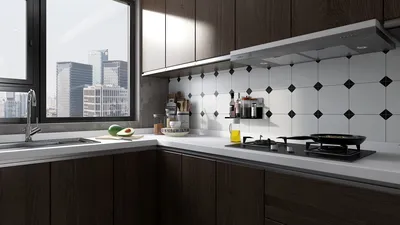


Transforming a drawing into a 3D model can appear intimidating initially, yet it’s a gratifying endeavor that can manifest your imaginative ideas. Whether you're engaged in a personal project or a professional design assignment, comprehending the involved procedures is essential. Here’s a thorough guide to assist you in making this transition smoothly, with the help of tools like Homestyler.
Grasping the Essentials of 3D Modeling
Before immersing yourself in the conversion journey, it's important to comprehend the core principles of 3D modeling. 3D models serve as representations of objects in a spatial format, allowing them to be viewed from multiple perspectives. These models are produced using various software tools that facilitate meticulous adjustment of shapes, textures, and lighting. Have you ever wondered how your beloved video game characters or environments are created? Gaining insight into the 3D modeling process will enlighten you about these amazing designs.
Step-by-Step Guide for Transforming Drawings into 3D Models
The first phase in this thrilling adventure is digitizing your drawing. You can either scan your hand-drawn sketch or take a photograph with a high-resolution camera. Ensure that the resulting image is clear and easy to interpret. Once your digital illustration is ready, follow these instructions:
Select Your 3D Modeling Software: Numerous options are available, ranging from beginner-friendly software like SketchUp to more sophisticated tools like Blender. Which software do you plan to choose and why? Consider exploring Homestyler for its user-friendly interface.
Import Your Drawing: Upload the digital drawing into the selected software. You might want to lower the image's opacity to get a clearer view of the developing 3D model underneath.
Construct Basic Shapes: Begin forming your model by creating fundamental shapes that align with your drawing elements. This technique establishes a sturdy groundwork. Have you begun shaping your model yet?
Enhance the Model: Utilize the tools in your software to enhance shapes, incorporate details, and develop textures. Don’t hold back from employing varied techniques like extruding or sculpting to achieve a refined appearance.
Add Textures and Colors: Once your model takes shape, apply textures and colors to enliven it. This phase is where your design starts to closely mirror the original drawing.
Render Your 3D Model: To conclude, render the model and generate a final image that includes lighting and shadows. This step will help you visualize how the model appears in reality.
Suggestions for Efficient Modeling
1. Make sure to save your work regularly to prevent loss of progress. 2. Leverage resources like tutorials and forums specific to your software for additional support. 3. Experiment with diverse tools to uncover fresh techniques. 4. Exercise patience; while 3D modeling can be intricate, each attempt enhances your abilities.
Frequently Asked Questions
Q: Which software is ideal for beginners when it comes to converting drawings into 3D models? A: User-friendly software such as SketchUp is great for novices, while Blender provides extensive features for users ready to dive deeper into 3D modeling. You might also find Homestyler beneficial for its simplicity and functionality.
Q: Is it possible to directly convert 2D images into 3D models? A: Indeed, some software allows direct conversions from 2D images, but these results typically necessitate further refinement for optimal quality.


Tov Furniture Marla Chocolate Brown Upholstered Bo
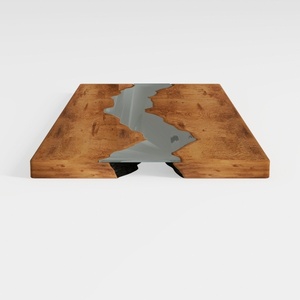
Large Luxury Office Desk, Live Edge Color River
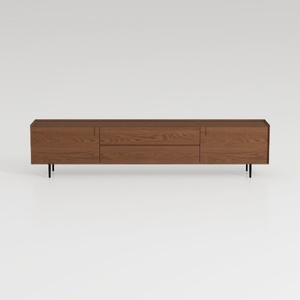
Nov Trending Search Model-TV Stand 20
Looking to transform your space? Homestyler is your go-to online design platform! With its easy-to-use design tool, stunning 3D renderings, diverse design projects, and helpful video tutorials, you can effortlessly create your dream home—whether you're a novice or a seasoned designer.
Progetta ora GRATIS
































