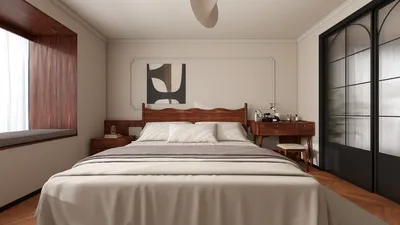


Transforming a 3D model into a Lego version involves a fascinating blend of digital modeling and hand-on construction. For both hobbyists and professionals alike, this process serves as a great way to bring design concepts to life in both virtual and tangible formats. It starts by selecting or crafting a 3D digital model, typically in formats like OBJ or STL. Then, specialized programs such as LDraw, stud.io, or Mecabricks come into play, allowing users to import their models and convert them into compatible Lego bricks and elements. These tools play a crucial role in mapping each part of the design to standard Lego components, enhancing the buildability and ensuring a sturdy final product.
After completing your digital Lego design, you have the option to create a detailed instruction manual along with a parts list. This facilitates the physical assembly of your model using real bricks, which can be procured from platforms like Bricklink or directly through Lego’s Pick-a-Brick service. As a designer, I find it essential to maintain a keen eye for detail in this stage, focusing on the structural soundness, color schemes, and overall scale to capture the spirit of the original 3D creation effectively.
Incorporating tactile design elements into digital workflows allows for a seamless blend of creativity and functionality. For instance, kicking off your project with a 3D Floor Planner can help visualize spatial arrangements before transitioning elements into Lego formats, ensuring your miniature layout adheres to your planned proportions and design integrity. Utilizing tools like Homestyler can further aid in visualizing spaces before they manifest into Lego models.
Tips 1:
When adapting intricate 3D models, it’s advisable to simplify sections with excessive detail to keep the Lego build practical and stable. Break down your design into modular components for easier assembly, and experiment with various color schemes based on actual Lego brick inventories to minimize design revisions later on.
FAQ
Q: Which 3D modeling software is best for creating models compatible with Lego?
A: Applications like LDraw, stud.io, and Mecabricks are tailored specifically for Lego modeling and can import mainstream 3D formats for conversion.
Q: Is it possible to convert any 3D model into a Lego format?
A: Not every 3D model seamlessly translates into Lego—models featuring tiny details or complex structures may need adjustments or simplifications to maintain structural integrity with Lego bricks.
Q: What’s the best way to obtain Lego bricks for my custom build?
A: You can upload the parts list generated by your Lego modeling software to sites like Bricklink, where you can order the necessary bricks by specific colors and sizes.
Q: Is there an automated solution for generating Lego building instructions?
A: Absolutely! Tools like stud.io come equipped with features that automatically create step-by-step building instructions based on your finalized model.
Q: What are some best practices to ensure my Lego models are structurally sound?
A: Focus on establishing support layers, interlocking bricks where feasible, and utilizing standard Lego connections to boost the strength and durability of your creation.




Looking to transform your space? Homestyler offers an exceptional online home design tool that allows you to effortlessly create stunning designs. With impressive 3D renderings and a wealth of design projects and video tutorials at your fingertips, you'll find inspiration and support to bring your vision to life!
Projete agora para LIVRE
































