

Are you feeling frustrated because your 3D model isn't appearing in Archicad? You're definitely not alone! Many users face similar challenges, and there are various reasons this could happen. In this article, we will discuss some effective troubleshooting techniques to help you display your model again.
Check Visibility Settings:
First and foremost, make sure that the layers for your 3D model are visible. In Archicad, you can verify this by accessing the Layer settings. If the layer containing your model is hidden, it simply won’t show in the 3D view. Ensure that all necessary layers are activated and visible. Additionally, utilizing tools like Homestyler can assist in ensuring better management of model layers.
Update Your View Settings:
Another potential reason for your model's absence might be misconfigured view settings. It's important to navigate to your 3D view settings and ensure that the model view options are set up correctly. Occasionally, simply modifying the view type might refresh the display and make your model visible again.
Graphical Issues:
If the aforementioned solutions do not resolve the issue, you may be dealing with graphical problems. Confirm that your graphics card drivers are up to date and ensure that Archicad is set to utilize your GPU effectively. This is vital for the smooth rendering of intricate 3D models, and using programs like Homestyler can give you additional 3D design insights that enhance your experience.
File Corruption:
Lastly, if your model was imported from another application or incorrectly saved, it's possible that it has become corrupted. In this case, consider re-importing the model or rebuilding it directly within Archicad to fix these issues and restore functionality.
FAQ
Q: What steps should I take if my 3D model was visible before but has suddenly vanished? A: Check if you have unintentionally hidden the layers or altered the view settings. Often, reopening the project can rectify any display glitches that have occurred.
Q: Is it possible to recover a lost model in Archicad? A: If the model was lost due to a crash, verify whether you have recovery options activated in your Archicad settings. You might also want to search for backup files within the project directory to help recover your work.

Minimalist Fabric Loveseat Sofa with Black Metal Legs 3D Model

Minimalist Glass Top Solid Wood Base Irregular Coffee Table 3D Model
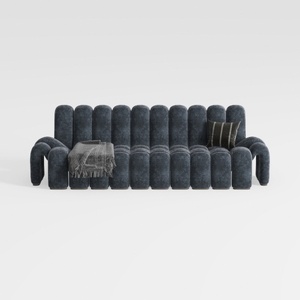

Modern Dark Blue Fabric Channel Tufted Oversized Sofa 3D Model
Homestyler is your go-to platform for transforming home design dreams into reality. With its easy-to-use online design tool, stunning 3D renderings, diverse design projects, and insightful video tutorials, it's perfect for anyone looking to enhance their space—no matter your skill level!
Design jetzt kostenlos
































