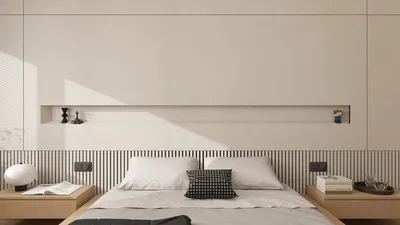


If you've noticed that your 3D model has lost its vibrant colors and intricate textures, you're certainly not alone. Many designers encounter this frustrating challenge during their creative process. Let's delve into some frequent reasons why your 3D model might be rendered in gray or without its desired features.
One primary issue could stem from UV mapping errors. Improper UV setups prevent the correct application of textures onto your model. It's essential to ensure that your UV maps are accurately configured and that your texture files are appropriately linked within your 3D software.
Additionally, the material configurations in your 3D modeling software could be impacting the appearance of your model. Occasionally, materials may revert to default settings or lose their connections to textures, particularly following project modifications or software upgrades. It’s advisable to confirm that your materials are still linked correctly and that the textures are available.
Strategies to Resolve Color and Texture Challenges:
1. **Examine UV Mapping**: Ensure your UV maps are efficiently organized and correspond to the intended textures you want to apply.
2. **Confirm Material Configurations**: Review your material settings to ensure that textures remain linked and that no settings have reverted.
3. **Reload Textures**: Often, simply re-importing the textures may fix issues stemming from inaccurate file paths or updates.
4. **Watch for Software Bugs**: Stay vigilant about potential bugs or glitches that might influence texture visibility. Keeping your software updated or consulting community forums can unveil solutions shared by other users.
5. **Adjust Rendering Settings**: When exporting or rendering your model, scrutinize the settings. Sometimes, using lower quality settings can strip away essential details like colors and textures.
Common Questions
Q: Which software tools can enhance texture management in 3D models?
A: Applications such as Blender, Maya, and 3ds Max provide powerful functionality for managing textures and materials. Moreover, tools like Homestyler can offer user-friendly options to streamline the design process by customizing textures effectively.


Modern Brown Leather L-shaped Sectional Sofa With Throw Pillows 3D Model
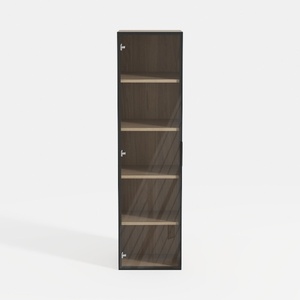
Modern Black Frame Solid Wood Open Shelf Tall Cabinet 3D Model

Minimalist Walnut Fabric Loveseat Sofa 3D Model
Homestyler is your go-to online home design platform! With its user-friendly design tool, stunning 3D renderings, and a wealth of inspiring design projects and DIY video tutorials, you can effortlessly transform your home ideas into reality. Start creating today!
Design jetzt kostenlos
































