
| Situation | Practical option | Main thing to check |
|---|---|---|
| TV cable visible on a finished wall | Paintable raceway | Correct size and secure mounting |
| Several cords under a desk | Sleeve and cable tray | Access, slack, and ventilation |
| Cable crossing a walkway | Floor cord cover | Trip risk and product rating |
| Router or power strip clutter | Ventilated organizer | Heat and access |
| Permanent TV power route | Listed in-wall kit | Local code and correct installation |
Visible cords can make a carefully arranged room feel unfinished, but hiding them well is about more than appearances. The right solution depends on what the cable powers, where it runs, how often you need to reach it, and whether it needs ventilation. These wire hiding ideas cover quick fixes and more permanent options, with safety considerations to help you choose wisely.

Start with the cable, not the decor
Before moving furniture or buying a cover, identify each cord. Separate power cables from low-voltage connections such as HDMI, Ethernet, and speaker wire. Check the labels on adapters and devices, and avoid assuming that two similar-looking cables can be swapped.
A useful rule: conceal cables in a way that keeps them accessible, undamaged, and appropriate for their use. A decorative box may tidy a charger setup, but it is not a substitute for a listed in-wall power solution. Likewise, a rug can hide a cable visually, but it can also trap heat, create a trip hazard, or damage a cord under foot traffic.
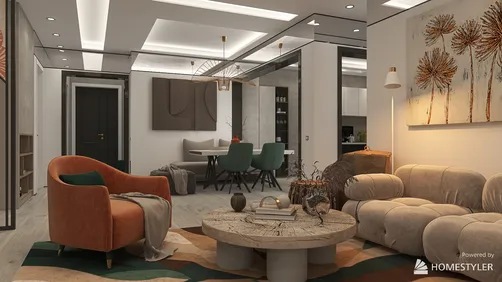
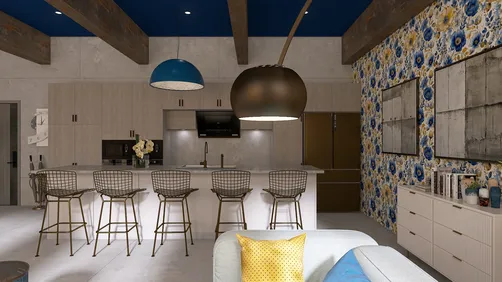
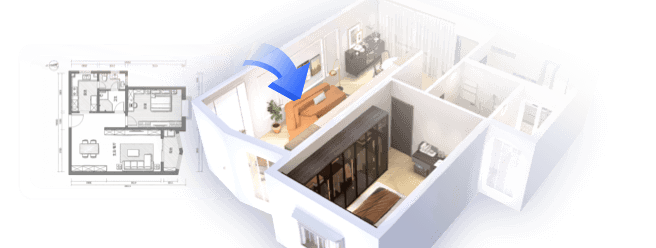
For a room redesign, sketch the furniture and outlets first. A simple 3D layout in Homestyler can help you test TV, desk, and lamp positions before committing to a cable route.
1. Use a paintable raceway for a wall-mounted TV
A surface-mounted cable raceway is often the most straightforward way to conceal TV wires without opening a wall. It encloses cables in a channel that attaches to the wall, and many models can be painted to blend with the surface.
Measure the route from the TV to the outlet, including any turns. Choose a raceway wide enough for the cables without forcing them into a tight bundle. Follow the product instructions for mounting and cable capacity, and keep power cords and signal cables arranged as the manufacturer recommends.
This option is especially useful in rentals or finished rooms where cutting drywall is not practical. It is also easier to inspect or change than a concealed route inside a wall.
2. Consider an in-wall kit only for compatible wiring
A clean, nearly invisible TV setup may be possible with a purpose-made in-wall power and cable kit. However, do not simply feed an ordinary extension cord or power-strip lead through a wall. Standard flexible power cords are generally not intended for concealed permanent wiring.
Use a listed kit designed for the installation, and check local electrical requirements. If the work involves adding or relocating an outlet, or you are unsure about the wiring, consult a licensed electrician. Before cutting drywall, locate studs and check for existing wiring and plumbing. A stud finder can help, but it does not replace careful verification.
Low-voltage cables such as HDMI may have different installation requirements from mains power. Keep them in the correct pathway and use components rated for the intended application.
3. Bundle desk cables in a sleeve
A cable sleeve gathers several cords into one neater run behind a desk or media console. It is a good choice when devices need to remain plugged in and the cables may need to be changed later.
Unplug equipment before reorganizing. Group only cables that can safely share the sleeve, avoid pulling connectors tight, and leave enough slack for a desk to move without tugging. Label both ends of cables that look alike; a small label can save time when troubleshooting.

4. Add an under-desk cable tray
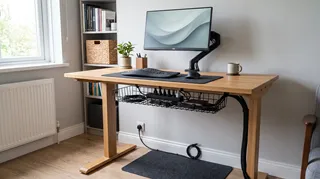
A tray mounted beneath a desk keeps power strips and excess cable length off the floor. It can also make a workstation easier to vacuum and reduce the chance of catching a foot on loose wires.
Check the tray’s load rating and make sure the power strip remains accessible. Do not pack adapters tightly together or cover ventilation openings. Keep the tray clear of knees and moving parts, and use fasteners suitable for the desk material.
5. Route cords behind furniture without pinching them
A bookcase, console, or desk can hide a cable run, but furniture should not crush cords against the wall or trap them beneath a heavy leg. Leave a small gap where cables pass, and use clips to keep them from slipping into walkways.
If furniture needs to move often, avoid a route that requires dragging a plugged-in cord along the floor. A short, protected path to the outlet is safer and easier to maintain.
6. Use a ventilated box for a power strip
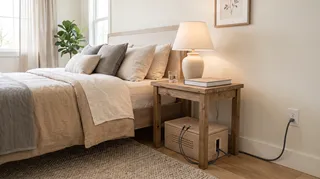
A cable-management box can conceal a power strip and excess cord length. Choose one designed for this purpose, with openings that allow cables to enter and heat to escape. Keep the lid and vents unobstructed.
Do not put a hot adapter, damaged cord, or overloaded power strip in a closed container. Follow the power strip’s instructions, and avoid daisy-chaining strips or extension cords. If a plug or adapter feels unusually warm, disconnect it and investigate rather than hiding it away.
7. Keep chargers in a drawer with airflow
A drawer can be a convenient place for a phone or tablet charging station, provided the cables are not pinched and the devices can dissipate heat. Use a cable pass-through or a drawer organizer to prevent cords from catching on the runners.
Do not charge devices under piles of clothing, paper, or other materials that can block ventilation. Keep the drawer slightly open if needed, and avoid leaving a device charging in a closed, crowded space.
8. Use clips along a baseboard
Adhesive or screw-mounted cable clips can guide low-voltage wires along a baseboard and keep them away from the center of the room. Choose clips sized for the cable, and avoid staples or fasteners that could pierce insulation.
For power cords, use products intended for the cord type and follow their installation instructions. Do not run a cord through a doorway where it can be crushed, or across a route where people regularly walk.
9. Choose a floor cord cover for crossings
When a cable must cross a floor, a purpose-made floor cord cover is generally a better choice than placing the cord under a rug. Select a cover rated for the location and the number of cables, and secure it as directed so it does not slide or curl.
Keep the crossing as short as possible and away from wet areas. A cover can reduce trip risk, but it does not make an unsuitable or damaged cord safe.
10. Hide router cables while keeping the router open
A decorative box or cabinet can conceal a modem’s power lead and nearby cable clutter, but the router itself needs room for airflow and a clear signal path. Avoid enclosing it in a metal container or tightly packed cabinet.
If you use a decorative cover, leave ventilation openings unobstructed and check whether the Wi-Fi signal remains strong in the rooms where you need it. A small adjustment to the router’s position may work better than hiding it completely.
11. Use furniture with built-in cable access
Some desks, media units, and bedside tables include grommets, cable channels, or charging ports. These features can reduce visible wiring, especially when the furniture is planned around the devices it will hold.
Check that built-in ports meet your needs and that power components are accessible for inspection. Measure the furniture and outlet locations before buying; a cable opening is only useful if it lines up with the equipment and power source.
12. Place lamps and small appliances near outlets
Sometimes the simplest wire hiding idea is to change the layout. Move a lamp, speaker, or small appliance closer to an outlet so its cord does not cross an open floor or stretch behind several pieces of furniture.
Use a room plan to compare outlet access with furniture placement. Homestyler can help you test different arrangements before moving heavy pieces, especially when you are balancing lighting, circulation, and access to sockets.
13. Use a cable channel behind a media console
A cable channel behind a console can keep several low-voltage leads together and out of sight. Separate cables by destination, label them, and leave enough slack to pull equipment forward for cleaning or repairs.
Avoid filling the channel beyond its stated capacity. A crowded channel is harder to maintain and can put strain on connectors when devices are moved.
14. Make a bedside charging station tidy and reachable
For bedside cords, use a small organizer or a nightstand with a cable opening. Keep the charger and device within easy reach, and route the cord so it cannot catch on bedding or hang where it may be pulled to the floor.
Do not hide a charging phone beneath pillows or blankets. Keep the charging area clear, use compatible chargers, and replace frayed or damaged cables.

15. Plan a concealed route during renovation
If you are renovating, plan cable routes before walls are closed. Decide where outlets, data connections, TVs, desks, and speakers will go, then coordinate the work with the appropriate tradesperson. This is the best time to add properly rated pathways and avoid visible cables later.
Keep a record of concealed routes and take photos before drywall or paneling is installed. That documentation can help prevent accidental damage during future repairs or renovations.
Quick comparison: which solution fits?
Common mistakes to avoid
- Hiding every cord under a rug: This can create heat, wear, and trip concerns. Use a suitable floor cover for a necessary crossing.
- Putting a power strip in a sealed box: Heat needs a way to escape. Use a ventilated product and follow its instructions.
- Running an ordinary extension cord inside a wall: Use a listed in-wall solution designed for the job, and get professional help when required.
- Pulling cords tight: Leave enough slack for furniture movement and avoid strain at plugs.
- Using nails or staples on cables: Fasteners can damage insulation. Use cable clips made for the cable type.
- Blocking access to outlets: Keep plugs and power strips reachable for inspection and disconnection.
A simple way to choose
For a quick improvement, start with clips, a sleeve, or a paintable raceway. For a desk, combine a tray with labels and a manageable cable bundle. For a permanent installation involving mains power, use a properly rated kit and follow local requirements rather than improvising.
Homestyler's roots trace back to Autodesk, the global leader in design and engineering software. That heritage lives on in every feature we build. Today, with a community of more than 20+ million registered users (platform data, 2026) worldwide, Homestyler continues to make professional-quality interior design accessible to everyone — from first-time decorators to seasoned architects.
The best wire hiding ideas make cords less visible without making them harder to inspect, ventilate, or replace. Plan the route around the room’s actual use, keep cables protected, and choose a solution that remains safe after the furniture is back in place.
Progetta ora GRATIS