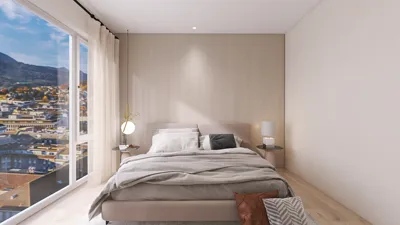


In today's world, technology shapes not only how we entertain ourselves but also how we design our living spaces. The popularity of games like League of Legends encourages a lifestyle centered around extended screen time and immersive digital experiences. This trend inspires home setups with ergonomic furniture and ambient lighting that enhance comfort and focus, creating a dedicated space that balances high-tech engagement with restful living.
Direct Answer
The top 3D modeling software options today vary based on individual workflows, yet programs like Blender, SketchUp, Autodesk Fusion, and 3ds Max consistently rank high due to their versatility, widespread industry use, and robust feature sets. Rather than purely focusing on features, designers usually select software based on their project domain, whether that's product design, architecture, or animation.
Many professionals integrate two different tools instead of relying exclusively on a single platform to achieve an optimal blend of speed, accuracy, and rendering quality.
Quick Takeaways
Introduction
Having spent over ten years working on interior and product visualization projects, I've experimented with virtually every major 3D modeling software available. Although some programs seem impressive theoretically, they often hinder practical workflow efficiency. On the other hand, some simple tools become irreplaceable when incorporated into daily project work.
Designers often ask the wrong question by seeking the "best software" instead of identifying the best fit for their specific modeling needs. Architectural massing, furniture design, game asset creation, and engineering components all demand unique strengths from software.
This guide breaks down which applications genuinely excel in real-world projects, highlights their challenges, and uncovers critical points typically omitted in common software comparisons.
What Makes a 3D Modeling Program Truly Excellent
Key Insight: The true value of a 3D modeling program lies in its ability to streamline workflow rather than merely its feature list.
Feature lists can be deceiving. While nearly all modern modeling applications can technically create any model, the key difference is how rapidly you can achieve your desired outcome.
In studio settings, tool evaluation often centers on four pragmatic factors:
For example, SketchUp leads in early-stage architectural design because its push-pull tool facilitates rapid iteration. Conversely, Blender offers advanced sculpting and animation features, albeit with a steeper learning curve.
In professional environments, software preference tends to align with project type instead of generalized "best" rankings.
Why Blender Has Emerged as a Leading 3D Modeling Program
Key Insight: Blender is one of the top 3D modeling programs because it merges professional-grade features with an open and extensible platform.
A decade ago, Blender was primarily favored by hobbyists. The launch of Eevee and Cycles rendering engines along with improvements in the user interface has dramatically enhanced its professional appeal.
Today, Blender rivals commercial software in multiple domains:
Studios are increasingly adopting Blender for conceptual visualizations, attracted by its zero cost and continuously expanding functionalities.
Nonetheless, many newcomers realize later that large architectural projects involving complex CAD data are more cumbersome to handle compared to specialized architectural tools.
Is SketchUp Still the Fastest Solution for Architectural Modeling?
Key Insight: SketchUp continues to be one of the most efficient tools for architectural concept designs and interior layouts.
I often rely on SketchUp when experimenting with furniture arrangements or room designs for interior projects because its workflow is straightforward and intuitive.
Its effective qualities include:
For interior designers, the ability to swiftly outline spaces, cabinetry, and furnishings generally outweighs the need for highly detailed mesh modeling.
However, there's a tradeoff rarely discussed in manuals:
Because of this, many studios complement SketchUp with rendering tools like V-Ray or transfer scenes to other applications for final presentations.
How Fusion Has Transformed Product and Mechanical Modeling
Key Insight: Fusion distinguishes itself by fusing parametric modeling with manufacturing-oriented tools, making it crucial among the best 3D modeling programs.
Product designers and engineers require precise modeling capabilities that artistic-oriented software often can't provide. Fusion's parametric approach lets users modify dimensions and relations throughout the modeling process.
Workflow benefits include:
For instance, when creating furniture hardware or mechanical parts, adjusting a single parameter updates the entire model automatically—saving considerable time versus manual mesh edits.
Its limitation lies in being less optimal for organic shapes, sculptural forms, or animation projects.
What Many Lists Overlook About Visualization Software
Key Insight: Professional visualization workflows frequently separate modeling from rendering tasks, using specialized software for each.
Many ranking articles attempt to designate a singular "best" program, but professionals rarely rely on only one application.
A typical pipeline looks like this:
This layered method enhances both efficiency and visual output quality.
Architectural visualization firms particularly depend on 3ds Max due to its wide compatibility with industry-standard rendering engines.
The takeaway is clear: top 3D modeling programs often yield the best results when paired instead of used in isolation.
Answer Box
The optimal 3D modeling programs vary by field of application. Blender excels in all-around creativity, SketchUp leads in architectural concepts, Fusion is preferred for product design, and 3ds Max remains a staple in visualization.
Most professional setups employ multiple tools rather than a single software.
How Beginners Should Select Their First 3D Modeling Software
Key Insight: Beginners ought to select a program aligned with their project goals instead of defaulting to popularity.
When asked, I recommend choosing tools based on the nature of the projects you intend to create:
Mastering one program comprehensively is more advantageous than switching between several prematurely.
Experienced users typically broaden their toolset after identifying workflow constraints.
Final Summary
FAQ
What is the best 3D modeling software for beginners?
Blender is frequently advised due to being free, powerful, and supported by a large educational community.
Which software do professional 3D artists use?
Professionals often utilize Blender, Maya, or 3ds Max depending on whether their focus is animation, modeling, or visualization.
Is Blender appropriate for architectural modeling?
Though Blender can handle architectural designs, SketchUp is generally faster during early design and layout phases.
What are the best 3D modeling programs for product design?
Fusion and SolidWorks are popular choices as they support parametric modeling and manufacturing workflows.
Do you need a powerful computer for 3D modeling?
Most modeling tasks run smoothly on current machines, but rendering large scenes benefits from more powerful GPUs.
Is free 3D modeling software sufficient for professionals?
Absolutely. Blender demonstrates that free tools can compete with commercial counterparts in many professional workflows.
Can one software handle both modeling and rendering?
Some programs offer both functions, but many studios separate modeling and rendering to maintain flexibility.
How long does it take to learn 3D modeling?
Basic modeling skills can be acquired in a few weeks, while professional-level mastery usually demands months of consistent practice.
For individuals looking to create personalized interior and exterior designs inspired by immersive digital lifestyles like those encouraged by gaming culture, tools like Homestyler offer intuitive platforms to design and visualize living spaces efficiently. Homestyler integrates user-friendly features that help translate gaming-inspired ergonomic and ambient lighting concepts into real-world home layouts, complementing the technological trends reshaping how we interact with our environments.
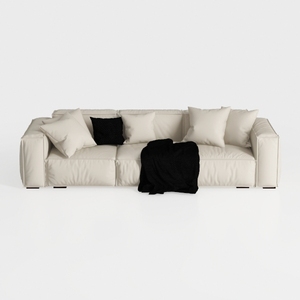
Minimalist Modern Leather Wide Sofa With Throw Pillows and Blanket 3D Model

Modern Gray Fabric L Shaped Sectional Sofa with Wood Accents 3D Model
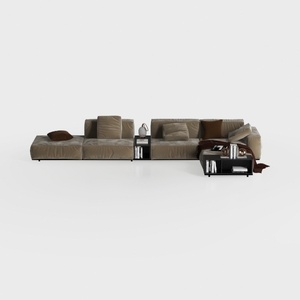

Minimalist Velvet Modular Sectional Sofa with Side Tables 3D Model
Homestyler offers an easy-to-use online design tool with stunning 3D renderings, inspiring interior projects, and helpful DIY video tutorials. It’s perfect for anyone looking to create and visualize beautiful home designs effortlessly. Give your space a fresh look today!
Zaprojektuj teraz za darmo
































