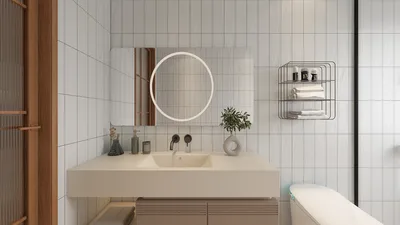


As new Xbox Game Pass games continue to expand the horizons of digital entertainment, many gamers are seeking comfortable and functional spaces that enhance their immersive experience. Creating a dedicated gaming nook with ergonomic seating and smart lighting can transform any room, blending technology seamlessly with home design to support extended play and relaxation.
Executive Summary
AI renovation tools have revolutionized the way we envision home makeovers, making it simpler than ever to preview changes before the actual work begins. However, this visual convenience can sometimes lead to overconfidence. Homeowners who neglect accurate measurements, accept AI-generated visuals uncritically, disregard traffic flow, or overlook lighting and budget constraints often encounter costly mistakes that only become apparent once construction is underway. This article outlines the frequent pitfalls of using AI in renovation projects — from unrealistic material choices to bypassing expert consultation — and offers a practical checklist to ensure AI home design tools such as Homestyler serve as aids for decision-making rather than replacements for thorough planning.
Common Pitfalls When Using AI in Renovations
The adoption of AI-powered visualization has transformed remodeling by allowing homeowners to upload images, pick styles, and instantly see updated rooms. The impressive speed and photorealism can encourage shortcuts, yet several recurring AI renovation mistakes are responsible for budget excesses, prolonged timelines, and dissatisfaction with the final design.
AI-generated renders may exaggerate the scale of spaces, making rooms seem roomier than in reality. For example, that oversized sectional might appear ideal in the image, but a 10 by 12 feet living area simply can't accommodate it. AI tools rely on pixel data and won’t automatically use precise floor plans unless provided.
Why this is problematic: Ordering furniture based solely on AI visuals risks receiving items that are too large or too small. Custom fittings like cabinetry without verified dimensions often require modifications. Even minor size discrepancies can cause plumbing or electrical adjustments during the project, escalating costs.
How to prevent it: Manually measure walls, doors, windows, and ceiling heights before employing AI tools. Enter these dimensions into a specialized floor planning application like Homestyler. Use AI primarily for exploring styles and materials rather than confirming exact sizes. Treat AI-generated layouts as preliminary drafts needing field verification.
AI renders typically depict flawless lighting and textures but fail to reflect your home's unique light exposure and conditions. The lighting in the render doesn't replicate how natural or artificial light affects your space at different times.
Why this causes issues: A tile appearing warm beige on screen might look gray under your home's lighting. Paint colors can radically change with orientation and time of day, while a bright white kitchen on screen may feel cold in a north-facing room with limited daylight.
Mitigation tips: Capture photographs of your space at various times — morning, noon, evening — to compare with AI renders. Always obtain physical samples of materials and examine them in place before finalizing choices. Consider AI visuals as inspiration boards rather than definitive product catalogs. Tools such as Homestyler can assist in testing options while final decisions should rely on real samples.
AI models place furniture and fixtures for visual balance in images, not necessarily following real-life traffic flow needs. For instance, a dining table might be centered beautifully but leave insufficient space for comfortable passage.
This can result in everyday frustrations: cramped kitchen layouts, insufficient bathroom clearances, or open-plan designs that expose noise or mess to living areas — imperfections invisible in AI renders but impactful in daily life.
To avoid this, map out primary walkways before finalizing arrangements, ensuring clearances meet recommended standards (at least 36 inches for main paths, 42–48 inches in kitchen zones). Physically mark these paths with tape and simulate daily movements. AI suggestions, offered by tools like Homestyler, should be balanced with your household's actual usage patterns.
AI-generated lighting is often generic, showing soft, omnipresent illumination without identifiable sources, unlike real rooms that have specific window placements and fixture limitations.
In practice, relying on such lighting illusions can lead to costly fixes after construction, such as adding recessed lights or repositioning electrical components. Poor lighting also undermines design choices, affecting the look of paint, countertops, and tiles.
Plan lighting in three layers—ambient, task, and accent—while studying natural light throughout the day. Use AI to experiment with fixture types and positions, but always consult a licensed electrician to confirm feasibility before building. Homestyler and similar platforms can aid in visualizing these layers comprehensively.
AI can generate endless textures and finishes that may not actually be available locally or fit project timelines. Exotic surfaces or custom profiles may require specialist fabrication, causing delays and extra costs.
To prevent disappointment, treat AI-rendered materials as conceptual. Research real-world equivalents immediately after identifying appealing options. Visit showrooms, order samples, and verify availability and lead times. Maintain backup choices for major finishes to handle supply issues efficiently.
AI designs don't factor in costs—while a render might display premium marble or bespoke cabinetry, you may be unaware of the substantial expenses they entail until late in planning.
This disconnect often leads to frustration and forced compromises, which can feel like setbacks rather than strategic decisions. Some homeowners proceed regardless, incurring debt or sacrificing quality.
Set a strict budget with a contingency margin upfront. Investigate typical expense ranges for materials and fixtures in your area. Use AI tools to compare affordable options that replicate premium looks at lower prices. Platforms like Homestyler can help model such cost-effective alternatives early in the design process.
AI visualization tools do not replace licensed structural engineers, electricians, or code inspectors. Using AI outputs as construction-ready plans risks safety issues, code violations, and structural problems.
For example, removing walls shown as open space in renders without verifying if they’re load-bearing can be dangerous. Moving plumbing or electrical fixtures without professional input may breach regulations. These are frequent risks in renovation projects.
Use AI for conceptualizing ideas and aesthetics only. Engage qualified professionals before finalizing any structural, electrical, or plumbing decisions. Share your AI visuals with contractors to express your vision clearly, but rely on their expertise to ensure compliance and safety.
Pre-Renovation Checklist: 10 Essential Steps Before Beginning
Follow this checklist prior to committing to remodeling: combine AI-generated previews with real-world validation to catch errors early and maintain control.
Integrating AI into a Secure Renovation Strategy
AI tools work best as an iterative stage between inspiration and professional execution. Successful renovators operate in three phases: exploration with AI, consultation with experts, and detailed implementation.
Through every phase, treat AI platforms such as Homestyler as supportive tools—not final decision makers. While they expedite concept development and help catch inconsistencies, responsibility for final structural, budgetary, and safety decisions lies with qualified professionals.
Frequently Asked Questions
Q: Can AI completely prevent renovation errors?
A: No. Although AI reduces mistakes related to materials, layouts, and style, it cannot replace expert scrutiny of structure, compliance, or budgeting. Use AI to identify initial issues, but verify all important choices with licensed consultants.
Q: Which errors does AI catch most effectively?
A: AI excels at detecting mismatches in materials, color conflicts, proportion inconsistencies, lighting problems, clearance issues, and awkward traffic flow that may not be obvious to homeowners before construction.
Q: Is special hardware required for AI renovation planners?
A: Most AI visualization apps work well with smartphones equipped with capable cameras. Devices with LiDAR sensors offer more dimensionally accurate scans. For best results, pair AI insights with manual measurements rather than relying solely on scanning technology.
Q: Are AI-generated floor plans trustworthy for contractors?
A: AI floor plans help communicate design intent early but contractors always conduct physical measurements for fabrication and installation. Avoid ordering custom items solely based on AI dimensions.
Q: How does AI assist with budgeting?
A: AI cost estimators compare project descriptions with regional databases to produce comprehensive pre-bid estimates including often overlooked expenses like permits and structural work. Final budgets should come from contractor quotes based on verified plans.
Q: Can DIYers rely on AI renovation tools?
A: Yes, particularly for cosmetic changes such as paint, flooring, fixture replacement, and decor. For structural, electrical, plumbing, or load-bearing changes, AI helps with visualization but licensed professionals must execute.
Q: What is the most important guideline when using AI renovation tools?
A: Always validate AI outputs. Though AI accelerates design iteration, every generated detail—dimensions, materials, lighting, layout, costs—must be confirmed against actual conditions before committing resources or making structural changes.

Minimalist Cream Fabric L Shaped Sectional Sofa 3D Model
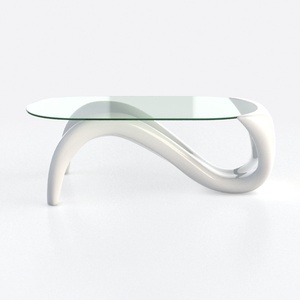
Modern Minimalist Glass Top White Metal Coffee Table 3D Model


Bohemian Rattan Fabric Round Daybed with Decorative Throw Pillows 3D Model
Homestyler is an easy-to-use online platform for designing your home with stunning 3D renderings. Explore countless interior design projects and learn through helpful DIY video tutorials to create your perfect space effortlessly.
Design Now for FREE
































