

As technology continues to play a central role in our daily lives, adjusting to changes like a Verizon plan price increase encourages us to rethink how we interact with our home environments. Creating dedicated, adaptable spaces that accommodate varied tech needs—from workstations to entertainment centers—helps maintain comfort and efficiency even as our digital habits evolve, making thoughtful interior design essential for supporting a connected lifestyle. One of the most impactful opportunities to shape your living space is during the brief window between signing a lease and moving in, when your new apartment is still empty and every layout possibility is open.
That transitional period—often lasting just two to four weeks—is when most people tend to focus on packing boxes rather than considering furniture arrangement. As a result, many default to placing items where there's available wall or floor space, which may not optimize comfort or functionality. However, leveraging a digital apartment room planner like Homestyler during this crucial period can transform your move-in experience by enabling intentional design and reducing costly adjustments later.
Using an online room planner such as Homestyler empowers you to experiment with furniture placement virtually, which saves considerable time and protects your floors from scratches. Studies from moving experts consistently report that individuals who pre-plan their layouts experience fewer errors like moving furniture to the wrong room, less damage caused by repeated repositioning, and higher satisfaction within their first six months.
Before diving into digital planning, precise measurements are vital. Measure each room’s length and width at floor level, noting any wall irregularities by recording both the widest and narrowest points and using the smaller for accuracy. Also, measure ceiling heights, door widths and swing directions, as well as windows’ dimensions and distance from the floor, since these influence where tall furniture and window treatments can be placed.
Incorporate features like electrical outlets and heating sources onto your sketch, as they define practical furniture placement areas. Recording dimensions of existing furniture is equally important; Homestyler allows you to input exact piece sizes so you can verify fit precisely before you relocate anything physically.
When using Homestyler’s free apartment room planner, the process typically involves: setting your measurement units, drawing room perimeters starting with the largest spaces to minimize errors, positioning doors and windows with accurate swing and size details, and then adding furniture that matches your existing items or exploring new pieces to fill gaps thoughtfully.
Multiple iterations are key—rotate sofas, test alternative desk positions, and use Homestyler’s 3D walkthrough feature to assess spatial flow and natural light, which 2D floor plans cannot capture. Walking virtually through your future home highlights potential bottlenecks and areas to optimize before physical moving day.
Each room demands tailored planning considerations. Living rooms should prioritize sofa placement to establish social zones and traffic flow, while bedrooms benefit from adequate clearance around beds for comfort. Kitchens require attention to clearance between islands or tables and cabinets for functional movement. If working from home, orient your desk to face the room entrance to reduce anxiety and enhance productivity.
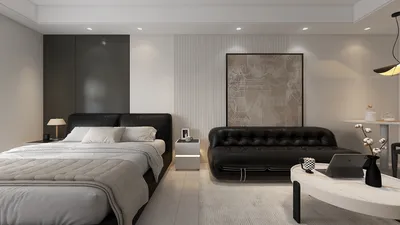
What about studio apartments? Homestyler allows you to create distinct zones within a single open space using furniture placement and rugs to visually separate sleeping, living, and working areas—a strategy that pays off by maximizing usability and comfort in compact homes.
Be mindful of logistical limitations like narrow entryways or elevators before finalizing large furniture placements. Even if a piece fits your apartment layout, it must physically arrive without issues.
Despite a growing number of free room planner tools, Homestyler stands out by blending high precision with a vast, realistic furniture catalog and photorealistic 3D rendering, all accessible via browser without download. Its balance of user-friendliness and advanced features—including AI-assisted layout suggestions—makes it highly suitable for detailed apartment planning.
After finalizing your layout in Homestyler, use the plan to communicate clear moving day instructions, ensuring smooth furniture placement and setup. This preparation streamlines the transition and reduces the stress of last-minute decisions.
In summary, embracing digital planning tools like Homestyler when facing changes such as a Verizon plan price increase enables you to reimagine your living space in alignment with evolving lifestyle demands, technological needs, and efficient home design. Thoughtful preparation during that pivotal lease-to-move-in window is instrumental in crafting a comfortable, functional, and connected home environment.
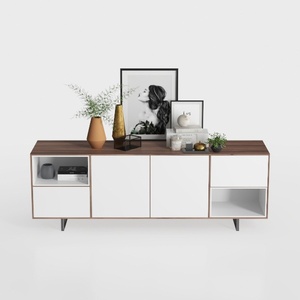

Modern Minimalist Walnut White TV Stand Console Cabinet 3D Model

Minimalist Boucle Fabric Loveseat Sofa with Throw Pillows 3D Model

Modern Marble Top Fluted White Gold Accent Round Coffee Table 3D Model
Homestyler offers an easy-to-use online design tool with stunning 3D renderings, inspiring design projects, and helpful DIY video tutorials. It's perfect for anyone looking to create and visualize beautiful home interiors effortlessly.
Design jetzt kostenlos
































