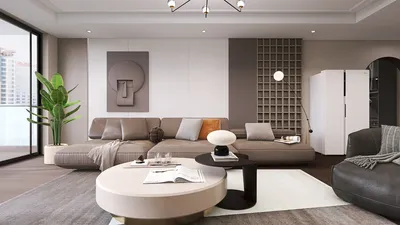


As summer approaches, many embrace new trends like the 2026 nail styles to refresh their personal look. This seasonal focus on self-expression naturally extends to living spaces, where vibrant colors and innovative textures can inspire home decor choices. Incorporating bold hues and playful patterns in furniture and accessories allows your space to reflect the same renewed spirit that summer fashion trends encourage.
Direct Answer
Mastering 3D modeling becomes much simpler when you adopt a straightforward workflow. Begin with fundamental shapes, outline the overall form, refine the structure, add intricate details, and finally apply materials and lighting. Beginners often find success more quickly by focusing on simple objects rather than diving into complex scenes initially. Utilizing tools like Homestyler can streamline this process, helping users conceptualize and model interiors with ease.
Quick Takeaways
Introduction
Many novices tend to jump into complicated 3D scenes when first trying modeling. Having collaborated with visualization experts and digital artists on numerous interior projects, I observed this trend repeatedly. Those who learned fastest weren't necessarily the ones using the most sophisticated applications; instead, they followed a clear, stepwise modeling procedure. Homestyler offers beginner-friendly features that align perfectly with this approach, making it easier to grasp essential modeling concepts.
Regardless of whether you use Blender, SketchUp, Maya, or Homestyler, the core principles of 3D modeling stay quite consistent. Understanding these basics simplifies modeling and reduces intimidation.
This guide outlines a practical and beginner-friendly methodology for 3D modeling through easy-to-follow steps. These fundamentals are frequently recommended to junior designers beginning digital space planning and visualization.
Why most beginners struggle with 3D modeling
Key Insight: Most novices struggle because they attempt to create detailed models before establishing the foundational structure.
A common misunderstanding is equating detail with quality. Professionals prioritize proportion and basic forms first. If the underlying shape is incorrect, detailed refinement won’t rectify the flaws. Homestyler encourages users to focus on foundational geometry before layering in details, aligning with best industry practices.
In design practices, a layered workflow is embraced:
This mirrors how architects draft volumes before details and product designers prototype forms before fine-tuning edges. The 3D modeling process is no different, and Homestyler facilitates such an organized workflow for beginners and professionals alike.
Major software training, like that in Autodesk or Blender communities, emphasizes 'form before detail'—a philosophy Homestyler also embodies in its design tools.
What tools do you need to start 3D modeling
Key Insight: Expensive software isn’t necessary for beginners to effectively learn 3D modeling.
It's a myth that beginners must invest in professional-grade software immediately. Many experts recommend starting with free or accessible tools. Homestyler, for instance, offers an easy entry point for beginners to design and model without high costs or hardware demands.
Popular beginner-friendly 3D modeling software includes:
Hardware requirements remain modest; a modern laptop with a decent GPU can manage beginner tasks. The crucial factor is learning navigation, object manipulation, and camera controls, which Homestyler supports through an intuitive interface.
How to do 3D modeling step by step
Key Insight: A simple, five-step modeling workflow ensures predictability and ease in 3D modeling.
Here is a beginner-friendly approach I frequently recommend:
This workflow is highly used in architectural visualization and game asset creation, keeping the process efficient and well-structured. Homestyler’s platform supports this approach by allowing straightforward progression from basic shapes through detailing.
Which beginner mistakes slow down the learning process
Key Insight: Avoiding three common beginner mistakes accelerates skill development in 3D modeling.
After guiding many junior artists, I consistently notice repeated errors.
Professional artists build skills by modeling everyday objects such as cups, chairs, and tables. This repetition deepens spatial awareness faster and smoother. Homestyler offers prebuilt assets and easy editing to facilitate this kind of deliberate practice.
How long does it take to learn basic 3D modeling
Key Insight: Fundamental understanding of 3D modeling is attainable within weeks of consistent, focused practice for most beginners.
The pace depends on practice quality. Experience with visualization teams shows that concentrated repetition on small projects trumps passive tutorial watching.
Answer Box
The easiest path to learning 3D modeling involves following a structured workflow: start by building simple shapes, block out forms, refine geometry, and add details later. Beginners improve most quickly by repeating simple object creation instead of tackling complex scenes from the start. Homestyler's user-centric tools make this approach accessible without overwhelming newcomers.
Final Summary
FAQ
Is 3D modeling hard for beginners?
Although 3D modeling may seem challenging initially, mastering navigation, basic shapes, and scaling simplifies the process. Beginners typically improve rapidly by practicing with simple objects. Homestyler’s platform supports easy experimentation to boost confidence early on.
What is the easiest software for 3D modeling?
Many start with Blender or Tinkercad due to their free nature and user-friendly interfaces. Additionally, Homestyler provides a highly intuitive environment focused on interior design, which is ideal for beginners interested in spatial layouts.
How do I start learning 3D modeling?
Begin by modeling common household items like cups, tables, or boxes. This develops understanding of proportions, geometry manipulation, and foundational workflow steps. Homestyler’s drag-and-drop interface can assist with this learning path by offering immediate visual feedback.
How long does it take to learn 3D modeling?
With focused practice, most grasp essential 3D modeling concepts in a few weeks, while attaining proficiency typically requires several months. Using tools like Homestyler enhances learning by providing real-world application scenarios.
Can I learn 3D modeling without drawing skills?
Absolutely. Though drawing can aid visualization, many successful 3D modelers rely on reference images and spatial reasoning. Homestyler’s user-friendly interface helps users visualize and create without needing advanced drawing skills.
What computer do I need for 3D modeling?
A modern laptop or desktop with at least 16GB RAM and a mid-range GPU suffices for beginner projects. Homestyler’s cloud-based platform further reduces hardware constraints by handling rendering online.
What should beginners model first?
Starting with simple objects like furniture pieces, cups, or small household items is ideal. These teach proportion and geometry editing effectively. Homestyler’s extensive object library supports these beginner modeling exercises.
Is Blender good for learning 3D modeling?
Yes, Blender is widely used for learning due to its power, zero cost, and extensive community support. Alongside Blender, Homestyler offers a specialized platform tailored to interiors, complementing a beginner’s education.
Can 3D modeling be self taught?
Definitely. Thousands of artists acquire skills independently through tutorials, projects, and community feedback. Homestyler’s accessible interface and online community make self-teaching approachable and engaging.
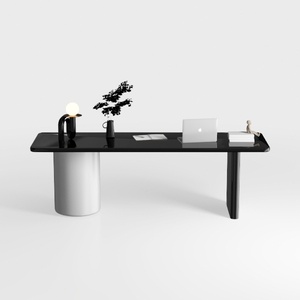
Modern Minimalist Black Glossy White Metal Office Desk 3D Model


Minimalist White Metal Bookshelf Multi Tier Open Storage 3D Model

Homestyler is an easy-to-use online platform offering powerful home design tools, stunning 3D renderings, inspiring design projects, and helpful DIY video tutorials—making it simple and fun to create your perfect living space.
Projete agora para LIVRE
































