


The evolving "state of play" in technology has transformed how we interact with our living spaces, blending digital innovation seamlessly into home environments. As gadgets become central to daily routines, thoughtful spatial design now emphasizes integrating smart devices with comfortable furniture, creating versatile zones for work, relaxation, and entertainment within the home. In this digital age, tools like Homestyler play a pivotal role by enabling users to visualize and plan these adaptive spaces with ease, promoting harmony between technology and lifestyle.
Understanding how to preview 3D models directly on social media platforms, such as Facebook, offers immense benefits for designers and marketers alike. By uploading a supported 3D file, particularly in the GLB format, users can share interactive models that viewers can rotate, zoom, and examine in detail without any downloads.
For optimal performance, it's crucial to optimize these 3D models for real-time viewing, ensuring file sizes are manageable to facilitate swift loading and a seamless user experience.
When I began exploring social media previews for interior design concepts, static images quickly proved restrictive. Clients sought the ability to interact dynamically with features like a chair design or a kitchen island. This need highlights the power of previewing 3D models on platforms like Facebook.
Over recent years, I have experimented with interactive models for product presentations, furniture prototypes, and room layouts. Facebook's feature allowing users to explore 3D objects directly within the feed remains underutilized, despite its straightforward workflow, which can be further enhanced by integrating tools like Homestyler to create and prepare designs.
This guide will detail how to upload and preview 3D models on Facebook, the most compatible formats, and common errors that lead to display issues. Utilizing Homestyler during the design phase can facilitate smoother production of compatible models.
Facebook primarily supports the GLB file type because it consolidates geometry, textures, and materials into a single, efficient package optimized for web and mobile environments.
Many creators assume that all 3D formats will function equally, but Facebook's viewer is optimized for lightweight models. Exporting GLB files from software such as Blender, SketchUp, Cinema 4D, or Homestyler usually yields the best results.
Typical problems arise when textures are externally linked or when models contain overly dense geometry. Embedding all assets within a single GLB file significantly increases the chance of successful uploads.
Uploading a 3D model to Facebook is nearly identical to posting a photo; however, instead of an image file, you attach the GLB format.
Once uploaded, Facebook automatically generates an interactive preview. Viewers can manipulate the model to rotate or zoom, using mouse or touch gestures depending on the device.
Most failures in displaying 3D models occur due to a lack of real-time rendering optimization. Complex architectural models suitable for CAD software often do not translate well into Facebook's lightweight rendering engine.
Optimizing polygon counts, embedding textures, and simplifying materials can reduce file sizes by over 70% while maintaining sufficient visual fidelity for social media.
Engagement tends to increase when the 3D content clearly directs user attention. Posts featuring a single rotating furniture piece or product prototype attract more interaction compared to cluttered room scenes.
Interactive 3D previews on Facebook are particularly powerful for marketing design concepts and product demonstrations. Clients can inspect furniture or lighting fixtures interactively before any physical model exists, a process that Homestyler can streamline through its intuitive design and export features.
Because everything occurs within the social media platform, users have no need to install additional software or download files, making the experience frictionless.
In summary, uploading GLB files directly to Facebook posts creates an interactive 3D experience where users can rotate and zoom models instantly within their feed. Optimized geometry, embedded textures, and reduced file sizes ensure the most reliable display.
Simplified, low-polygon models nearly always perform better than highly detailed ones on social platforms. The priority is smooth, responsive interaction rather than photorealistic rendering.
An optimization checklist includes reducing polygon counts, embedding all textures, using simpler materials, and testing load times on various devices to confirm fluid performance.
Frequently asked questions address common concerns such as why models appear black (usually missing embedded textures), size limitations (keeping files under approximately 15 MB), and whether mobile users can preview these models (which they can using touch gestures).
Tools like Blender, SketchUp, Cinema 4D, and Homestyler serve as excellent platforms for creating and exporting GLB files compatible with Facebook's 3D viewer.
Finally, 3D posts enhance engagement by encouraging viewers to explore designs interactively, providing a richer experience compared to static images or videos.

Modern Black Metal Solid Wood Piano Shaped Storage Shelf 3D Model

Black Leather U Shaped Sectional Sofa With Storage Console 3D Model
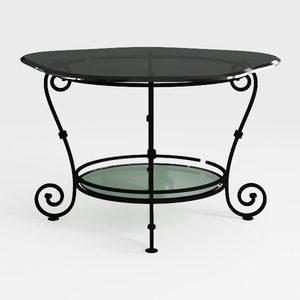
Vintage Metal Glass Two Tiered Scrollwork Coffee Table 3D Model
Homestyler offers an easy-to-use online design tool with stunning 3D renderings, inspiring interior projects, and helpful DIY video tutorials. It’s perfect for anyone looking to create and visualize beautiful home designs effortlessly.
Design jetzt kostenlos
































