


In today's world, technology shapes not only how we entertain ourselves but also how we design our living spaces. The popularity of games like League of Legends encourages a lifestyle centered around extended screen time and immersive digital experiences. This trend inspires home setups with ergonomic furniture and ambient lighting that enhance comfort and focus, creating a dedicated space that balances high-tech engagement with restful living.
Direct Answer
To transfer a 3D model file into Blender, you should export the model from its native software using a Blender-compatible format such as FBX, OBJ, or GLTF. Then, import the file via Blender's File → Import menu to integrate it into your project. Once imported, it's essential to check and adjust the scale, materials, and textures, as these aspects often require fine-tuning.
This method applies effectively to most models made with CAD software, game engines, or other 3D modeling tools.
Quick Takeaways
Introduction
In numerous projects, clients provide models created in various programs like SketchUp, Revit, SolidWorks, or even game engines. The initial task is almost always moving the 3D model into Blender for rendering, modification, or animation purposes. While Blender offers remarkable flexibility, importing models usually involves more than just a single-step process.
Through experience, I've realized that many issues users attribute to Blender actually stem from the export phase. Problems such as missing textures, inverted normals, and incorrect scaling often begin with the original files. This guide will detail my step-by-step workflow for transferring 3D models into Blender while preserving geometry, materials, and proportions flawlessly.
What File Formats Work Best When Moving a 3D Model to Blender
Key Insight: The choice of export format determines whether a model imports cleanly or ends up needing extensive correction.
Although Blender supports many file types, only a few formats consistently deliver reliable results in professional pipelines. Selecting the right format can save hours of post-import cleanup.
In architectural visualization, FBX and GLTF are frequently preferred because they maintain scale and material fidelity more effectively.
Industry Note: The Khronos Group developed GLTF as a modern, efficient transmission format for 3D content, making it increasingly the standard over legacy formats like OBJ in current workflows.
How Do You Import a 3D Model File Into Blender
Key Insight: Importing is straightforward; the critical step is thoroughly verifying the scene after import.
Once you have the appropriate file type, loading it into Blender usually takes only a moment.
Immediately after import, check for these three critical aspects: scale accuracy, material assignments, and texture mapping.
Skipping these reviews is one of the most common beginner mistakes when importing 3D models into Blender.
Why Do Some Models Break After Importing to Blender
Key Insight: Most import issues originate from incorrect export settings, not Blender itself.
Models often come with problems like missing textures, flipped normals, or improper scale due to export oversights. These complications generally stem from three hidden factors within the original files.
One crucial best practice I follow is always requesting the original texture directories alongside the model files. This habit resolves roughly 70% of import-related challenges.
How to Fix Scale and Orientation After Import
Key Insight: Maintaining correct scale is vital because realistic lighting, physics simulations, and render accuracy depend on true-to-life dimensions.
After importing, verify object measurements using Blender's sidebar panel tools.
If you discover scale inconsistencies, implement corrective steps promptly to align the model with real-world standards.
For example, in architectural projects, confirming door heights around 2 meters is a practical way to verify proper scaling.
Can Blender Import Models From CAD or Game Engines
Key Insight: Blender supports importing from a broad range of software, although intermediate file formats are often necessary to ensure compatibility.
From my experience transferring models from various sources into Blender, each platform typically requires a tailored export-import path.
CAD models often feature dense meshes; therefore, performing a mesh cleanup in Blender to optimize polygon counts before rendering is usually advisable.
Answer Box
The easiest method to move a 3D model into Blender involves exporting it as FBX, OBJ, or GLTF and then importing it via Blender's File → Import menu. Always confirm scale, textures, and materials afterward to prevent rendering or animation issues.
Best Practices I Use When Moving Models Into Blender
Key Insight: Establishing a clean import workflow reduces troubleshooting far more effectively than relying on Blender shortcuts.
After completing numerous visualization and design projects, adhering to these simple habits consistently avoids import complications.
These precautions drastically cut down on time spent fixing problems, especially when moving models between different design platforms.
Final Summary
FAQ
What file formats can Blender import?
Blender recognizes various formats including FBX, OBJ, STL, GLTF, PLY, and Collada. FBX and GLTF tend to preserve materials, animation, and hierarchy with higher fidelity.
Why are textures missing after importing a 3D model into Blender?
Textures are commonly stored separately from the 3D model file. If the texture folders are missing or if file paths are broken during export, Blender cannot link textures correctly.
Is FBX better than OBJ for Blender?
Generally, yes. FBX supports animations, hierarchical structures, and superior material transfer compared to OBJ format.
How do I move a 3D model file to Blender from SketchUp?
Export the model as FBX or OBJ from SketchUp, then use Blender's File → Import function to bring it into your scene.
Why is my imported model extremely small or large?
This typically occurs because the source application and Blender use different unit measurements, causing scale mismatches.
Can Blender open STL files?
Yes, STL files—which are widely used in 3D printing—can be imported into Blender without issue.
Does Blender support GLTF files?
Absolutely. GLTF and GLB formats are highly compatible, frequently preserving materials and textures accurately.
What is the easiest way to move a 3D model file to Blender?
Export your model as FBX or GLTF, then import through Blender’s import menu, verifying scale and texture mapping afterward.
Integrating tools like Homestyler into your design workflow can enhance the visualization process, enabling more intuitive adjustments of interior spaces before importing finalized models into Blender for advanced rendering and animation.
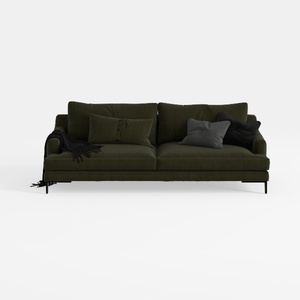
Modern Dark Green Fabric Upholstered 3 Seater Sofa With Throw Pillows 3D Model
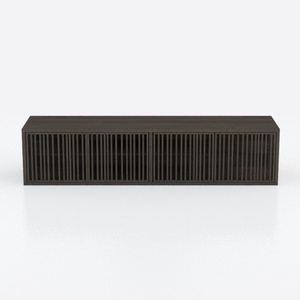
Minimalist Dark Oak TV Cabinet With Slatted Doors 3D Model
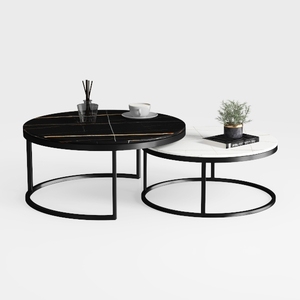
Modern Marble Top Metal Frame Nesting Round Coffee Tables 3D Model
Homestyler offers an easy-to-use online home design tool with stunning 3D renderings, inspiring design projects, and helpful DIY video tutorials—perfect for turning your interior design ideas into reality effortlessly.
Design Now for FREE
































