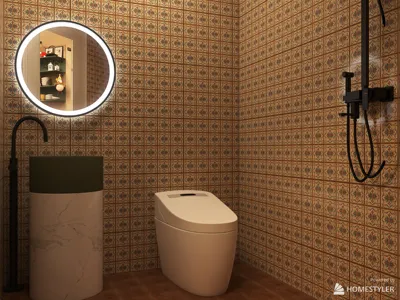


In today’s connected homes, the integration of a versatile TV app transforms how we interact with our living spaces. As streaming services become central to entertainment routines, designing a cozy media nook with ergonomic seating and adjustable lighting enhances both comfort and viewing experience. Thoughtful spatial planning ensures that technology blends seamlessly with home aesthetics, creating an inviting area tailored for relaxation and digital enjoyment.
Direct Answer
To scan a 3D model, you capture the object using a 3D scanner, smartphone photogrammetry app, or LiDAR device, then convert the images into a mesh via reconstruction software. This process generally involves taking multiple angles, producing a point cloud, transforming it into a mesh, and refining the geometry before final output.
Achieving precise results depends heavily on consistent illumination, comprehensive surface coverage, and effective post‑processing techniques.
Quick Takeaways
Introduction
Over the past ten years, 3D scanning has evolved from costly studio apparatus to accessible tools in the palms of users via smartphones. In multiple interior design and product visualization tasks, scanning furniture, décor, and architectural elements into digital forms saved countless hours of manual modeling.
Interestingly, the scanning itself is seldom the biggest hurdle. Beginners often face challenges with lighting setups, full coverage, and cleaning up messy meshes post-processing. Understanding the professional workflow makes the scanning process predictable and repeatable.
This article details the step-by-step scanning procedure, recommended tools, and common pitfalls that can impair scan quality.
What equipment do you need to scan a 3D model
Key Point: Expensive hardware is not always necessary to generate high-quality 3D scans; modern photogrammetry software effectively creates detailed meshes with standard cameras.
Many novices wrongly believe professional scanners are mandatory. However, most studios use photogrammetry first because it is both versatile and budget-friendly.
Common scanning approaches include:
Typical tools in professional workflows:
For smaller studios, photogrammetry is often the quickest method to capture complex shapes without specialized equipment.
How does the 3D scanning process actually work
Key Point: Every 3D scan involves the core steps of image capture, point cloud generation, mesh construction, and geometry refinement.
Knowing this pipeline aids in diagnosing most scanning issues.
General workflow steps:
For instance, when scanning a decorative chair for visualization, about 120 photos were taken around the object, allowing software to reconstruct the complete geometry automatically.
How to scan a 3D model step by step
Key Point: Accuracy depends more on thorough coverage and consistent capture than on expensive devices.
The following stepwise procedure is my preferred method for scanning objects in visualization projects.
Step 1: Prepare the object
Step 2: Capture images
Step 3: Upload to scanning software
Step 4: Generate the mesh
The software reconstructs the geometry from the photos.
Step 5: Clean the model
Professionals often devote more time to cleaning scans than to the initial capture.
Why do many 3D scans fail or appear messy
Key Point: Most poor-quality scans result from lighting and material issues rather than flaws in software.
After analyzing hundreds of scans from novice designers, recurring issues were identified.
Common hidden problems:
A practical solution many studios implement is applying a temporary matte spray or removable scanning powder. This adds surface texture that the reconstruction software can detect more easily.
This technique significantly enhances scan accuracy for shiny or glossy objects.
Is smartphone 3D scanning adequate for professional applications
Key Point: When executed properly, smartphone scans can be production-ready for visualization, concept development, and digital asset generation.
Five years ago, this was unlikely; today, it is frequently possible.
Apps such as Polycam and Scaniverse combine photogrammetry and LiDAR, yielding models accurate enough for various uses:
Challenges that phones still face include:
In numerous projects, rough geometry is scanned with a phone first, then refined using software like Blender or Maya.
Answer Box
The most dependable 3D scanning method involves capturing 80–150 overlapping photographs around the object with stable lighting, then reconstructing the mesh using photogrammetry software and cleaning the final model.
Good lighting and thorough coverage are more important than costly hardware.
How do experts clean and optimize scanned models
Key Point: Raw scans usually aren’t ready for production and require optimization before use in rendering or real-time environments.
Post-reconstruction, meshes often contain noise and superfluous polygons.
Typical cleanup process:
Commonly used tools include:
For design visualization, reducing polygon count can shrink file sizes by up to 80% without noticeable quality loss.
Final Summary
FAQ
What is the easiest way to scan a 3D model?
Using a smartphone photogrammetry app like Polycam or Scaniverse offers the simplest method for beginners to scan 3D models.
How many photos are required for a quality 3D scan?
Typically, 80–150 overlapping images of the object are needed to reconstruct an accurate 3D model.
Can I scan a 3D model with my phone?
Absolutely. Many modern smartphones support photogrammetry or LiDAR scanning and can produce surprisingly precise models.
Which software converts photos into a 3D model?
Popular photogrammetry tools like RealityCapture, Meshroom, and Polycam transform photos into detailed 3D models.
Why does my 3D scan appear distorted?
Distortion usually stems from inadequate photo overlap or inconsistent lighting between shots.
What types of objects are hardest to scan?
Transparent, reflective, or extremely smooth items are challenging since scanning software struggles to detect enough surface features.
Is LiDAR superior to photogrammetry?
LiDAR excels in quick depth acquisition, but photogrammetry often yields richer texture detail.
How long does it take to scan a 3D model?
Image capture may take 10–20 minutes, while mesh reconstruction and cleanup can require several hours depending on complexity.
Integrating tools like Homestyler can further enhance the visualization process by enabling users to seamlessly design and decorate their scanned spaces digitally, improving workflow for interior design projects.
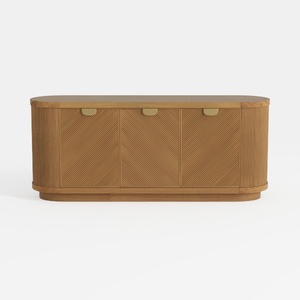
Modern Minimalist Solid Wood Fluted Sideboard with Brass Accents 3D Model
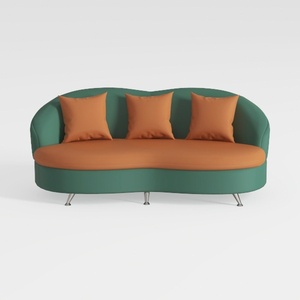

Modern Two Tone Fabric Curved Sofa With Throw Pillows 3D Model
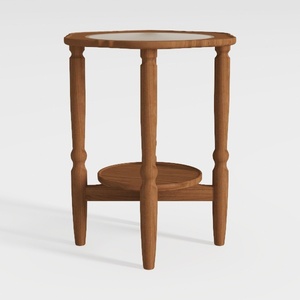
Minimalist Solid Wood Marble Top Round Side Table 3D Model
Homestyler is an easy-to-use online home design platform that lets you create stunning 3D renderings, explore inspiring design projects, and learn through helpful DIY video tutorials. It’s perfect for bringing your interior ideas to life with confidence and creativity.
Design jetzt kostenlos
































