


As summer approaches, many embrace new trends like the 2026 nail styles to refresh their personal look. This seasonal focus on self-expression naturally extends to living spaces, where vibrant colors and innovative textures can inspire home decor choices. Incorporating bold hues and playful patterns in furniture and accessories allows your space to reflect the same renewed spirit that summer fashion trends encourage.
Direct Answer
Printing paper models from Autodesk 3ds Max involves exporting the 3D geometry, carefully unfolding the mesh using UV mapping or specialized unfolding software, then arranging the flattened segments onto printable sheets. The crucial part is converting complex shapes into tidy polygon surfaces before preparing the printable layout. Utilizing tools like Homestyler in conjunction with these steps can further assist in visualizing the interior setup once the physical model is ready.
Most designers complement 3ds Max with programs like Pepakura or other UV mapping utilities to generate precise paper templates suitable for crafting.
Quick Takeaways
Introduction
During my early career in architectural visualization and exhibit prototyping, I often required swift physical mockups. Instead of proceeding directly to 3D printing, converting digital models into paper versions was occasionally preferred. Though seemingly traditional, paper prototypes offer enlightening insights into scale, shape, and assembly logic.
While Autodesk 3ds Max is not inherently developed for papercraft, with the correct approach, printing paper models using this software is entirely feasible. The key lies in mastering geometry simplification, surface unfolding, and exporting clear, print-ready layouts.
Many tutorials tend to overlook common challenges such as broken seams, improper scaling, and messy polygon topology. Through constructing numerous quick physical models for presentations, I discovered a dependable procedure that avoids these pitfalls.
Why Paper Modeling from 3D Files Remains Valuable
Key Insight: Paper models represent one of the quickest and most affordable methods to evaluate spatial form before investing in costly fabrication.
Despite the availability of 3D printers and CNC technology, paper prototyping maintains its relevance. In architectural and interior design workflows, I regularly produce paper mockups to assess volume, proportions, and installation concepts.
Advantages of paper models include tactile engagement and immediate form evaluation.
Exhibition designers commonly rely on paper prototypes to verify complex display structures prior to building full-scale versions, starting from digital 3ds Max models.
How to Prepare a 3D Model for Paper Printing?
Key Insight: The quality of paper models depends more on diligent mesh cleanup than the unfolding technique alone.
A frequent beginner's error is attempting to unfold overly detailed models. Successful paper models call for geometry simplification.
Preparation guidelines include:
Often, polygon counts are dramatically decreased; a sculpture with 120,000 polygons may be reduced to only 1,000-2,000 polygons before unfolding.
This avoids small, unmanageable paper fragments that complicate assembly.
What Tools Are Available to Flatten 3D Geometry into Printable Templates?
Key Insight: Although 3ds Max offers UV tools for flattening geometry, dedicated unfolding software usually yields cleaner paper templates.
Three popular methods used by designers include:
Typically, I export OBJ files from 3ds Max and unfold them with Pepakura when producing paper mockups. This software automatically assigns numbered edges and assembly tabs, streamlining the process substantially.
How to Generate Printable Layouts from Unfolded Models?
Key Insight: Effective printable layouts strike a balance between paper usage efficiency and ease of assembly.
After flattening the geometry, parts must be arranged thoughtfully on printable pages.
Best practices include grouping related parts and leaving clear fold lines.
Common paper sizes for templates range from A4 to Letter size.
Exports are often saved as PDFs to ensure scale consistency across different printers and platforms. Integrating Homestyler during planning can visualize how these designs translate into actual room arrangements.
Hidden Challenges Commonly Overlooked by Tutorials
Key Insight: The toughest challenge in paper modeling is not the printing itself but avoiding confusion during assembly.
Common recurring issues in paper prototypes are:
A helpful technique is intentionally minimizing seam count before unfolding, resulting in cleaner geometry and simpler construction.
Experienced modelers sometimes remodel geometry specifically for papercraft rather than unfolding the original mesh to improve results.
Answer Box
The most dependable approach to printing paper models from Autodesk 3ds Max is to meticulously simplify the mesh, export as OBJ, unfold the model with software such as Pepakura or the native UV tools, then arrange the flattened parts on print-ready sheets. Clean topology and accurate scaling are vital for successful assembly.
Which Scale Settings Help Prevent Printing Errors?
Key Insight: Most scaling errors arise during export, not during the printing stage.
Maintain precise dimensions by locking units early and verifying system scale before export.
For architectural models, prototype scales like 1:50 or 1:100 are frequently applied to balance detail and manageability.
Final Summary
FAQ
Can Autodesk 3ds Max create paper models directly?
No, direct paper model creation is not supported; exporting and unfolding with dedicated tools is required.
Which file format is optimal for exporting from 3ds Max?
OBJ format is preferred since it preserves polygon structures needed for unfolding.
Is Pepakura mandatory for producing paper templates?
Not strictly. 3ds Max's Unwrap UVW modifier can flatten meshes, but Pepakura automates tab generation and layout formatting.
What paper is best suited for paper models?
Thicker cardstock between 160 and 220 gsm offers superior rigidity compared to ordinary printer paper.
How to accurately scale paper models?
Set consistent system units and lock scaling before exporting to maintain dimensional accuracy.
Can complex 3D models be converted into papercraft versions?
Yes, though substantial polygon reduction is typically necessary to simplify unfolding.
What’s the easiest workflow to print paper models from 3ds Max?
Most professionals export from 3ds Max and use Pepakura or other UV unfolding software to create printable templates efficiently.
Why might paper models yield too many separate pieces?
Excessive subdivision or complicated mesh geometry often leads to overly fragmented templates.

Modern Two Tone Lacquered Sideboard Cabinet 3D Model
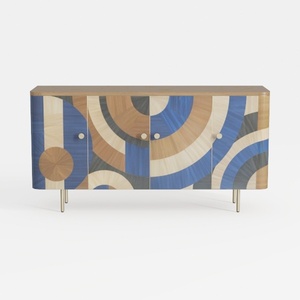
Art Deco Geometric Pattern Solid Wood Sideboard with Metal Legs 3D Model
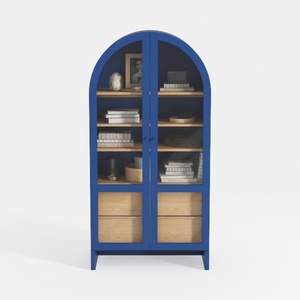
Modern Blue Frame Solid Wood Arched Glass Display Cabinet 3D Model
Homestyler is an easy-to-use online home design platform offering powerful 3D rendering, inspiring interior projects, and helpful DIY video tutorials. It lets you effortlessly create and visualize your dream spaces, whether you're a beginner or a design enthusiast.
Design Now for FREE
































