


As enthusiasm for the latest PlayStation Plus June 2026 games grows, many gaming enthusiasts seek to enhance their home entertainment spaces to match their evolving digital lifestyle. Creating a dedicated gaming nook with ergonomic seating and optimized lighting not only improves comfort but also complements the immersive experience these new titles offer. Thoughtful spatial planning can transform a typical room into a versatile hub for relaxation and entertainment.
Direct Answer
You can open 3D models directly in your web browser by uploading them to online 3D viewers such as Sketchfab, Three.js-based viewers, or integrated browser tools present in numerous CAD and design platforms. Thanks to modern browsers supporting WebGL, file types like OBJ, STL, GLTF, and FBX can be rendered instantly within the webpage, eliminating the need for specialized software installations.
Practically, uploading the model file allows the viewer to utilize the browser's GPU acceleration to load and display the 3D object seamlessly.
Quick Takeaways
Introduction
Over the past decade in residential interior design projects, I have examined thousands of 3D models from various architects, furniture manufacturers, and visualization studios. A recurring challenge is that often the recipient lacks the proper software to access the shared model file.
Browser-based 3D viewing tools come to the rescue here, letting you open models straight in your browser without demanding heavy applications like Blender, 3ds Max, or SketchUp. The advanced WebGL support in modern browsers enables them to render complex models efficiently.
This article explores the most reliable techniques to open 3D models in browsers, highlights the best file formats, and reveals common pitfalls that cause models to fail loading.
What File Formats Work Best for Browser 3D Viewing
Key Insight: GLTF and GLB stand out as the most dependable formats for seamless 3D model viewing in browsers.
Based on experience assessing models across various visualization teams, the choice of file format greatly impacts how smoothly browsers render 3D objects. Some formats are inherently unsuitable for web display.
Formats that commonly perform well in browsers include:
GLTF is frequently dubbed the “JPEG of 3D” by the Khronos Group since it effectively compresses geometry, textures, and materials for real-time web rendering.
In client presentations, I typically convert room or furniture models into GLB files, which dramatically improve loading speed when viewed online.
How Can You Open a 3D Model Directly in Your Browser
Key Insight: The easiest approach is uploading your model to an online 3D viewer platform.
Many users tend to overthink this process, but no coding or special software is required.
Here are three straightforward options:
For rapid client feedback on interior layouts or furnishings, browser-based viewers save significant time since users don’t need to download extra software.
Why Some 3D Models Fail to Load in Browsers
Key Insight: Most failures originate from oversized texture files or missing linked assets.
This common problem surprises many; while the model may be sound, browsers are less forgiving with inefficient assets.
Typical issues include:
In numerous architectural visualization projects reviewed, models with more than one million polygons frequently struggled to render smoothly in browser viewers.
A practical remedy is to simplify the geometry and compress textures before uploading.
Is Opening 3D Models in a Browser Safe
Key Insight: Viewing 3D models in browsers is generally safe provided files come from trusted sources.
Unlike executable programs, 3D model files mostly contain geometry, materials, and textures rather than executable code.
Nevertheless, good security habits include:
Professional platforms used by design studios and game developers enforce rigorous file validation to prevent potentially malicious uploads.
How to Optimize a 3D Model for Smooth Browser Viewing
Key Insight: Carefully optimizing geometry and textures significantly boosts browser performance.
Many assume browsers inherently struggle with 3D models, but the real culprit is often poorly optimized assets.
Here is a practical list for optimizations I frequently suggest:
Game engines have adhered to these guidelines for years, and increasingly, web-based visualization solutions adopt the same workflows.
Answer Box
The simplest method to open 3D models in your browser is uploading a compatible format such as GLTF, OBJ, or STL to a WebGL-enabled viewer. Provided the model is optimized and textures included, modern browsers load it instantly without additional installations.
When Should You Use Browser Viewers Instead of 3D Software
Key Insight: Browser viewers excel for quick previews, teamwork, and client-facing presentations.
While full 3D software remains necessary for detailed modeling and editing, browsers are perfect for viewing and sharing models effortlessly.
Browser viewing is ideal in scenarios such as:
In interior design demos, I frequently provide clients with browser viewer links allowing them to rotate and explore furniture arrangements themselves, removing the hurdle of installing specialized programs. Platforms like Homestyler make this process intuitive.
Final Summary
FAQ
What file types can open 3D models in your browser?
Popular formats include GLTF, GLB, OBJ, STL, and sometimes FBX depending on the viewer.
Do I need special software to open 3D models in a browser?
No, thanks to WebGL support in most browsers, 3D models can be rendered inside webpages without extra software.
Why is my 3D model not loading in the browser?
Common reasons include missing textures, very large file sizes, or unsupported material definitions.
Can I open STL files in a browser?
Yes, many browser-based viewers support STL files, frequently used for 3D printing.
What is the best format to open 3D models in your browser?
GLTF and GLB generally offer the fastest and most reliable web performance.
Can mobile browsers display 3D models?
Absolutely. With WebGL support, modern mobile browsers can render many well-optimized 3D assets.
Is it free to open 3D models in your browser?
Many online 3D viewing platforms provide free tiers allowing model uploads and previews.
Can I share a 3D model with clients through a browser viewer?
Certainly. Many services generate a shareable link enabling clients to interact with models directly online, enhancing collaboration and feedback.


Modern Luxury Fabric Leather Gold Accent Sofa 3D Model
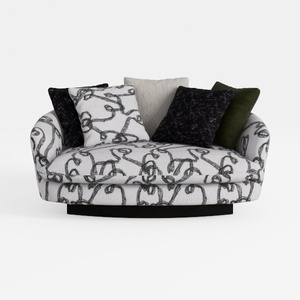
Abstract Pattern Fabric Upholstered Loveseat Sofa 3D Model

Chinese Style Solid Wood Fabric Three Seat Sofa 3D Model
Homestyler offers an easy-to-use online design tool, stunning 3D renderings, and a vast collection of interior projects. With helpful DIY video tutorials, it’s perfect for anyone looking to create and visualize beautiful home designs effortlessly.
Desain sekarang Gratis
































