


As new Xbox Game Pass games continue to expand the horizons of digital entertainment, many gamers are seeking comfortable and functional spaces that enhance their immersive experience. Creating a dedicated gaming nook with ergonomic seating and smart lighting can transform any room, blending technology seamlessly with home design to support extended play and relaxation.
Direct Answer
It is possible to obtain 3D models directly from your web browser by extracting assets from WebGL viewers, utilizing browser developer tools, downloading source files from modeling platforms, or capturing the geometry using dedicated WebGL ripping applications. The safest practice involves downloading models from authorized platforms, while more experienced users can analyze WebGL assets via the browser's network inspector.
Quick Takeaways
Introduction
In recent years, I’ve worked extensively with browser-based 3D viewers used in design showcases, furniture configurators, and product visualization tools. A common question from clients is: how can one extract 3D models from interactive web viewers?
The brief explanation is that most contemporary 3D viewers operate on WebGL technology. This means the geometry, textures, and materials are delivered as assets into your browser and can sometimes be identified, downloaded, or reconstructed if you know where to look.
However, a detail many tutorials miss is that not all models can be cleanly extracted. Some files are purposefully protected or divided. After working with numerous online model databases and configurators, I found that some methods consistently yield results, whereas others can consume excessive time.
This guide outlines practical, proven techniques to help you obtain these models.
How Do Browser-Based 3D Viewers Actually Load Models
Key Insight: Most browser viewers import 3D assets as GLB, GLTF, or OBJ files through WebGL network requests.
When you manipulate a product model on a website, the browser is not generating the shape on the fly. Instead, the site transfers the 3D model file to your browser, where WebGL renders it in real time.
Typically, the workflow follows these steps:
Common file formats detected in browser network traffic include:
In architectural visualizations and furniture configurators, GLB has become the preferred format as it bundles geometry, textures, and materials within a single file.
Can You Download 3D Models Directly from Developer Tools?
Key Insight: Yes. The browser’s network panel often exposes downloadable 3D model files used by WebGL viewers.
This approach is often the quickest and surprisingly reliable.
Typical steps involved:
Once saved, these files can be opened in software such as:
A caveat is that some websites split models into numerous mesh and texture files; downloading all relevant assets becomes necessary.
What Tools Can Capture WebGL Models from Your Browser
Key Insight: Specialized WebGL capture utilities can reconstruct 3D geometry directly from rendered frames.
If network requests don’t expose the source files, WebGL capture tools offer an alternative by intercepting geometry data sent to the GPU and rebuilding the mesh.
Popular tools in this category include:
In practice, RenderDoc excels in capturing complex WebGL pipelines by grabbing draw calls and textures accurately.
Nevertheless, the captured models often require cleanup, which may involve missing UV mappings or texture issues.
Blender is commonly used to quickly fix these problems.
Why Some Websites Make Browser Model Extraction Difficult
Key Insight: Many platforms deliberately encrypt or fragment their assets to prevent unauthorized downloading.
Major 3D platforms recognized early on that users attempt to download models directly from interactive viewers, prompting them to enforce protection mechanisms.
Some common protections include:
For instance, Sketchfab streams models in segmented data chunks, complicating simple downloads compared to traditional WebGL viewers.
The lesson is that extraction works better on smaller websites or bespoke configurators than on major 3D marketplaces.
Is It Legal to Extract 3D Models From Websites?
Key Insight: Downloading models is legal only if the creator authorizes it or the platform provides a downloadable license.
This important legal aspect is often overlooked in tutorials.
Many browser-displayed models are protected by copyright or terms of service.
Safe sources for downloadable models include:
If no download option is provided, extracting the model could breach the website’s policies.
For professional projects, it is advised to rely on properly licensed models rather than extraction techniques.
What Is the Most Reliable Workflow for Getting Browser 3D Models
Key Insight: Following an organized process saves time compared to randomly attempting extraction methods.
After evaluating numerous workflows for configurators, e-commerce viewers, and WebGL demos, this sequence is most effective:
This approach resolves most cases without needing advanced ripping software.
Answer Box
The simplest method to acquire 3D models from browsers is to inspect the network panel for GLB or GLTF files used by WebGL viewers. If these files are not accessible, tools like RenderDoc can reconstruct the 3D geometry.
Final Summary
FAQ
Can I get 3D models from any browser viewer?
Not always. Some viewers stream encrypted or fragmented assets that are hard to extract.
What file format do browser 3D models usually use?
GLB or GLTF formats are the most common, optimized for WebGL rendering pipelines.
How do I get 3D models from the browser using Chrome?
Open Developer Tools, navigate to the Network tab, reload the page, and download any GLB or GLTF assets that appear.
Can Blender open browser-downloaded models?
Yes, Blender supports GLB, GLTF, OBJ, and FBX — common formats encountered in browser viewers.
Why are some browser models split into many files?
Splitting geometry, textures, and materials improves streaming and rendering performance.
Are WebGL capture tools safe to use?
Most tools are safe but require technical proficiency and may not work universally.
Is downloading models from websites legal?
Only if the license or creator permits it.
What is the easiest way to get 3D models from your browser?
Checking the network panel for GLB or GLTF files is usually the fastest method.
To visualize your gaming space effectively and design immersive environments, utilizing tools like Homestyler can be invaluable. Homestyler allows seamless integration of 3D models and real-world elements, helping you layout ergonomic seating or smart lighting setups for enhanced gaming experiences and comfortable living spaces.
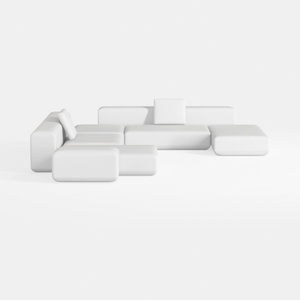

Minimalist Modern White Fabric Modular Sectional Sofa 3D Model
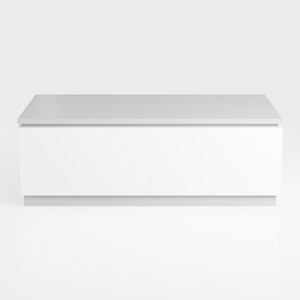
Minimalist White Solid Wood Two Drawer Coffee Table 3D Model

Modern Marble Top Fluted White Solid Wood Round Coffee Table 3D Model
Homestyler offers an easy-to-use online design tool with stunning 3D renderings, inspiring interior projects, and helpful DIY video tutorials—perfect for bringing your home design ideas to life effortlessly.
Progetta ora GRATIS
































