


In today's world, technology shapes not only how we entertain ourselves but also how we design our living spaces. The popularity of games like League of Legends encourages a lifestyle centered around extended screen time and immersive digital experiences. This trend inspires home setups with ergonomic furniture and ambient lighting that enhance comfort and focus, creating a dedicated space that balances high-tech engagement with restful living.
Direct Answer
Editing premade 3D models in tools such as 3D Builder involves importing the file, selecting the object, and utilizing features like split, merge, scale, emboss, and subtract to adjust the geometry. Although simpler than professional CAD software, 3D Builder effectively manages many common model modifications.
Understanding that 3D Builder treats models as solid shapes is essential. Once you master combining or subtracting these solids, altering premade models becomes an uncomplicated task.
Quick Takeaways
Introduction
Throughout my experience in digital fabrication and interior prototyping, swift adjustments to premade 3D models have been frequent. Whether it was resizing a lamp base or modifying a furniture bracket for 3D printing, 3D Builder often proved to be the fastest choice.
Contrary to popular belief, premade models downloaded from online repositories are generally editable. The main challenge lies in identifying which tools apply to imported models. This article demonstrates the precise steps I follow when customizing premade models within 3D Builder, and how pairing this process with Homestyler can refine interior design projects.
How Do You Import Premade Models Into 3D Builder?
A crucial point: every edit begins by importing a supported file and allowing 3D Builder to auto-repair the mesh.
3D Builder supports multiple commonly used 3D formats, with STL files being the most reliable for models from sites like Thingiverse or Printables.
Typical import procedure:
The repair function is more critical than many expect; minor mesh flaws in downloaded models can cause subsequent modifications like splitting to fail without repair.
Preferred compatible formats include STL and OBJ.
Which Tools Actually Work for Editing Premade Models?
Essential insight: Split, Merge, Subtract, and Emboss are the most dependable editing tools in 3D Builder.
New users often err by treating imported models like parametric CAD designs, but 3D Builder treats them as solid meshes, changing the effectiveness of some tools.
Commonly used editing features involve boolean operations and shape manipulations.
For instance, to modify a premade phone holder, I frequently subtract a cylinder to create a charging port, completing the task in under a minute.
How to Modify the Shape of a Premade Model
Key insight: Combining primitive shapes and leveraging boolean operations is the simplest method to reshape premade models.
Due to the lack of vertex-level editing in 3D Builder, shape operations are the primary modification method.
My common workflow includes:
This strategy works well for typical model tweaking tasks.
Many underestimate how efficient this approach can be, often outpacing complex CAD software for straightforward changes.
What Are the Limitations of Editing Premade Models in 3D Builder?
Insight: 3D Builder excels at structural adjustments but struggles with intricate geometry edits.
After handling many models, I've identified clear strengths and weaknesses of 3D Builder.
Where 3D Builder excels: basic reshaping, cutting holes, merging parts.
Where it falls short: vertex editing, texture application, complex surface manipulation.
For sophisticated edits, alternative software like Blender or Fusion 360 tends to be more suitable.
Common Hidden Mistakes When Editing Premade Models
Insight: Most difficulties stem from mesh imperfections, improper scaling, or overlapping elements.
Beginners frequently encounter these issues when altering downloaded models.
Typical problems include mesh errors, incorrect unit scaling, and geometry intersections.
A helpful tip: rerun the repair function after each significant change to avoid downstream printing issues.
Answer Box
The quickest route to editing premade models in 3D Builder consists of importing the file, repairing the mesh, and modifying it via split, merge, and subtract functions. Though straightforward, it handles everyday 3D printing adjustments with impressive reliability.
Final Summary
FAQ
Can you edit premade models in 3D Builder?
Absolutely. 3D Builder allows modification of premade models using tools like split, merge, subtract, emboss, and scale.
Which file types are best for editing premade models in 3D Builder?
STL and OBJ formats offer the most consistent results when editing premade models.
Why is direct editing of parts on downloaded models limited?
Downloaded models are mesh-based and require boolean operations rather than direct vertex manipulation.
Does 3D Builder repair imported models automatically?
Yes. The software typically detects and offers to fix mesh issues upon import.
Can I create holes in premade models using 3D Builder?
Certainly. By adding shapes like cylinders and subtracting them, holes can be formed easily.
Is 3D Builder suitable for beginners?
Yes, its intuitive interface makes it an excellent choice for simple 3D model modifications.
Why might the subtract tool fail at times?
This generally occurs when shapes do not overlap sufficiently or when mesh defects exist.
Do professionals still rely on 3D Builder?
Many experts use it for quick corrections, straightforward edits, and prepping models for printing, often integrating it with design platforms like Homestyler for enhanced visualization and planning.
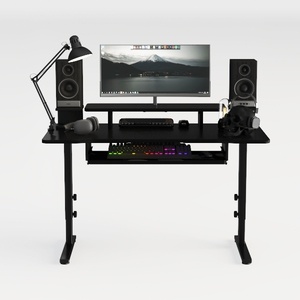
Modern Black Metal Solid Wood Gaming Desk with Monitor Stand 3D Model

Simple Bedroom LED Chandelier Living Room

HP 14" HD Laptop, Windows 11, Intel Celeron Dual
Homestyler is an easy-to-use online platform offering powerful home design tools, stunning 3D renderings, inspiring interior projects, and helpful DIY video tutorials—perfect for turning your design ideas into reality effortlessly.
지금 무료로 디자인하세요
































