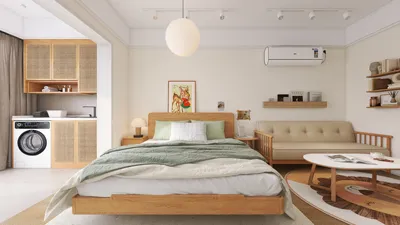


In today's world, technology shapes not only how we entertain ourselves but also how we design our living spaces. The popularity of games like League of Legends encourages a lifestyle centered around extended screen time and immersive digital experiences. This trend inspires home setups with ergonomic furniture and ambient lighting that enhance comfort and focus, creating a dedicated space that balances high-tech engagement with restful living. Integrating tools such as Homestyler can help design these personal environments with ease, combining aesthetics and functionality tailored to modern digital lifestyles.
Direct Answer
To achieve a realistic ice effect on a 3D model, it's essential to apply a transparent material exhibiting significant light refraction, minimal surface roughness, gentle subsurface scattering, and incorporate internal features like bubbles or cracks. Proper lighting and adequately thick geometry play a vital role, as ice's appearance largely depends on how light travels through the volume.
The most believable ice renderings often use physically accurate shaders combined with volumetric details and strong backlighting.
Quick Takeaways
Introduction
Across various rendering projects, including beverage product visuals and architectural winter-themed scenes, clients frequently request convincing frozen materials. Surprisingly, crafting a realistic ice material is more challenging than beginners might assume, as one common error is treating ice simply as clear glass.
Through extensive experience with visualization tasks, I've discovered that the distinction between glass and ice in 3D rendering lies primarily in light interaction, microscopic imperfections, and material depth. Neglecting these factors results in an unnatural appearance regardless of the rendering software used.
This guide explains how to create ice-like qualities in 3D models using methods compatible with most contemporary rendering engines such as Blender Cycles, V-Ray, Arnold, and Unreal.
Why Do Most 3D Ice Materials Look Fake?
Key Insight: Many artists use overly simplistic glass shaders lacking internal scattering and flaws, which causes ice to appear artificial in 3D models.
Human vision anticipates ice scattering light in an uneven manner. Authentic ice includes air bubbles, fractures, and density irregularities that alter light paths.
When these features are absent, the object looks like polished crystal rather than frozen water.
Common mistakes observed in novice artists’ projects include ignoring these imperfections.
In product photography and visualization, ice usually appears cloudy in certain regions and clear in others, creating contrast that enhances realism.
What Material Settings Make a 3D Model Look Like Ice?
Key Insight: Realistic ice materials rely on precise refraction, transmission, and subtle variations in surface roughness.
Physically based render engines often share similar parameters, providing a solid foundation.
A helpful technique involves layering two materials:
This mimics natural ice formation, which has clearer outer surfaces and cloudier interiors.
How Do You Add Realistic Ice Imperfections?
Key Insight: The presence of imperfections distinguishes believable ice from generic transparent materials.
Frozen water contains bubbles and micro-cracks that trap light, creating the characteristic milky look associated with ice.
There are three common methods to replicate these features in production rendering:
1. Noise Volume Textures
2. Bubble Geometry
3. Crack Maps
For example, when rendering ice for a beverage advertising campaign last year, applying two layers of procedural noise greatly enhanced realism.
How Important Is Lighting for Realistic Ice Rendering?
Key Insight: Lighting has a more significant impact on ice realism than just material settings alone.
Since ice is translucent, how light is positioned crucially influences its visual effect.
Effective lighting setups typically include:
A standard studio lighting arrangement might feature:
This combination accentuates internal bubbles and imparts a faint glow to the ice, which cannot be replicated with flat lighting.
Should Ice Models Be Thick or Thin?
Key Insight: Thick geometries lead to superior light diffusion and more authentic ice appearance in renders.
Thin surfaces tend to behave similarly to glass panes, whereas real ice blocks have volume causing bending and scattering of light.
Practically speaking:
One counterintuitive tip is to slightly bevel edges; this improves refraction highlights and avoids artificial-looking outlines in CG models.
Answer Box
The most convincing way to simulate ice in 3D involves combining physically accurate refraction (IOR of about 1.309), internal detail variations, volumetric scattering, and strong backlight. Without such internal complexity and proper lighting, a model will appear more like glass than ice.
What Software Works Best for Ice Rendering?
Key Insight: Any renderer following physically based principles and capable of volumetric materials with ray-traced refraction can produce realistic ice.
Many professional artists leverage various tools, including those integrated within Homestyler design workflows, to streamline creating photorealistic materials.
The choice of renderer is secondary to understanding the interaction of light with materials. Convincing ice has been created even in real-time engines when lighting and materials are set correctly.
Final Summary
FAQ
How do you make a 3D model look like ice in Blender?
By utilizing a Principled BSDF shader with full transmission, setting the index of refraction near 1.309, low surface roughness, and adding volume scattering or noise textures inside the mesh.
What is the IOR of ice in 3D rendering?
Ice’s physical index of refraction is roughly 1.309, which should be applied for accurate materials.
Why does my ice render look like glass?
Because glass shaders tend to be too clean and uniform. Realistic ice requires internal defects such as bubbles, cracks, or inconsistent densities.
Do you need subsurface scattering for ice?
Not necessarily always, but subtle subsurface or volumetric scattering helps simulate how light diffuses within thicker ice areas.
How do you add bubbles inside ice models?
Small spheres can be scattered within the mesh or volumetric noise textures used to mimic trapped air pockets.
Can real-time engines render realistic ice?
Yes, modern engines like Unreal support ray-traced refraction and volumetric materials capable of producing believable ice.
What lighting works best for ice materials?
Lighting from behind and rim lighting enhance the perception of transparency and internal texture within the ice.
Is making a 3D model look like ice difficult?
The main challenge lies in balancing transparency, refraction effects, and internal imperfections rather than relying on intricate geometry.


Homestyler offers an easy-to-use online design tool with stunning 3D renderings, a vast collection of interior design projects, and helpful DIY video tutorials—perfect for bringing your home decoration ideas to life effortlessly.
تصميم الآن مجانا
































