


As the Samsung Galaxy S26 Ultra pushes the boundaries of sleek design and advanced features, our living spaces increasingly reflect this tech-savvy lifestyle. Integrating dedicated smart hubs and wireless charging stations into furniture not only complements high-end gadgets but also enhances spatial functionality, creating environments where technology and comfort coexist seamlessly. Using platforms like Homestyler can help visualize and plan these modern, interconnected spaces with ease and precision.
Direct Answer
Coloring 3D STL models involves editing the model in specialized mesh software, converting the STL file to a format that supports color, or applying paint after the object has been printed. Programs such as Blender, Meshmixer, and various CAD tools enable painting or material assignment before export. Additionally, slicers and post-printing finishing techniques allow for adding color after fabrication.
The optimal approach depends largely on your printing device capabilities and whether you require full-color prints or simply a painted surface finish.
Quick Takeaways
Introduction
Having worked on numerous visualization and prototype development projects, one common surprise for newcomers is that STL files were never intended to contain color data—they only describe geometric shapes. This explains why colored designs often appear gray when imported into software.
When clients inquire about coloring 3D STL models, the solution usually hinges on their goals: Are they aiming for full-color printing, concept visualization, or manual painting after print?
This guide explores practical techniques for adding color to STL models, including digital painting workflows, converting to compatible formats, using slicer software tips, and professional post-processing methods.
Why STL Files Cannot Store Color Information
Key Insight: STL files consist solely of triangular mesh geometry, lacking capability to store color, textures, or materials.
Originally developed in the 1980s for stereolithography, the STL format's sole focus is representing vertices, edges, and faces.
Due to these limitations, STL files do not accommodate: color, material properties, or texture maps.
Professional workflows often involve converting STL data into richer file formats before adding visual details.
Common formats that support color include OBJ, 3MF, VRML, and PLY.
Notably, many modern slicers and advanced color-capable printers prefer the 3MF format because it combines geometry, color, and printer metadata within a single file.
How Can You Add Color to an STL Model Before Printing
Key Insight: The most dependable method is converting STL files into a format that supports color and applying vertex paint or materials within 3D modeling software.
A typical workflow used in design and prototypes involves several steps: importing the STL, converting the format, painting or assigning materials, then exporting for printing.
Recommended Tools
Blender often serves as a fast solution since its vertex paint tools allow quick coloring directly on mesh surfaces.
What Software Works Best for Coloring 3D STL Models
Key Insight: The best software depends on your end goal — whether it's visualization, full-color printing, or multi-material output.
In architectural prototype workflows, Blender is popular due to combining mesh editing and painting in a single environment.
For multi-color printing, slicer-based painting utilities can be more precise because they directly map colors to the printer's extrusion materials.
Can Standard 3D Printers Print Colored STL Models
Key Insight: Most traditional single-extruder printers are unable to print colored STL models without manual filament swaps or post-print painting.
Color printing capability is determined by printer hardware and configuration.
Popular current consumer printer options include multi-material or palette-fed systems.
These printers assign different parts of a model to separate filaments rather than extracting color information from STL files.
Hidden Mistakes People Make When Coloring 3D Models
Key Insight: The most common error is assuming that color data is preserved when exporting STL files.
This issue frequently arises during client file reviews: designers paint models, export to STL, and lose all color information.
Common Mistakes
Practical tip: Always convert to a color-capable format like OBJ or 3MF before exporting to maintain coloring and materials.
Following this rule avoids most color workflow frustrations.
Should You Color the Model Digitally or Paint the Printed Object
Key Insight: For many consumer-grade printers, hand-painting the printed model results in superior visual realism.
Digital coloring suits concept visuals, prototyping, and when full-color 3D printing is available.
However, physical painting often offers better shading, texture, and weathering effects for finished pieces.
Post-processing Workflow
Professional prop and model studios frequently rely on hand painting to achieve richer surface details and enhanced depth.
Answer Box
STL files lack native support for color. To add color, convert the model to formats such as OBJ or 3MF that support color information or apply color after printing using physical painting. Most workflows leverage mesh editing software for digital painting before export or traditional painting after printing.
Final Summary
FAQ
Can STL files contain color information?
No, STL files only store mesh geometry. To include color, convert your model to OBJ, 3MF, VRML, or similar color-capable formats.
What is the best way to color 3D STL models?
The most common practice is to convert STL files into OBJ or 3MF and then apply vertex colors or material properties using software like Blender before printing.
Can Blender color STL models?
Yes, Blender can import STL files and allow painting through vertex colors or materials; however, you need to export in a color-supporting format like OBJ or 3MF to retain this.
Why does my colored model turn gray after export?
This occurs because the STL format strips out material and color data during export, returning only geometry.
Can a standard 3D printer print colored STL models?
Most standard single-extruder printers cannot print in color unless manually changing filaments or using multi-material hardware.
Is painting the printed model better than digital coloring?
For many consumer prints, hand painting delivers more realistic and nuanced finishes compared to digital coloring alone.
Which file format supports full color 3D printing?
Formats like 3MF, OBJ with MTL files, VRML, and PLY support storing color and material information.
What slicers support color models?
Slicer programs such as Bambu Studio, PrusaSlicer, and Cura support multi-material and color printing depending on printer compatibility.

Modern Marble Top Solid Wood TV Stand With Metal Legs 3D Model


Modern Luxury Fabric Leather Gold Accent Sofa 3D Model
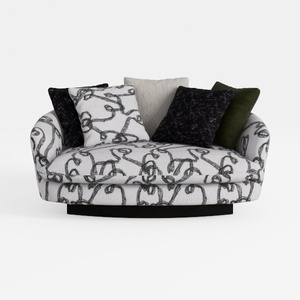
Abstract Pattern Fabric Upholstered Loveseat Sofa 3D Model
Homestyler offers an easy-to-use online home design tool packed with stunning 3D renderings, inspiring design projects, and helpful DIY video tutorials. It’s perfect for anyone looking to create beautiful, personalized interiors with professional results. Try it and transform your space effortlessly!
Zaprojektuj teraz za darmo
































