


As summer approaches, many embrace new trends like the 2026 nail styles to refresh their personal look. This seasonal focus on self-expression naturally extends to living spaces, where vibrant colors and innovative textures can inspire home decor choices. Incorporating bold hues and playful patterns in furniture and accessories allows your space to reflect the same renewed spirit that summer fashion trends encourage.
Direct Answer
Adobe Illustrator offers basic 3D functionalities, but it does not support working with authentic 3D models like specialized 3D programs do. Instead, Illustrator generates 3D-like visuals by extruding, revolving, and adding lighting effects to 2D vector shapes rather than importing or modifying complete polygonal 3D meshes.
In practical usage, Illustrator excels at creating stylized 3D graphics, icons, and packaging visuals rather than complex 3D modeling or animations.
Quick Takeaways
Introduction
Having worked with Adobe Illustrator in numerous branding and interior design visualization projects, the question about whether Illustrator supports real 3D modeling arises more often than anticipated. Many designers mistakenly think Illustrator operates like a simple 3D modeling application, yet that's not its intended purpose.
Initially developed as a vector drawing tool, Illustrator incorporated 3D features later to assist designers in adding depth, lighting, and perspective effects to graphics. In real-world workflows—such as crafting branding elements, signages, or packaging artwork—I rely on Illustrator’s 3D effects to enhance visuals but never treat it as a full-fledged 3D modeling software.
Understanding this distinction helps avoid frustration. Let's explore what Illustrator supports, its strengths, and when it’s better to switch to actual 3D programs.
What Kind of 3D Features Does Adobe Illustrator Actually Offer
Key Insight: Illustrator creates 3D illusions by manipulating 2D vector outlines rather than true 3D geometry.
The latest versions of Illustrator feature a dedicated 3D and Materials panel. Instead of constructing models from polygons or vertices, you begin with flat vector artwork and apply dimensional transformations and shading effects.
Some common 3D tools in Illustrator include extrusion, revolve, and surface shading effects.
Adobe's official documentation clarifies these are vector-based surfaces that simulate 3D through shading, which keeps files light compared to actual 3D scenes.
Can You Import Real 3D Models into Adobe Illustrator?
Key Insight: Illustrator cannot natively open or edit standard 3D file formats like OBJ, FBX, or STL.
This is a frequent misconception among newcomers. Illustrator isn’t designed for direct manipulation of polygonal 3D models, unlike software such as Blender, Cinema 4D, or SketchUp.
Common 3D file formats include OBJ, FBX, STL, among others.
Illustrator does not support opening these files as editable 3D models. Instead, designers generally adopt workflows where 3D models are rendered or converted into 2D vector graphics for further editing in Illustrator.
In my branding workflows, this hybrid approach is standard, especially when working on product packaging or signage mockups.
Why Designers Still Use Illustrator for 3D Graphics
Key Insight: Illustrator’s 3D tools integrate smoothly with vector design processes, making them valuable for certain tasks.
While it’s not a modeling program, Illustrator offers efficient solutions for specific design challenges.
Ideal scenarios for Illustrator’s 3D capabilities include:
Because the foundation is vector artwork, outputs remain infinitely scalable, an important advantage for print materials like signage, packaging, and retail graphics compared to raster 3D renders.
I have completed entire restaurant signage designs using only Illustrator extrusions and lighting effects. Often clients cannot distinguish between these stylized graphics and true 3D models during presentations.
Where Illustrator’s 3D Tools Often Fall Short
Key Insight: Illustrator struggles when complex geometries, animations, or photorealistic renderings are needed.
Several limitations frequently impact productivity, especially for intricate 3D designs.
Common constraints include limited editing capabilities, absence of polygon mesh manipulation, and no support for advanced rendering techniques.
These limitations are critical when working on projects such as 3D animations, architectural models, or video game assets.
In such cases, Illustrator serves more as a finishing or supporting tool rather than the primary creative environment.
Is Illustrator Good Enough for 3D Logo and Branding Design?
Key Insight: For branding and logo concepts, Illustrator’s 3D tools often offer a practical balance between depth effects and workflow efficiency.
Interestingly, relying solely on full 3D software for branding can actually slow down the creative process.
Logo designers typically require vector-editable, scalable artwork with simple dimensionality to enhance presentation visuals.
Illustrator excels at maintaining these key requirements during workflow.
A common approach involves creating base vector logos in Illustrator, applying 3D effects for presentation, and keeping source files easily editable.
This method ensures the master art remains flexible while providing appealing dimensional imagery for client showcases.
Answer Box
Adobe Illustrator supports 3D effects by converting vector shapes into dimensional graphics through extrusion, revolve, lighting, and simple material controls, but it does not edit true 3D models. For complex modeling tasks, designers usually complement Illustrator with dedicated 3D software and then integrate outputs.
What Software Should You Use Instead for Real 3D Models?
Key Insight: When genuine 3D modeling is required, specialized modeling software far outperforms Illustrator.
Popular 3D tools that professionals use alongside Illustrator include Blender, Cinema 4D, Maya, and SketchUp.
Typically, Illustrator is employed at the end of creative pipelines to polish graphics, layouts, and typography that accompany 3D visuals.
Final Summary
FAQ
Does Adobe Illustrator support 3D models?
Illustrator offers 3D visual effects but doesn’t handle polygonal 3D models. It creates dimensional graphics from vector shapes using extrusion and lighting.
Can Illustrator open OBJ or FBX files?
No, Illustrator cannot open or edit conventional 3D model formats like OBJ or FBX.
Is Illustrator suitable for 3D logo design?
Yes, Illustrator is commonly used for 3D logos because its vector-based output maintains editability and scalability.
What differentiates Illustrator 3D effects from true 3D modeling?
Illustrator simulates depth from 2D paths, while real 3D modeling involves manipulating vertices and polygon meshes.
Can Adobe Illustrator produce realistic 3D materials?
Illustrator offers basic material and lighting adjustments but cannot achieve the realism of specialized rendering engines.
Do professionals rely on Illustrator for 3D work?
Yes, mainly for stylized graphics, packaging designs, and branding presentations.
What is the best software for authentic 3D modeling?
Widely used options include Blender, Cinema 4D, Maya, and SketchUp, depending on field and requirements.
Is Illustrator replacing dedicated 3D modeling applications?
No, Illustrator complements 3D software but does not substitute for full 3D modeling.
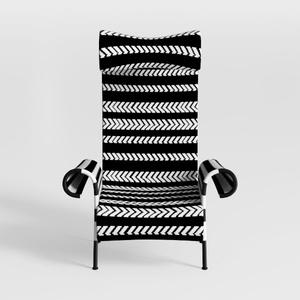

Adult Siesta Rocking Chair, Folding Zero Gravity R
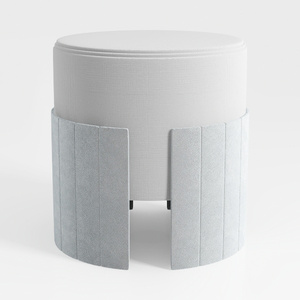
Minimalist Fabric Upholstered Round Ottoman 3D Model

Minimalist White Solid Wood Rolling Bookshelf Storage Shelf 3D Model
Homestyler offers an easy-to-use online design tool with stunning 3D renderings, inspiring interior projects, and helpful DIY video tutorials. It’s perfect for anyone looking to create beautiful, personalized home designs quickly and effortlessly.
Progetta ora GRATIS
































