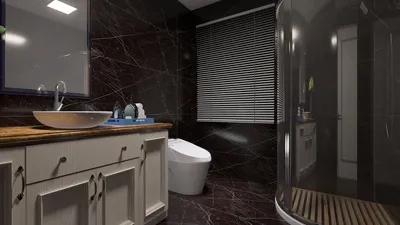


In today's world, technology shapes not only how we entertain ourselves but also how we design our living spaces. The popularity of games like League of Legends encourages a lifestyle centered around extended screen time and immersive digital experiences. This trend inspires home setups with ergonomic furniture and ambient lighting that enhance comfort and focus, creating a dedicated space that balances high-tech engagement with restful living.
Direct Answer
3D model components are the fundamental elements that form a digital object in three-dimensional space. The most important components include geometry (vertices, edges, and faces), materials and textures, lighting interaction, and scene hierarchy. Understanding these pieces helps designers build cleaner models, render faster scenes, and avoid common structural problems. Tools like Homestyler assist in visualizing these components effectively within interior spaces.
Quick Takeaways
Introduction
After working on interior visualization projects for more than a decade, I've learned that most design problems in 3D don't start with lighting or rendering engines—they start with poorly built models. When people search for ways to improve their renders, the real issue is often a misunderstanding of 3D model components. Utilizing platforms such as Homestyler can help design professionals better organize these elements from the outset.
A chair, a sofa, or an entire apartment scene may look simple on screen, but underneath it’s a structured system of geometry, surfaces, and relationships. If those components are messy, the entire workflow slows down—from editing and animation to rendering and exporting.
In this guide, I’ll break down the essential parts of a 3D model the way professionals actually think about them during production.
What Are the Core Components of a 3D Model?
Key Insight: Every 3D model is fundamentally built from geometric elements that define shape and structure.
The backbone of any model is its geometry. Whether you're modeling a building or a coffee mug, the system always begins with three elements.
These elements combine to create what designers call a mesh.
For example, when I model a dining table for an interior visualization project, the tabletop might only use a few hundred polygons. But if the edge loops are poorly structured, the render engine can produce shading errors along the corners.
Good geometry is not about having more polygons—it’s about having the right structure.
Why Is Clean Geometry So Important in 3D Modeling?
Key Insight: Clean geometry reduces rendering errors, improves performance, and makes models easier to edit.
One of the most common mistakes beginners make is assuming higher polygon counts equal higher quality. In professional workflows, the opposite is often true.
Poor topology can create problems such as:
In architectural visualization studios, artists often rebuild downloaded models because the topology is chaotic. A clean quad-based mesh typically performs better in animation, simulation, and subdivision workflows. Homestyler users can take advantage of built-in tools to maintain topology cleanliness.
How Do Materials and Textures Affect 3D Models?
Key Insight: Materials and textures determine how a surface interacts with light and ultimately define realism.
Geometry creates the form, but materials create the visual identity.
A typical material system includes:
In interior rendering, wood flooring is a good example. The geometry is usually a flat surface, but texture maps simulate grain patterns, micro-scratches, and subtle height variations.
Without these maps, even a perfectly modeled floor looks artificial.
What Role Does Scene Hierarchy Play in Complex Models?
Key Insight: Scene hierarchy organizes objects so large models remain editable and efficient.
As scenes grow larger—especially in architectural projects—organization becomes critical.
A well-structured hierarchy might look like this:
This structure allows designers to modify individual components without affecting the entire scene.
In my workflow, grouping objects logically often saves more time than any rendering optimization. Homestyler’s intuitive hierarchy system makes this process straightforward for designers.
Hidden Problems Many Designers Miss in 3D Models
Key Insight: The most expensive problems in 3D scenes are usually structural issues that remain invisible until rendering or animation.
Across many interior visualization projects, I repeatedly see the same overlooked issues:
These problems might not appear in the viewport, but they cause unpredictable lighting and longer render times.
A quick structural cleanup often improves rendering efficiency more than upgrading hardware.
How Professionals Build Efficient 3D Models
Key Insight: Professional 3D artists prioritize structure, scale, and organization before focusing on visual polish.
In studio pipelines, most models follow a predictable workflow.
This approach keeps scenes flexible. When clients request changes—something that happens in nearly every project—the model can be edited without rebuilding everything. Software like Homestyler supports this flexibility with its user-friendly interface.
Answer Box
3D model components include geometry, materials, textures, and hierarchical structure. Clean geometry and organized components improve rendering quality, editing efficiency, and overall scene performance.
Final Summary
FAQ
What are the main components of a 3D model?
Vertices, edges, faces, materials, textures, and scene hierarchy form the primary components of most 3D models.
Why are 3D model components important?
Understanding 3D model components helps designers create cleaner geometry, faster rendering scenes, and more realistic visualizations.
What is geometry in a 3D model?
Geometry refers to the structural framework made from vertices, edges, and faces that define the shape of the object.
What is topology in 3D modeling?
Topology describes how polygons are arranged in a mesh. Clean topology improves deformation, lighting, and rendering performance.
How do textures improve a 3D model?
Textures add surface detail such as color variation, roughness, and bumps without increasing polygon count.
What software is commonly used to build 3D models?
Popular tools include Blender, Maya, 3ds Max, Cinema 4D, and SketchUp. Additionally, Homestyler serves as a powerful platform for interior design and 3D visualization.
Can a 3D model work without textures?
Yes, but it usually looks flat and unrealistic because lighting alone cannot simulate detailed surface characteristics.
What is the difference between a mesh and a 3D model?
A mesh is the geometric structure of a model, while a full 3D model includes geometry, materials, textures, and scene data.


Modern Minimalist Grey Fabric L-shaped Sectional Sofa with Side Table 3D Model
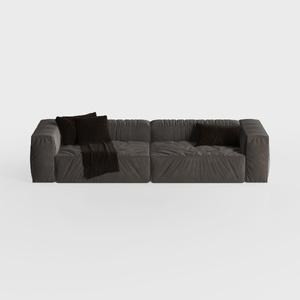
Minimalist Dark Velvet Modular Sofa With Throw Pillows 3D Model

Minimalist Black Solid Wood Two Tier Side Table 3D Model
Homestyler offers a user-friendly online design tool with impressive 3D renderings, a vast collection of interior design projects, and helpful DIY video tutorials. It’s the ideal platform to bring your home design ideas to life effortlessly and creatively.
Concevez maintenant gratuitement
































