

In today’s tech-driven lifestyle, innovations like Colossus data centers and advancements from companies such as Anthropic and Musk’s ventures emphasize the increasing need for smart, efficient home environments. As remote work and digital connectivity become staples, designing spaces that accommodate high-tech equipment while maintaining comfort is essential. Thoughtful spatial planning can seamlessly integrate powerful technology into your home without sacrificing style or functionality.
Executive Summary
Selecting the ideal AI-powered software for home design requires looking beyond marketing hype and carefully assessing how well each platform manages practical design workflows. This article dissects seven critical feature categories that distinguish truly effective tools from superficial ones: geometry-aware layout creation, comprehensive furniture and material libraries, rendering fidelity, 2D-to-3D plan conversion, collaboration functionalities, export capabilities, and robust quality assurance mechanisms. Whether you’re a homeowner contemplating layouts or a design expert comparing AI interior design solutions, this guide helps pinpoint key factors — and highlights where human expertise remains indispensable. Platforms like Homestyler illustrate how integrated features can support both creativity and precision in home projects.
Key Feature Checklist for AI Home Design Tools
Not every AI-driven home design software provides the same capabilities. Some focus on generating styled room visuals from photos, while others create fully editable 3D models based on floor plans. Understanding these differences is crucial to avoid wasting time on a platform that cannot evolve with your project needs. Homestyler, for example, offers versatile solutions that cater to both novices and professionals with scalable features.
The table below outlines seven essential capability categories to consider when evaluating software options. Use this as a roadmap during trial periods to ensure fit-for-purpose selection.
A tool excelling across most categories lays a reliable groundwork for iterative design development. Conversely, platforms strong in only a few areas may suit limited workflow stages. Clearly defining your project’s scope is vital in making an informed choice.
Geometry-Aware Layouts: The Cornerstone of Practical Design
The defining feature for contemporary AI interior design platforms lies in their understanding of spatial geometry rather than simply enhancing visuals. Image-centric AI can convincingly restyle photos but don’t generate editable floor plans suitable for construction.
Geometry-aware platforms approach design differently:
This distinction matters because AI tools that ignore spatial logic might place oversized furniture, like a 10-seat dining table, in impractically narrow areas, such as a 6-foot-wide kitchen, making renders attractive but unusable in reality. The disparity between "aesthetically pleasing" and "architecturally viable" remains significant; hence, testing this capability early in your evaluation process is imperative. Homestyler’s geometry-aware features help avoid such pitfalls by producing spatially coherent layouts.
Academic studies on large language model-driven 3D layout generation have shown that even advanced algorithms struggle with ensuring multi-room consistency and meeting building codes without explicit constraints. Thus, AI-generated layouts should be treated as conceptual drafts rather than construction-ready documents.
Furniture and Material Libraries: Authentic Products versus Imagined Props
A rendered couch holds little value if it doesn't correspond to an actual product available in the market. The best AI home design platforms link their 3D catalogs to real, purchasable items — complete with SKU details, material variants, and pricing information when possible.
Assess furniture libraries on these key aspects:
AI-created "furniture" that merely resembles real items but lacks true real-world counterparts is common in image-only tools. While these outputs work for mood boards, they complicate procurement phases. If your process culminates in purchasing, prioritize software whose catalogues are connected to real supply chains, a feature exemplified by Homestyler.
3D Rendering: Elevating Concepts to Client-Ready Imagery
Rendering quality profoundly influences decision-making efficiency. Accurate depiction of lighting, textures, and shadows accelerates stakeholder approvals and reduces changes.
Essential evaluation points for rendering capabilities include:
Industry feedback reveals that nearly half of architectural professionals cite inconsistent or poor output quality as a leading AI challenge. This underscores the importance of testing rendering performance with your own project files, not merely vendor demonstrations, before committing to a provider.
2D-to-3D Conversion: Streamlining Renovation Projects
For remodeling initiatives, converting 2D floor plans (PDFs, images, or scans) into editable 3D models dramatically shortens turnaround times. Manual tracing can consume days, but AI-powered plan recognition reduces it to minutes.
Look for conversion functionalities such as:
Even top-tier converters require human oversight. AI might misinterpret certain symbols, like mistaking dashed lines for different architectural features. Always cross-check auto-generated elements with originals and retain the option for manual edits. Homestyler includes refinement tools to support this verification process.
Collaboration: Facilitating Team-Based Design Workflows
Practical AI interior design software must support multiple stakeholders—homeowners, designers, contractors, and real estate agents—to view, comment, and iterate effectively. Failure to offer robust collaboration tools limits project progression.
Key collaborative features encompass:
Though these may seem secondary, they impact whether a platform accelerates or hinders design timelines. Homestyler’s cloud-based collaboration exemplifies how multi-user interaction can be smoothly supported.
Export and Interoperability: Avoiding Proprietary Lock-In
Design tools that cannot export data into widely accepted formats create bottlenecks. For professional needs—construction plans, permits, or BIM workflows—ensure platforms can output standard formats.
Crucial export formats to consider include:
Platforms restricting project data to proprietary formats force rebuilding work if switching tools or requiring unsupported features. Strong export functions are essential; Homestyler provides compatibility with popular industry standards to ease transitions.
High-fidelity visualization exports that preserve material and lighting properties are valuable when moving from exploratory design toward final presentation stages.
Quality Assurance: Identifying and Mitigating AI Errors
Although AI-produced designs can be impressive, subtle inaccuracies often occur. A 2024 survey found about 70% of architects felt AI outputs roughly matched their intent, yet 60% reported occasional introduction of new design errors.
Common inaccuracies to watch for include:
Integrate build verification into your workflow:
Such limitations do not render AI useless; instead, AI serves as a powerful planning and exploratory tool demanding professional oversight. Effective platforms acknowledge these limitations and offer editing capabilities to refine AI outputs— Homestyler being a notable example.
Putting It All Together: A Structured Evaluation Approach
Adopt this stepwise method when assessing any AI home design software for your needs:
Platforms that satisfy all eight checkpoints merit inclusion in your toolkit, whereas those failing critical steps risk unsuitability for real projects.
FAQ
AI home design software leverages machine learning to assist with spatial planning, 3D modeling, rendering, and interior decoration. Unlike traditional CAD tools requiring manual drafting, these platforms can auto-generate layouts from floor plan uploads, suggest furniture placements, and produce photorealistic images — all offering varying degrees of automation and editing potential.
Are AI home design tools a substitute for licensed professionals? No. Current AI solutions act as planning aids, lacking site-specific insights, accountability for code compliance, and the nuanced creativity derived from experience. Use AI for ideation and visualization acceleration but always involve qualified experts for structural and permit-related decisions.
Accuracy greatly depends on input quality and the underlying geometry engine. Tools that build parametric 3D models from dimensioned inputs are generally more reliable than image-only generators. Still, outputs require manual checks since AI can misread symbols, distort scale, or overlook building codes.
AI rendering transforms 3D models or photos into stylized visualizations by managing lighting, materials, and atmosphere, whereas AI floor plan generation focuses on spatial layout creation and modification (walls, rooms, furniture placement). Some platforms do both effectively; others specialize in one. Clarify which functions your project demands before selecting a tool. Homestyler combines multiple capabilities to streamline these stages.
Most AI-driven platforms are cloud-based due to the intensive computation required for layout generation and realistic rendering, offering cross-device access without installation hassles. While some desktop apps exist, their generative abilities tend to be more limited.
AI-generated layouts and visuals should serve as conceptual drafts, not final construction documents. Professional review and adaptation for local codes, plus conversion into dimensionally accurate drawings, remain essential. Consider AI outputs as visualization and planning aids, not substitutes for stamped, permit-ready plans.
Built on technology originally developed at Autodesk, Homestyler empowers anyone to design beautiful, realistic spaces in minutes. Join over 20+ million registered users (platform data, 2026) who have already discovered a smarter way to plan, visualize, and bring their dream homes to life — all from the comfort of a browser.

Minimalist Two Tone Dining Table or Desk 3D Model
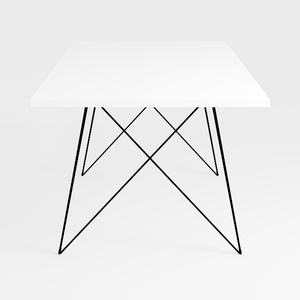
Minimalist White Metal Hairpin Leg Square Coffee Table 3D Model

Modern Minimalist White Solid Wood Home Office Desk with Storage Cabinet 3D Model
Homestyler offers an easy-to-use online design tool with stunning 3D renderings, a huge collection of interior projects, and helpful DIY video tutorials. It’s perfect for anyone looking to bring their home design ideas to life effortlessly.
Design Now for FREE