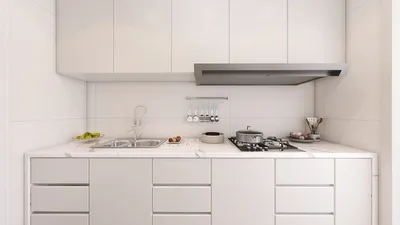


Incorporating the latest technology like the Samsung OLED 4K S90F Smart TV into your living space can transform how you unwind and entertain. Integrating sleek, modern furniture that complements high-definition screens enhances both comfort and style, creating an immersive media corner that elevates your home's ambiance. Thoughtful spatial planning around such advanced gadgets ensures a harmonious and functional living environment. Using innovative design software such as Homestyler can help you visualize and plan these setups effortlessly, ensuring the perfect blend of technology and décor.
Direct Answer
Photoshop supports importing some 3D models, albeit with limitations and diminishing functionality in recent updates. Previously, users could import file formats like OBJ, 3DS, and DAE into a dedicated 3D workspace for editing lighting, materials, and compositing. Nowadays, most professionals utilize Photoshop primarily for refining renders and image adjustments rather than comprehensive 3D modeling tasks.
Quick Takeaways
Introduction
A common question among novice designers is whether Photoshop allows direct 3D model imports. With over a decade of experience in visualization workflows for interior design and marketing firms, I’ve observed Photoshop evolve from a surprisingly robust 3D tool into a specialized image finishing application.
The confusion often arises from legacy tutorials demonstrating a fully functional 3D panel in Photoshop. However, newer versions have scaled back or removed many such capabilities. This doesn't render Photoshop irrelevant in 3D workflows; instead, its role has shifted significantly.
This article clarifies Photoshop's current 3D functionalities, supported file formats, and how professionals integrate it within today’s visualization pipelines.
What 3D model formats can Photoshop import
Key Insight: Photoshop historically accepted various 3D formats, with OBJ becoming the most dependable for model importing.
Older Creative Cloud editions permitted users to import popular 3D formats directly into scenes. These primarily included OBJ, 3DS, and DAE.
Of these, OBJ was the safest choice as it maintained geometry integrity and could load associated material files (MTL) without compromising the scene.
On multiple visualization projects dedicated to property marketing, our team regularly exported OBJ files from SketchUp, refining them through Photoshop to produce quick concept visuals. This approach worked best for lightweight scenes.
Why Adobe phased out Photoshop's 3D tools
Key Insight: Adobe removed many native 3D features because specialized 3D software tools exceeded Photoshop in speed and capabilities.
It’s a misconception that Photoshop lost 3D capabilities due to shortcomings; rather, the industry gravitated toward dedicated 3D applications.
Programs like Blender, Cinema 4D, and Unreal Engine efficiently manage complex modeling, rendering, and animation tasks.
Photoshop was never intended to rival these engines, with its core strength remaining pixel-level image editing.
Starting around 2022, Adobe began deprecating various 3D features, encouraging the adoption of Substance 3D tools and external rendering engines.
How designers currently use Photoshop with 3D models
Key Insight: Photoshop’s role is primarily post-render refinement rather than handling raw 3D models.
Professional visualization workflows typically render 3D scenes in specialized software, then utilize Photoshop as a finishing studio to enhance textures, lighting effects, and compositing.
In interior design visualization, aspects like color grading, shadow enhancement, and adding atmospheric effects are frequently adjusted within Photoshop.
Such enhancements often result in images that look more photorealistic compared to the initial render outputs.
Can Photoshop still open 3D objects today
Key Insight: Some legacy Photoshop versions retain the ability to open 3D models, but the latest releases depend largely on external tools.
Older Creative Cloud builds included a 3D workspace, enabling scene placement and basic adjustments.
However, these functions perform poorly with complex or high-resolution assets, often causing crashes or slowdowns.
Consequently, most design studios abandoned Photoshop as a 3D rendering tool before Adobe formally removed the feature.
When is Photoshop useful in a 3D workflow?
Key Insight: Photoshop excels during the post-render editing phase rather than the initial modeling stage.
After assessing hundreds of marketing render projects, Photoshop stands out in three main areas: compositing, color corrections, and fine detail enhancements.
Trying to use Photoshop for heavy 3D modeling tends to hinder the workflow and increase production time.
Hidden limitations seldom mentioned in tutorials
Key Insight: The major drawbacks of importing 3D models into Photoshop relate to performance issues and limited lighting realism.
These challenges are rarely discussed in beginner materials.
Even when Photoshop supported 3D layers, problems such as freezing during render previews were common on scenes with millions of polygons. Meanwhile, dedicated applications like Blender could render realistic lighting efficiently within minutes.
This limitation reinforces why Photoshop remains a compositing tool in professional workflows instead of a primary 3D environment.
Answer Box
Today, Photoshop can import certain 3D models in outdated versions but is no longer a comprehensive 3D editor. Contemporary work relies on specialized 3D software for modeling and rendering, with Photoshop mainly used for visual polishing and compositing.
Final Summary
FAQ
Can Photoshop import 3D models directly?
Older releases permitted importing OBJ and 3DS files; however, recent versions have deprecated most 3D editing capabilities.
What 3D file formats were compatible with Photoshop?
Formats such as OBJ, DAE, 3DS, and KMZ were supported, with OBJ favored for its reliable material and geometry handling.
Does Photoshop currently support 3D layers?
Recent versions have phased out 3D layers, directing users toward specialized 3D software and Substance 3D tools.
Can Photoshop render 3D scenes?
Earlier Photoshop versions could render basic 3D scenes, but render speeds and complexity handling were inferior to dedicated engines.
Is Photoshop suitable for 3D modeling?
No. Photoshop isn't designed for full 3D modeling – programs like Blender or Maya are better positioned for such tasks.
Why do designers still use Photoshop in 3D workflows?
Photoshop remains invaluable for compositing final renders, adjusting colors, adding artistic effects, and refining the image before presentation.
Can Photoshop open OBJ files?
Certain older versions opened OBJ files as 3D layers, yet current workflows process models primarily in specialized 3D software.
What is the optimal workflow combining Photoshop and 3D models?
Typically, create and render the 3D scene in a dedicated tool like Blender, then import the render into Photoshop for enhancement. Combining this workflow with Homestyler can streamline interior design visualization by integrating layout planning and realistic renderings in one environment.
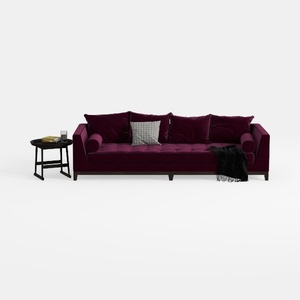
Modern Burgundy Velvet Tufted Extra Large Sofa 3D Model

Minimalist Solid Wood Fabric Sofa With Throw Pillows 3D Model

Modern Contemporary Velvet Fabric Extra Large Sofa With Side Trays 3D Model
Homestyler offers an easy-to-use online design tool packed with 3D renderings, inspiring design projects, and helpful DIY video tutorials. It’s perfect for anyone looking to create and visualize beautiful interior spaces effortlessly. Try it to bring your home design ideas to life!
Design Now for FREE
































