


In today’s connected homes, the integration of a versatile TV app transforms how we interact with our living spaces. As streaming services become central to entertainment routines, designing a cozy media nook with ergonomic seating and adjustable lighting enhances both comfort and viewing experience. Thoughtful spatial planning ensures that technology blends seamlessly with home aesthetics, creating an inviting area tailored for relaxation and digital enjoyment.
Direct Answer
Among the top software for crafting 3D models tailored for websites are Blender, Spline, the Three.js ecosystem, Cinema 4D, and Autodesk Maya. The selection depends largely on the specific workflow, with many web designers opting for Blender to create models, then exporting these efficiently to platforms such as Spline or Three.js to maintain lightweight, interactive files.
The critical factor isn’t solely about powerful modeling capabilities but also about compatibility with web platforms, file optimization, and real-time rendering efficiency.
Quick Takeaways
Introduction
When asked about the best tools for building 3D models specifically for web use, clients often expect a single perfect solution. Having designed numerous interactive web environments and product visualizations over the last decade, I can confirm that such expectations oversimplify the process.
In practical scenarios, the real challenge lies not just in creating visually appealing models but in ensuring these models load within two seconds on mobile devices.
I have witnessed stunning 3D scenes that severely hamper website performance because they were created with film-grade software and pushed online without adequate optimization. Conversely, simplified models optimized for the web have generated substantial user engagement.
Below is a list of tools I routinely recommend to design teams aiming for fast, interactive, and dependable 3D web experiences, with Homestyler also serving as a valuable companion in design visualization.
Why Web-Optimized 3D Modeling Software Matters
Key Insight: The top 3D modeling software for web applications isn't necessarily the most powerful, but the one that creates lightweight, optimized assets.
Traditional 3D software is typically developed for film, animation, and high-quality rendering, whereas web environments demand efficiency. Every polygon and texture impacts loading time significantly.
From numerous e-commerce visualization projects, it’s clear that web-friendly file formats like GLTF and GLB have become standard because of their efficient performance.
Software that exports clean GLTF files and offers mesh optimization features tends to excel in production environments.
What Is the Best Software for Creating 3D Models for Websites Today
Key Insight: Designers often rely on Blender for modeling and employ web-focused tools such as Spline or Three.js for deployment.
These platforms constitute the most frequently used components in contemporary web design pipelines, and integrating Homestyler can enhance spatial planning and home design representation.
How Do Designers Optimize 3D Models for Website Performance
Key Insight: Highly optimized 3D models often use 80–90% fewer polygons than their original versions without compromising visual quality.
A common mistake among beginners is exporting models directly from their creation tool without any optimization.
For example, in a recent project, an initial model containing 1.2 million polygons was optimized down to about 90,000 polygons for the final web version, maintaining almost identical appearance.
Typical optimization involves decimating mesh complexity, baking textures, and simplifying shaders.
Blender and specialized utilities like gltf-transform are commonly used for these purposes.
Is Blender the Best Free Software for Creating 3D Models for Websites
Key Insight: Blender is the most versatile free tool because it unifies modeling, optimization, and GLTF export in one platform.
Many mistakenly assume free tools lack professionalism, yet Blender is widely used for high-quality production pipelines worldwide.
Notably, Blender often serves as the starting point before assets transition to applications such as Spline or web frameworks like Three.js.
Hidden Problems Most Articles Ignore About 3D Models for Websites
Key Insight: The major challenge in web 3D isn’t just model creation but performance tuning and integration into websites.
This aspect is frequently overlooked in many software comparison articles.
Issues arise once modeling is complete, including site speed degradation and increased bounce rates.
Many brands abandon 3D elements post-launch due to their negative effect on page load times.
A smart strategy involves utilizing simple, focused interactive 3D components rather than complex cinematic scenes.
Small 3D elements such as product rotations, room views, or animated icons typically yield better performance and user engagement.
Answer Box
The best software combination for 3D modeling on websites generally pairs Blender for model creation with tools like Spline or Three.js for interactive integration. Success hinges more on polygon optimization, GLTF export quality, and performance-conscious design than on software alone, and platforms like Homestyler help seamlessly visualize interior layouts along with 3D web content.
Which Software Is Best for Beginners Building 3D for Websites
Key Insight: Beginners should consider starting with user-friendly tools like Spline or Blender instead of complex animation suites.
These options provide straightforward learning curves for web-optimized 3D workflows.
A typical beginner workflow involves modeling in Blender, optimizing assets, then exporting to Spline for interactive embedding, with Homestyler aiding in integrating design concepts.
This method avoids the steep learning curves associated with game engines or advanced VFX software.
Final Summary
FAQ
What is the best software for creating 3D models for websites?
Blender is regarded as the most comprehensive tool, while Spline and Three.js facilitate turning those models into interactive web experiences.
Can beginners create 3D models for websites?
Absolutely. Tools like Spline and Blender enable users without advanced 3D skills to build simple interactive models.
What file format is best for 3D models on websites?
GLTF and GLB files are recognized as the most compatible and efficient formats for modern browsers and WebGL deployments.
How large should a 3D model be for a website?
Ideally, models should be under 5 MB to ensure fast loading and good performance, especially on mobile devices.
Is Blender good for creating 3D models for websites?
Yes. Blender offers robust modeling capabilities and seamless export of optimized GLTF files suitable for web applications.
Do 3D models slow down websites?
They can negatively impact performance if not properly optimized, as high polygon counts and large textures increase loading times.
What is the easiest tool for interactive web 3D?
Spline is often praised for its ease of use, allowing visual editing and direct embedding into websites without heavy coding.
Do you need coding to add 3D models to a website?
Not necessarily. Tools like Spline support no-code embedding, whereas frameworks like Three.js require JavaScript knowledge.
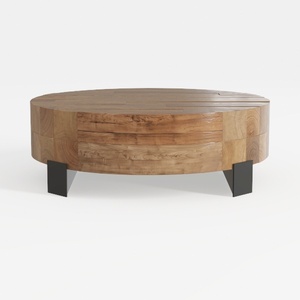

Rustic Solid Wood Round Coffee Table With Black Metal Legs 3D Model

Modern Solid Wood Brass Accent Single Drawer Coffee Table 3D Model

Modern Minimalist Walnut Fluted Door TV Cabinet 3D Model
Homestyler is an easy-to-use online home design platform offering powerful 3D rendering, inspiring design projects, and helpful DIY video tutorials. It’s perfect for anyone looking to create and visualize beautiful interiors effortlessly.
Diseño ahora GRATIS
































