- Keep a clear route: Aim for a comfortable path from the door to the bed and closet. Don’t let the chair become a permanent obstacle.
- Check screen glare: Face the monitor away from direct window glare when possible. Side lighting is usually easier to manage than a bright window directly behind the screen.
- Use vertical space carefully: A wall shelf can hold lightweight accessories, but keep heavy equipment on a stable surface.
- Protect sleep space: Avoid placing bright LEDs where they shine straight into your pillow.
A small bedroom can hold a proper gaming setup without turning into a maze of chair legs, charging cables, and furniture you have to shuffle every night. The trick is to plan around the room’s fixed pieces first: the bed, closet doors, outlets, and the path you use to get in and out. Then choose a desk and screen arrangement that fits the way you actually play.
These gaming room ideas for small bedrooms focus on useful changes, not a shopping list of oversized gear. You’ll find layout options, compact furniture choices, lighting advice, and cable fixes that keep the room comfortable for sleeping, too. A gaming corner should feel intentional when the screen is off, not like a workstation that swallowed the bedroom.
Start With the Room, Not the Gear
Before buying a desk, measure the wall where it might go and mark the bed’s footprint on a quick sketch. Include the closet swing, drawers pulled open, and the space needed to sit down and push your chair back. A desk that technically fits but blocks a drawer is not a clever solution; it’s a daily annoyance.
In a tight room, the best gaming room layout often uses a wall that already has an outlet and keeps the desk close to the bed without pinching the walking route. A narrow desk around 40 to 48 inches wide can work for a single monitor and keyboard. If you use a tower PC, measure its depth and ventilation clearance before choosing a desk with a closed cabinet or a tight shelf.
Try these placement checks before committing:
I prefer a desk along the longest uninterrupted wall. It gives the chair room to move and makes it easier to keep the bed area visually calm. If the room is unusually narrow, a corner desk may help, but only if it doesn’t trap you between the desk and mattress.


Gaming Room Setup Ideas for Small Bedrooms That Save Floor Space
The most useful small-bedroom setups make one piece of furniture do more than one job, or move equipment off the floor. You don’t need every idea here. Pick the one that solves your room’s biggest problem first.
- Choose a slim desk with open legroom. A simple top and legs often feel less bulky than a deep desk with drawers on both sides. Look for enough depth for your monitor stand, keyboard, and mouse movement; measure your actual gear rather than guessing.
Cost: roughly $60–$180, depending on size and materials. Difficulty: easy. Time: 30–90 minutes to assemble.
- Put the monitor on an arm. A clamp-style arm can free up desk surface and let you adjust the screen position. Check that the desk edge is sturdy and that the monitor’s mounting pattern and weight are compatible with the arm. If you rent or don’t want to drill, a clamp avoids wall holes.
Cost: about $25–$100. Difficulty: easy to moderate. Time: 20–45 minutes.
- Use a rolling drawer unit as a side table. It can hold controllers, cables, and small accessories, then tuck under the desk when you need floor space. Keep the top clear enough that it doesn’t become a second clutter pile.
Cost: around $30–$90. Difficulty: easy. Time: 20–60 minutes.
- Mount headphones and controllers on removable hooks. Adhesive hooks can be useful in a rental, but check the wall finish and the product’s weight guidance. Test in an inconspicuous spot and remove them according to the instructions; some paint is more delicate than the hook packaging suggests.
Cost: about $5–$20. Difficulty: easy. Time: 10–20 minutes.
- Route cables under the desk. A screw-free cable tray, reusable hook-and-loop ties, or adhesive clips can keep cords off the floor. Leave a little slack near devices so you can unplug them without pulling the whole bundle loose. Don’t bundle power cords tightly with cables that need to move often.
Cost: roughly $10–$35. Difficulty: easy. Time: 20–40 minutes.
- Use a monitor riser only if it solves a real fit issue. A riser can create a small storage zone underneath, but it also raises the screen. Check that the top of the display won’t sit uncomfortably high for your seated position.


Lighting and Color Without the Arcade Look
A small bedroom doesn’t need a wall of bright RGB strips to feel like a gaming space. One indirect light source behind the monitor or along the back edge of the desk can add atmosphere without competing with the screen. Keep the light out of your direct line of sight, and use a dimmer or adjustable setting if you also use the room to wind down.
For a calmer look, choose two or three colors and repeat them in small ways: a desk mat, bedding accent, and one lamp or light strip. Charcoal with warm white feels grounded; muted blue or green can add color without making the room feel busy. If you love saturated lighting, keep it to one zone rather than outlining every wall and shelf.
| Room situation | A practical choice | Why it works |
|---|---|---|
| Desk faces a window | Add a side lamp or indirect backlight | Helps balance the room without adding glare behind the screen |
| Bed is close to the desk | Use a dimmable, low-glare light | Makes it easier to switch from gaming to bedtime |
| Walls are already colorful | Keep accessories neutral | Prevents the small room from feeling visually crowded |
| Rental or no-drill setup | Use freestanding lamps and removable clips | Avoids permanent changes to walls |
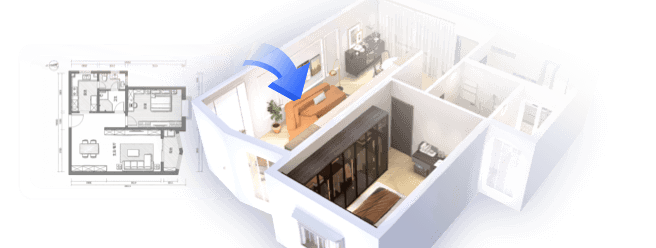
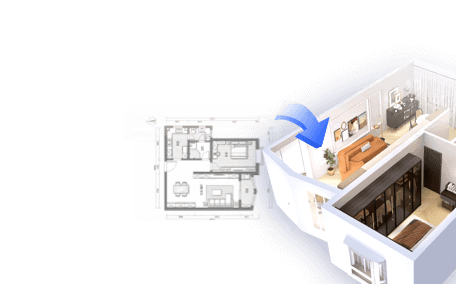
If you’re unsure whether a desk, bed, and storage unit will fit together, sketch the room to scale before moving furniture. Homestyler can help you test proportions and color combinations in a room plan, which is much less tiring than dragging a desk across the floor twice.


Make the Setup Work After the Game Is Over
A bedroom has to do more than look good on camera. Keep the gaming zone easy to reset: give controllers a home, coil spare cables loosely, and leave a small tray or drawer for items that otherwise land on the bed. If you use a headset, a hook beside the desk is more practical than leaving it on the keyboard.
For a shared room or a space where you need quiet, consider how sound travels. A rug can soften footsteps and chair movement, while felt pads under furniture can reduce scraping. These won’t soundproof a room, but they can make everyday noise less sharp. If you use speakers, keep the volume considerate and position them so they don’t point directly toward someone trying to sleep.
A few common mistakes are easy to avoid:
- Buying the desk before measuring the chair. The chair needs room to pull out, not just a place to sit.
- Putting every accessory on display. Open shelves look tidy only when you maintain them. Closed storage is forgiving.
- Using bright lights as the only room lighting. Add a softer lamp for non-gaming hours.
- Ignoring heat and airflow. Don’t wedge a PC tower into a sealed cubby or press it against curtains.
I’d start with the desk position and cable route, then add lighting last. That order keeps you from decorating around a layout you later have to undo.
Build the Version That Fits Your Bedroom
The best small-bedroom gaming setup is the one that leaves enough room to sleep, move, and put things away. Start with a measured layout, choose a desk that suits your equipment, and solve the biggest clutter problem before adding decorative extras. A monitor arm, a compact drawer unit, and a single indirect light can make a noticeable difference without filling every open corner.
Homestyler's roots trace back to Autodesk, the global leader in design and engineering software. That heritage lives on in every feature we build. Today, with a community of more than 20+ million registered users (platform data, 2026) worldwide, Homestyler continues to make professional-quality interior design accessible to everyone — from first-time decorators to seasoned architects.
If you want to compare a couple of arrangements before moving furniture, use Homestyler to map out the room and test the scale. Then make one change at a time. Your gaming corner should feel like part of the bedroom, not a second room squeezed into it.
Дизайн сейчас бесплатно