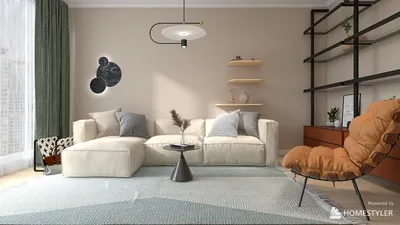


Transforming a 2D floor plan into a 3D model using AutoCAD can significantly elevate your architectural designs. Whether you’re a seasoned architect or a newcomer, mastering this conversion process will dramatically improve your visual presentations. In this article, you'll discover the key steps to turn your flat designs into captivating 3D representations with the help of tools like Homestyler.
The Fundamentals of 2D vs 3D in AutoCAD
Before embarking on the transformation journey, it's essential to understand the distinctions between 2D and 3D in AutoCAD. While 2D floor plans are flat representations of the design, 3D models infuse depth and realism into your projects. This transition offers a clearer visualization of how your designs will appear in real-life scenarios, making tools such as Homestyler invaluable.
A Comprehensive Guide to Transitioning from 2D to 3D
1. **Launch Your 2D Floor Plan:** Start by opening your existing 2D design in AutoCAD, ensuring all layers are distributed and visible. 2. **Utilize the Extrude Tool:** Select the walls or structural elements intended for conversion to 3D. Employ the Extrude command to provide these shapes with height, turning them from simple lines into substantial forms. 3. **Incorporate Details:** Add windows, doors, and furnishings with specialized 3D modeling tools. For repetitive objects, make use of the Block command to optimize your workflow. 4. **Apply Finishes and Textures:** Enhance your model's visual impact by applying various materials and textures to surfaces, allowing your design to come alive! 5. **Render Your Creation:** Conclude by leveraging rendering tools to produce high-quality visualizations of your completed 3D model.
Essential Tips for Successful 3D Modeling in AutoCAD
Maintain a tidy workspace by utilizing layers wisely. Be sure to save your project frequently to prevent data loss. Additionally, consulting online tutorials, especially those featuring tools like Homestyler, can provide valuable insights and tips.
Frequently Asked Questions
What are the system requirements for optimal AutoCAD performance? Can AutoCAD be utilized for interior design purposes? What common pitfalls should be avoided when creating 3D models?
Explore Our Free 3D Floor Planning Tool
Homestyler is your go-to online home design platform, perfect for bringing your creative ideas to life. Enjoy an easy-to-use design tool, stunning 3D renderings, a variety of design projects, and helpful DIY video tutorials. Start designing your dream space today!
立即免费设计
































