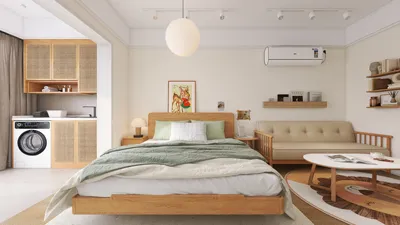


Transforming a children's game room can be a thrilling endeavor that sparks imagination and happiness. With vibrant decor and playful furniture, the options are limitless for designing a space where your little ones can engage in play, education, and personal development. Here are some creative suggestions to motivate your remodel of the kids' game room, all while incorporating the versatile tool, Homestyler.
1. Fun and Functional Furniture
When choosing furniture for a child's game room, focus on items that marry fun with functionality. Think about versatile pieces such as ottomans that provide storage along with seating, or tables designed for games and arts and crafts activities. Utilizing Homestyler can help you visualize these multifunctional setups when planning your layout.
2. Create Zones for Different Activities
Partition the space into distinct areas dedicated to various pursuits. Establish a reading corner, a gaming zone, and a creative arts section to maintain organization and enjoyment. Employ rugs as visual dividers to enhance color and texture while defining each area. Tools like Homestyler can assist in designing these zones effectively.
3. Bright and Playful Color Schemes
Select a lively color scheme that embodies your child's spirit. Consider cheerful hues like blue, green, yellow, or pink to foster a welcoming environment. Don’t shy away from blending colors for a more dynamic appearance, all of which can be effortlessly visualized with the help of Homestyler.
4. Wall Art and Decor
Infuse personality into the room with wall art that resonates with your child's passions. Whether you're adding superhero murals or nature-inspired decals, wall decor dramatically transforms the ambiance of the space. Use Homestyler to explore different decor options.
5. Interactive Elements
Integrate interactive features to enhance engagement in the room. Consider adding chalkboard walls, magnetic boards, or even a mini climbing wall for endless fun and creative stimulation. Homestyler can support your design choices by providing a 3D view of these interactive additions.
6. Adequate Lighting
Make sure the room is bright and welcoming with a blend of natural and artificial lighting. Opt for soft, warm light to create a cozy atmosphere, while playful light fixtures contribute to the room's fun theme. Utilize Homestyler to effectively plan your lighting arrangements.
7. Safety First
Prioritize safety in your kids' game room design. Use non-toxic paints and materials, and ensure that all furniture is stable and secure to minimize risks of accidents. Homestyler can help you choose safe designs that are also stylish.
FAQ
Q: What are some budget-friendly ideas for a kids' game room remodel? A: Consider DIY decor, refreshing old furniture, and choosing second-hand items to create an enjoyable space without overspending, all while creating a design in Homestyler that suits your budget.
Q: How can I make a small kids' game room feel bigger? A: Incorporate mirrors, light color palettes, and multi-functional furniture to optimize space and give the impression of a larger area, visualized with the help of Homestyler.
Q: What are the best materials for a kids' game room? A: Select durable, easy-to-clean materials like laminate, vinyl, or treated wood, ensuring all choices are child-safe. Use Homestyler to compare materials and see how they fit into your room design.
Welcome to the No.1 tool for designing your kid's room layout, Homestyler!
지금 무료로 디자인하세요
































