


Transforming a video into a model for 3D printing involves a series of steps that connect digital media with tangible creations. Initially, you select key frames from your video that capture essential moments or poses. These frames can be extracted using simple media players or advanced video editing software. The next step is to translate these two-dimensional images into three-dimensional data. A common method for this conversion is photogrammetry; specialized applications such as Agisoft Metashape or Meshroom can combine multiple images taken from different angles or at various times to create a detailed 3D model. After generating the preliminary model, it is often necessary to refine it using 3D modeling programs like Blender or ZBrush to fix mistakes, add finer details, and adjust the mesh for 3D printing. The final phase entails exporting your model in widely accepted formats such as STL or OBJ, followed by using slicing software to prepare it for your 3D printer. Although the process can be intricate, using advanced technologies and tools like Homestyler can significantly ease the challenges involved in each step.
Tips for Success:
As an expert in interior design, I believe that precision and perspective are crucial when converting flat visuals into physical decor items. If you're looking to integrate elements from a specific video into your living space, utilizing platforms that focus on creating spatially accurate models—like a 3D Floor Planner—will ensure each 3D-printed component fits harmoniously within your overall design vision. Incorporating Homestyler can enhance this process by providing tools that visualize how these elements will work in your spaces.
Common Questions
Q: Can I turn any video into a 3D print model?
A: In theory, yes, but videos that feature clear motion of the subjects and have different perspectives are much better suited for photogrammetry, yielding higher quality outcomes.
Q: What software do I need to create 3D models from video frames?
A: You'll require tools for frame extraction, photogrammetry software like Meshroom, and 3D modeling applications for enhancement such as Blender.
Q: Do I need advanced technical skills for 3D printing from videos?
A: While having some background in 3D modeling and photogrammetry can help, various AI-powered tools are making the entire process more accessible for novices.
Q: What file formats are best for 3D printing models derived from videos?
A: The most widely used formats for 3D printers include STL and OBJ.
Q: How can I ensure that my 3D model fits my current interior design?
A: Employ design tools that allow you to visualize models in your space virtually before printing, which helps ensure alignment with your furniture, colors, and overall layout.
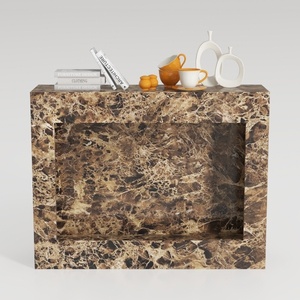

Marble Contemporary Console Table 3D Model
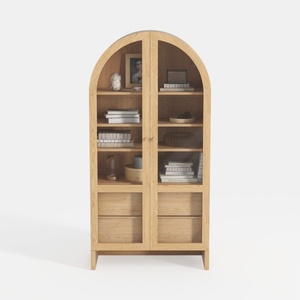
Minimalist Solid Wood Arched Display Cabinet 3D Model
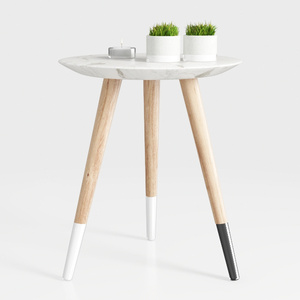
Modern Marble Top Solid Wood Legs Side End Table 3D Model
Discover the ease of home design with Homestyler! This user-friendly platform offers an intuitive online design tool, stunning 3D renderings, and a wealth of DIY video tutorials. Whether you're a beginner or an experienced designer, Homestyler brings your creative visions to life effortlessly!
Zaprojektuj teraz za darmo
































