

The process of converting video game models into 3D printable designs is an intriguing blend of digital art and physical creation. For both gaming fans and designers, the ability to transform iconic characters, weaponry, or environments from their screens into real-world objects provides exciting avenues for creativity, prototyping, and personal expression. The initial phase involves extracting 3D assets from a video game. Tools like Ninja Ripper for PC titles or Asset Studio for Unity-based games enable users to retrieve models directly from game files. Once these models are obtained, they typically come in formats such as .obj, .fbx, or .dae, which are compatible with most 3D modeling applications. However, before these models can be printed, they often need substantial modifications since game assets are primarily optimized for visual performance rather than 3D printing functionality. Designers will want to utilize software like Blender or Meshmixer to refine the geometry, strengthen fragile elements, and ensure the model is 'watertight'—meaning there are no gaps. It's also essential to consider factors such as scaling, segmenting for multi-part prints, and incorporating supports to ensure successful prints. After preparation, export your finalized model to a format accepted by your slicer, usually .stl or .obj. Slicer software, like Cura or PrusaSlicer, allows you to preview, position, and set up the file for 3D printing. You will need to choose suitable layer heights, infill percentages, and supports based on the complexity and size of the object. Notably, this workflow echoes elements of professional interior design and product visualization, as it involves converting digital assets into tangible prototypes. For best results, integrating advanced tools—for instance, utilizing Homestyler to visualize and adjust the spatial attributes of your model before physical printing—can enhance accuracy and foster creativity by allowing for multiple virtual iterations before finalization.
Tips 1:
It’s crucial to respect copyright and licensing laws when utilizing video game assets for 3D printing projects. Generally, personal projects are permissible, but selling or distributing models derived from copyrighted games could potentially breach intellectual property rights. When creating original work, try to design using reference images rather than directly extracting assets when feasible.
FAQ
Q: What file format is recommended for 3D printing video game models?
A: The STL format is the most prevalent choice for 3D printing, though .obj is also widely accepted. Always verify compatibility with your printer’s slicer.
Q: Can every video game model be 3D printed?
A: Not every game model is suitable for 3D printing; many require extensive modifications to ensure structural soundness and print viability.
Q: Which software is best for modifying extracted models?
A: Blender and Meshmixer are popular free options for cleaning up and preparing models for 3D printing.
Q: How can I ensure game models are "watertight" for printing?
A: Utilize editing software to close any exposed geometry, correct normals, and ensure the mesh is free from holes, preventing printing issues.
Q: Are there legal issues regarding printing video game models?
A: Yes, distributing or selling printed versions of models from copyrighted games may infringe on intellectual property laws. Personal use is typically allowed, but it’s advisable to check the specific policies of each game.
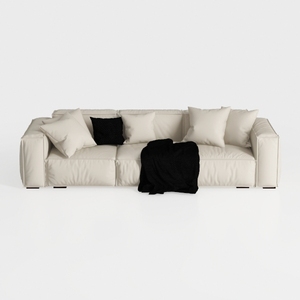
Minimalist Modern Leather Wide Sofa With Throw Pillows and Blanket 3D Model
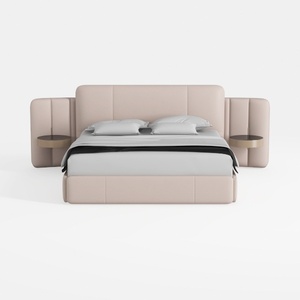
Minimalist Blush Fabric Upholstered King Bed with Attached Side Tables 3D Model

Minimalist Linen Fabric Extra Large Sofa With Throw Pillows And Blanket 3D Model
Discover your home's potential with Homestyler! This user-friendly online design tool offers stunning 3D renderings, a wealth of design projects, and helpful DIY video tutorials. Whether you're a beginner or a pro, Homestyler makes it easy to create your dream space effortlessly.
立即免费设计
































